


 Subscribe to Help Center RSS Feed
Our product roadmap showcases our high-level initiatives and feature work aligned with JumpCloud’s product strategy.
This roadmap organizes current and upcoming product features into the following categories:
- Released: Features released within the last quarter (3 months).
- In Progress: Features targeted for release within the next two quarters (3-6 months).
- Future: Features approved for work and targeted for release within the next two to 4 quarters (6-12 months).
For a more detailed list of recently released features, see our 2026 Release Notes. You can also see our weekly List of Bug Fix Reports and JumpCloud Agent Release Notes.
Released
These features have been released within the last quarter (3 months).
We've upgraded the Admin Portal's Left Navigation with a new look and feel to bring you a fresh, modern design. All the familiar features and functions are still there, but now with a better, more streamlined navigation experience. Learn More
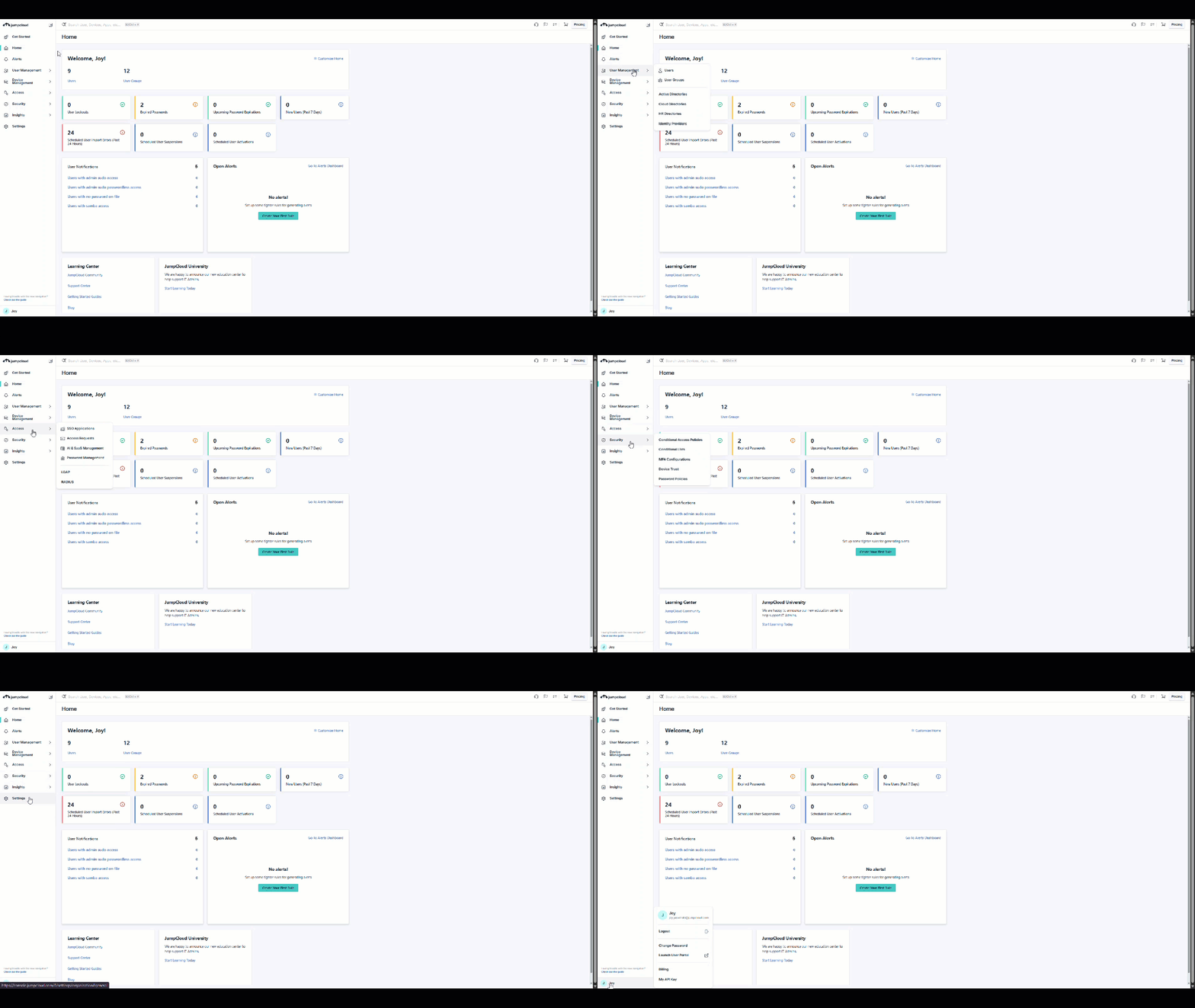
Time Based Access Requests lets users request access that automatically starts and ends on a defined schedule or after a set duration, so IT can grant exactly the access needed for the required time. This reduces standing privileges, tightens security, and simplifies compliance for both everyday and elevated access scenarios. Learn More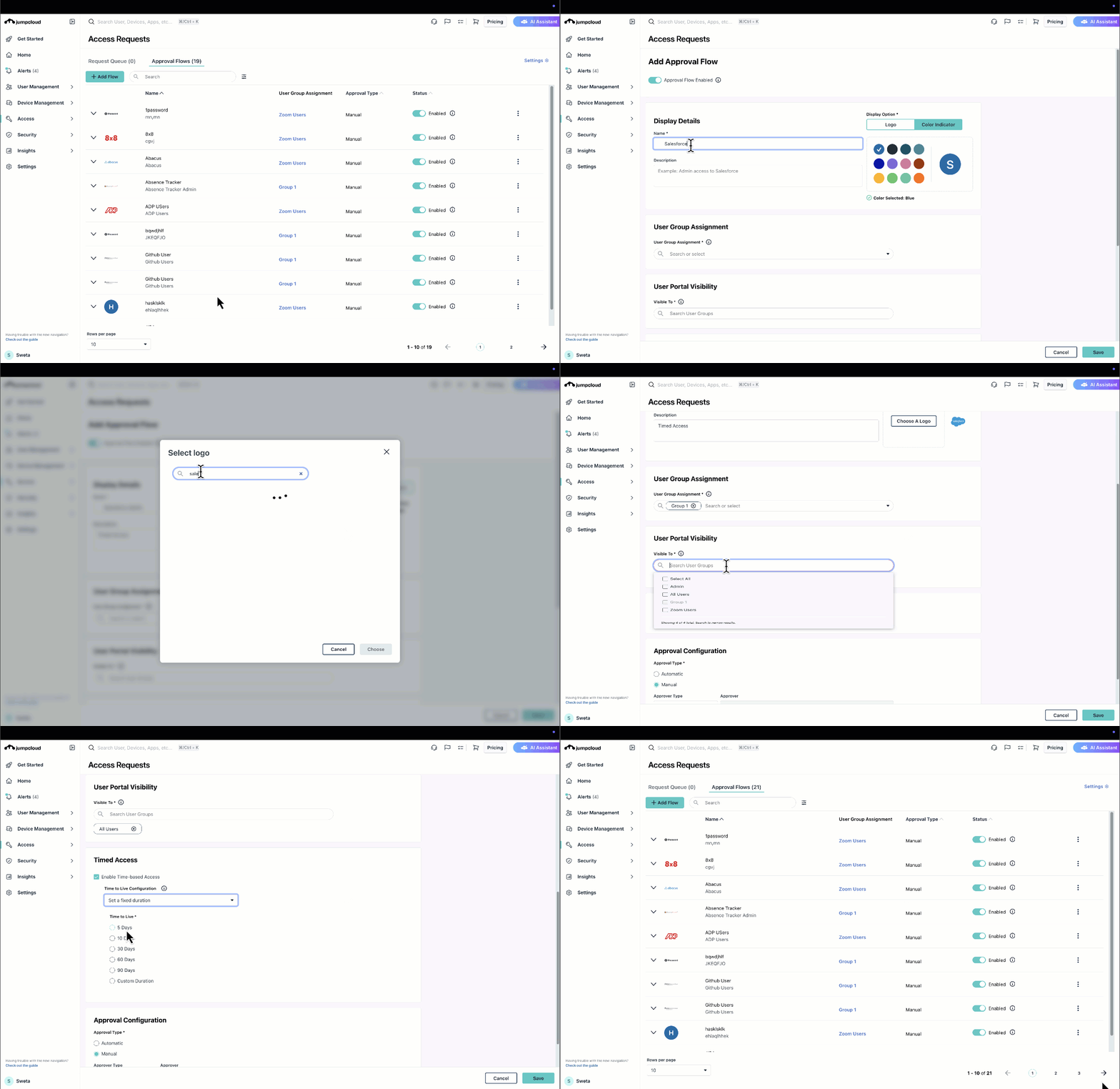
Expanded Directory Insights webhook alerts let you subscribe to a much broader set of events and apply granular, attribute-level filters so only high-value changes are sent to your downstream tools. This reduces noise and custom middleware, making it easier to integrate JumpCloud with your security, ITSM, SIEM, and automation platforms. Learn More
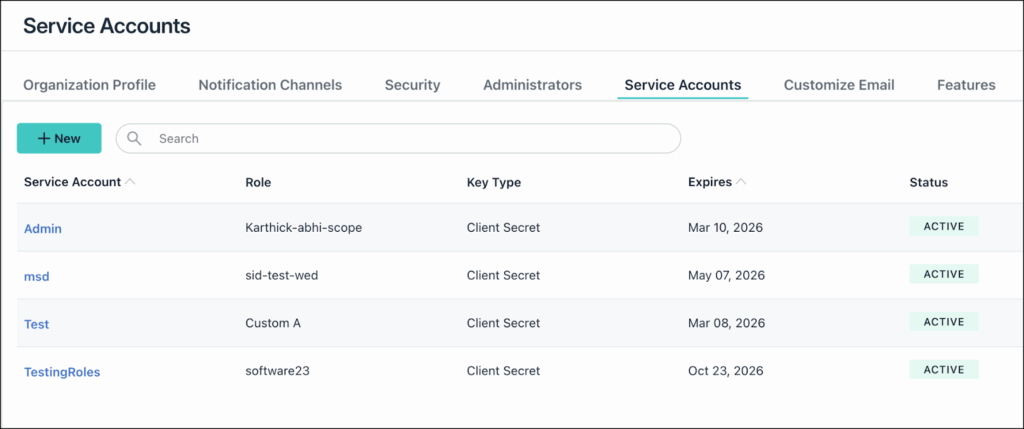
Eliminates manual integrations by giving you dedicated, role-scoped service accounts and expiring API credentials that are easy to audit, rotate, and retire. This reduces security risk and silent integration failures when admins leave or accounts change, while keeping you compliant with key security best practices. Learn More
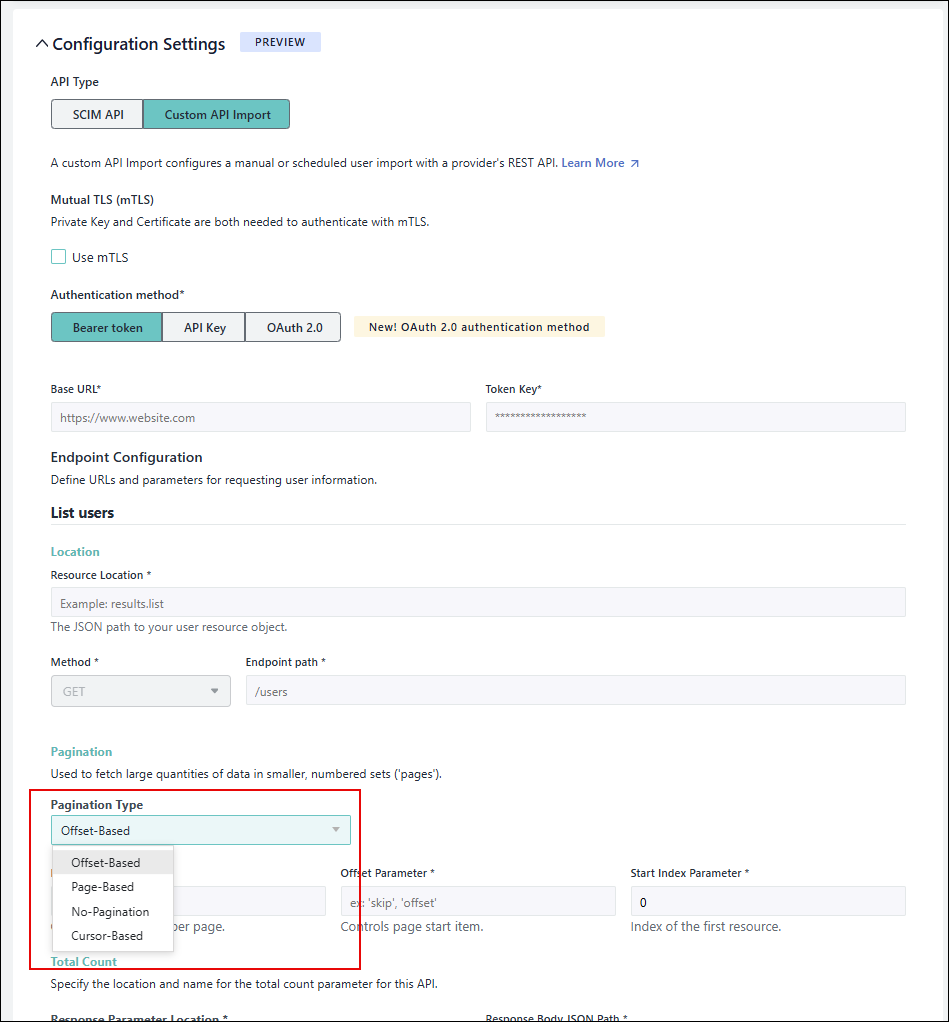
This upgrade lets you sync users from more HR systems (like Workday, Rippling, and others), even when they use different or no pagination. It removes custom work so you can reliably automate joiner/mover/leaver workflows and access control from your HRIS. Learn More
This feature exposes JumpCloud’s core admin capabilities (users, groups, devices, policies, commands, etc.) through the MCP standard so AI tools like ChatGPT and Claude can safely take action in your tenant. It solves the gap between your existing JumpCloud APIs and AI agents, letting you automate common IT workflows through natural language instead of custom scripting. Learn More
This feature lets IT centrally control wallpapers, lock screens, screen savers, and dock/taskbar layouts on managed Windows and macOS devices, so every user sees a consistent, branded, and productivity-focused desktop. It eliminates manual per-device tweaks, saving time while improving the end‑user experience.
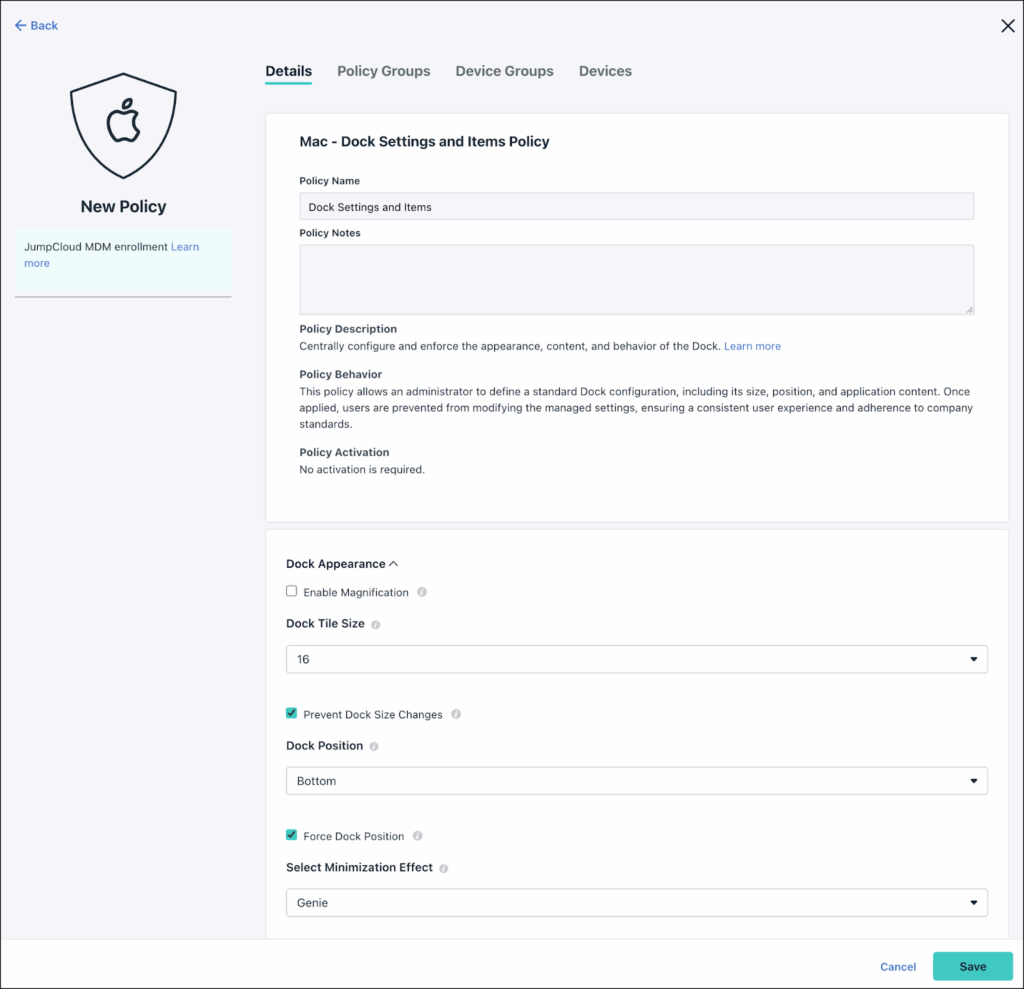
Learn More (Mac):
Learn More (Windows):
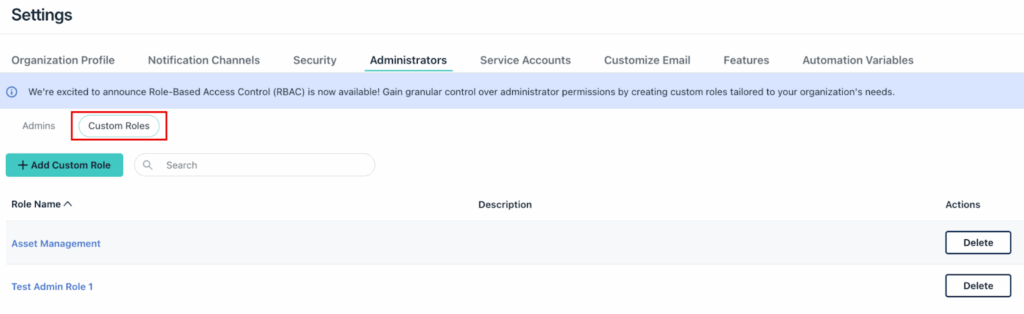
This feature lets you create admin roles with granular permissions across users, devices, apps, and associations, down to specific help desk actions, giving admins only what they need. It solves the “all-or-nothing” access problem, reducing risk while still empowering regional and help desk teams to do their jobs. Learn More
This feature gives you full visibility into the real client IPs behind LDAP connections, even when they pass through JumpCloud’s HAProxy and service mesh. With accurate source IPs in traces and logs, you can investigate incidents faster and enforce IP-based security policies with confidence.
Admins will have a fully supported EU data center for JumpCloud PAM so European customers can keep PAM data in-region to meet GDPR and data residency requirements. This also improves performance and reliability for EU tenants by bringing PAM closer to their users.
In Progress
These features are targeted to be released within the next 2 quarters (3-6 months).
Q1 2026
Streamline IT operations and eliminate manual workflows through simple chat commands in the Admin Portal. Let the Admin Bot manage users, groups, and devices so you can focus on high-value projects and resolve everyday tasks faster.
Ensure Apple devices stay securely up to date with a modern, reliable patching experience that uses Apple’s native Declarative Device Management instead of fragile, legacy tools. This gives IT admins granular control over OS update versions, timing, and user experience across macOS, iOS, and iPadOS from a single policy.
Enforce access restrictions based on OS version, CrowdStrike agent status/version, and ZTA score as device posture signals in Conditional Access Policies so only healthy, compliant endpoints can access your resources. This helps you block risky or unmanaged devices automatically and tighten security without adding friction for trusted users.
Reduce manual asset tracking and data entry with scannable QR/barcode labels and automatic Dell and Lenovo warranty lookups, so your inventory stays accurate and always includes up-to-date lifecycle details.
Reduce copy‑paste errors and inconsistent configurations by defining reusable variables (including sensitive secrets) once and safely referencing them across all your JumpCloud Commands, so scripts stay consistent, secure, and easy to maintain at scale.
Define Dynamic User and Device Groups based on membership in other groups, so you can mirror AD-style group hierarchies without complex nesting. This makes access policies easier to build, audit, and combine with other attributes for granular, automated access control.
Users can sign in to their devices with the same Google password they use everywhere else. IT can enforce one centrally managed credential to reduce password-related friction and support tickets.
JumpCloud Vault unifies all credential types (passwords, secure notes, payment cards, IDs, and identities) into a single, modern experience and provides an automated migration path from the legacy Password Manager.
JumpCloud Recovery Lock lets IT securely prevent users from bypassing controls via macOS Recovery, with centrally managed, auto‑rotating recovery passwords and full visibility into lock status and admin access. This reduces the risk of device tampering or unauthorized rebuilds while keeping recovery credentials tightly controlled and auditable.
Device Based Discovery expands JumpCloud SaaS Management beyond browser-only visibility to automatically detect applications installed directly on managed devices.
JumpCloud’s Slack App Connector sends real-time JumpCloud alerts and access requests directly into Slack, so IT teams and approvers can see, and act on critical events without leaving their primary communication tool.
Lets you see exactly what type of Android Enterprise enrollment you’re using and provides a built-in workflow to upgrade from legacy Managed Google Play accounts to a Managed Google Domain. That means clearer visibility, easier migrations, and access to Google’s more advanced Android management options without complex, manual steps.
Q2 2026
Allows users to self-service by requesting temporary admin or sudo rights on their bound devices, instead of keeping always-on elevated access. This reduces your attack surface and helps you meet compliance by enforcing least privilege with a fully auditable, just-in-time approval flow.
Automatically turn complex OS policy definition files (like Windows DDF, Apple YAML, and Android JSON) into ready-to-deploy MDM policies in JumpCloud, without manual rebuilding in the admin portal. This removes tedious, error-prone policy setup and keeps your configurations consistent across every platform in your fleet.
Get unified, trustworthy visibility into how tools like ChatGPT, Claude, Gemini, and Cursor are actually being used across your organization with read-only SaaS Management connectors that surface accounts, usage, and activity data. This helps you understand and govern enterprise AI adoption with accurate, enriched insights instead of guesswork about “shadow AI” usage.
We’re upgrading the JumpCloud User Portal to a modern, faster, and more intuitive experience while preserving all the core capabilities your users rely on today. This ensures a smooth transition with no loss of functionality, plus a foundation for future enhancements like better customization, accessibility, and mobile usability.
Quickly automate common IT tasks with a central Workflows hub and an intuitive no‑code builder that lets you drag‑and‑drop triggers, conditions, and actions into reusable workflows. This gives admins a library of ready-made templates and a simple way to design, manage, and govern automations without writing scripts.
Get a single, accurate view of every Windows update (KB) across your fleet so you can quickly see what’s installed, what’s missing, what’s failing, and which devices are at risk. Rich charts, device-level details, and exports make it easy to prove compliance, prioritize critical patches, and investigate issues fast.
Future
These features are approved work with a target release for the next 2-4 quarters (6-12 months).
Give users a familiar, self-service app store on their managed Windows and macOS devices so they can securely discover, install, and update only IT-approved software without waiting on helpdesk tickets.
Manage and standardize policies across all your customer orgs in the MTP with full policy and policy group creation, editing, and assignment—no more one‑off configuration in each tenant. Org Groups let you quickly roll out consistent security baselines at scale while still tailoring policies to specific sets of customers.
Turn noisy alerts into intelligent, actionable signals with shared triggers, custom webhook payloads, and workflow-based remediation so you can automatically detect issues, open tickets, and fix problems without drowning in notifications. Aggregation, batching, and de-duplication keep your inbox and Slack clean while ensuring critical events never get missed.
This feature uses machine learning to spot risky, unusual logins and access patterns in real time, scoring each event so you can quickly act on true threats instead of sifting through noisy logs. By feeding these risk scores into policies and workflows, you reduce unauthorized access while keeping trusted users moving without friction.
Upload your own Windows ADMX files into JumpCloud MDM to centrally configure and enforce custom OS and application settings on enrolled devices, without relying on on-prem Group Policy or manual local configuration.
Automatically discover which public MCPs and AI agents are connected inside tools like IDEs and AI browsers by scanning standard local config directories, so you can see where sensitive data might flow without relying on runtime monitoring or guesswork.
 In this Article