Create a Command after Agent Install
A command created to run after agent install runs only once after the JumpCloud agent is installed on the device. These types of commands are useful for delivering applications and licensing information to new users during device provisioning, or for applying a naming policy to new devices.
To create a command after agent install:
- Log in to the JumpCloud Admin Portal.
If your data is stored outside of the US, check which login URL you should be using depending on your region. If your organization uses LDAP, RADIUS, or requires firewall allow list configuration, the Fully Qualified Domain Names (FQDNs) will also be region specific. See JumpCloud Data Centers for the URLs, FQDNs, and IP addresses.
-
Go to Device Management > Commands.
-
n the Commands page, click + Command, then select Command After Agent Install.
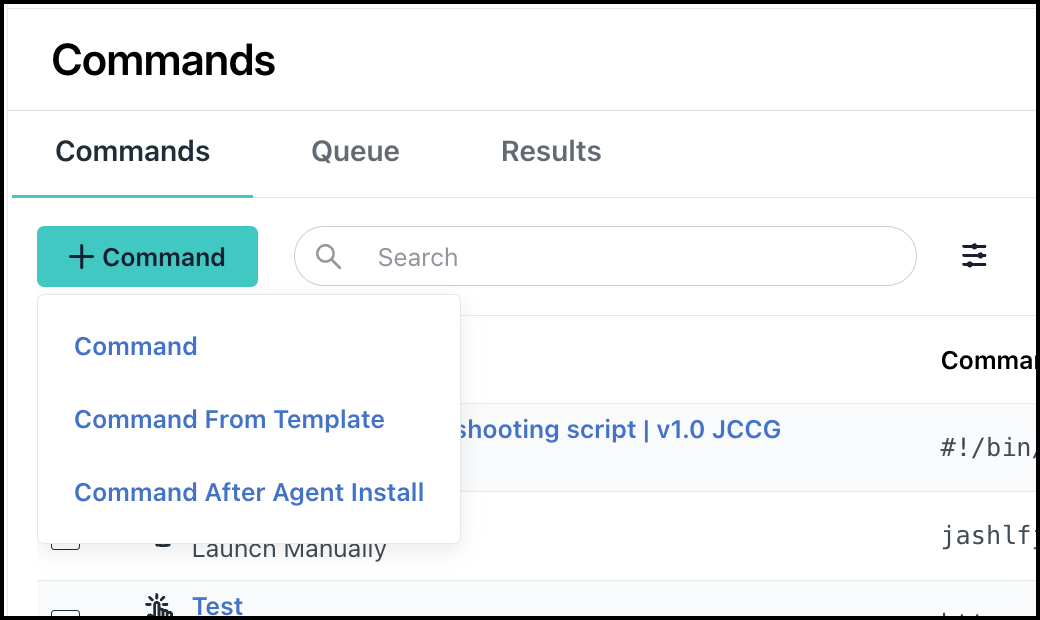
You will view the Details tab in the New Command page. -
In the Commands section, for Type, select the target Operating System - Linux, Windows, or Mac.
-
For Command, type or paste a script. The script can be in any language that your servers can execute.
-
Configure all the additional command settings. For instructions on changing each field, see Create a Command Manually .
-
Click Save.
Was this information helpful?