


 Subscribe to Help Center RSS Feed
We are excited to introduce a modernized experience for the JumpCloud User Portal. Following our recent updates to the Admin Portal, this update brings a fresh, responsive design to your user portal.
Overview
While the look and feel are getting a fresh, modern update, your core experience remains the same. You will still have access to all the features and applications you rely on today, but with several planned improvements:
- Built-in Support: New contextual help features are available right where you need them to guide you through the portal
- Enhanced Search: Find your applications and resources faster with a more powerful search tool
- Mobile-Friendly Design: Access your portal seamlessly from any device, whether you're at your desk or on the go
Don't worry, your login experience (including JumpCloud Go or MFA prompts) remains the same. This update focuses on the dashboard you see after you log in.
The new User Portal will begin rolling out on April 1, 2026. If you'd like early access before General Availability, we're offering a Private Preview starting March 11, 2026. Reach out to your Account Team to express interest and get signed up. We encourage you to take advantage of the Private Preview to explore the new experience and share your feedback before the full rollout.
New User Portal
| Legacy | New |
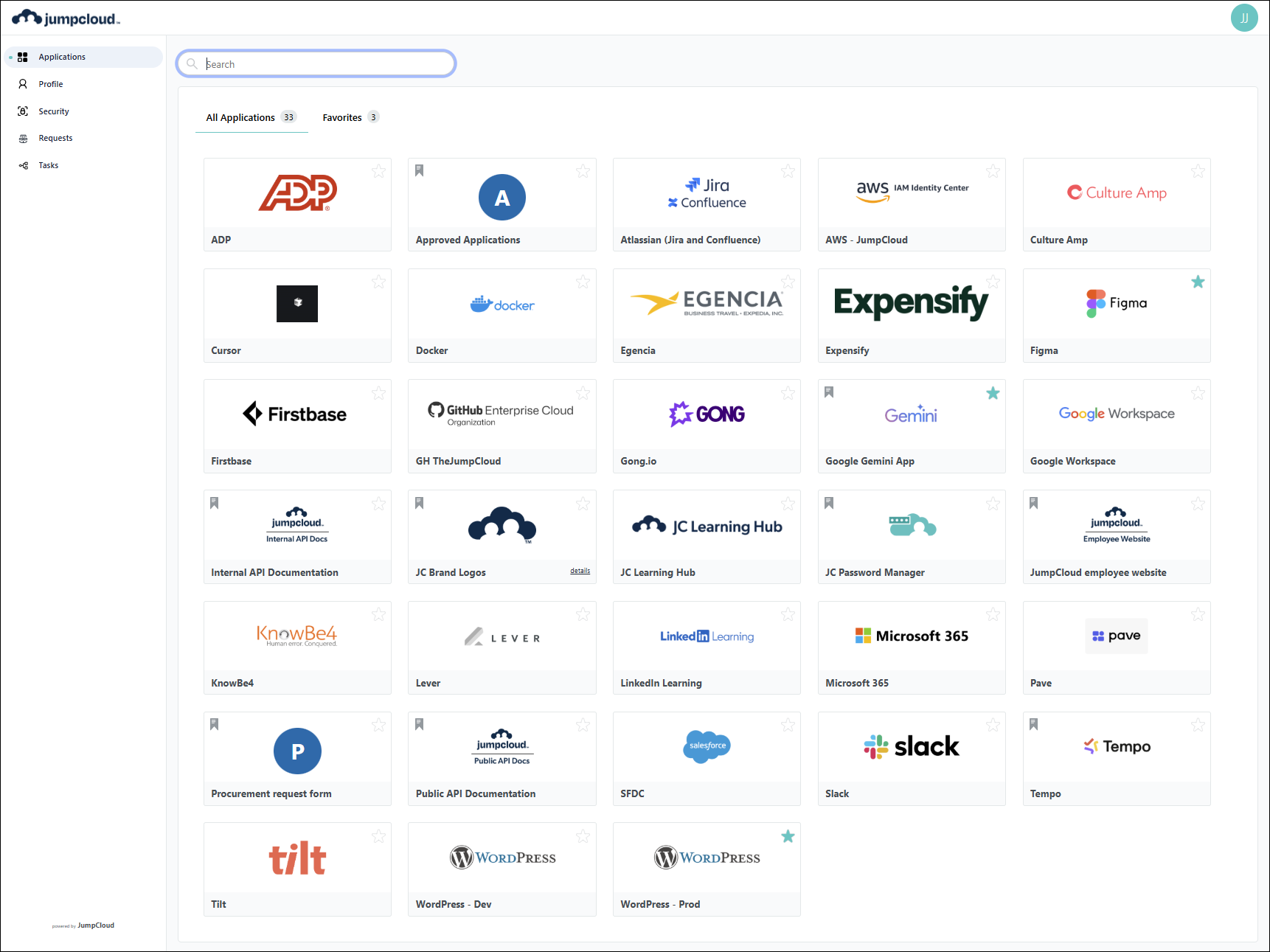 | 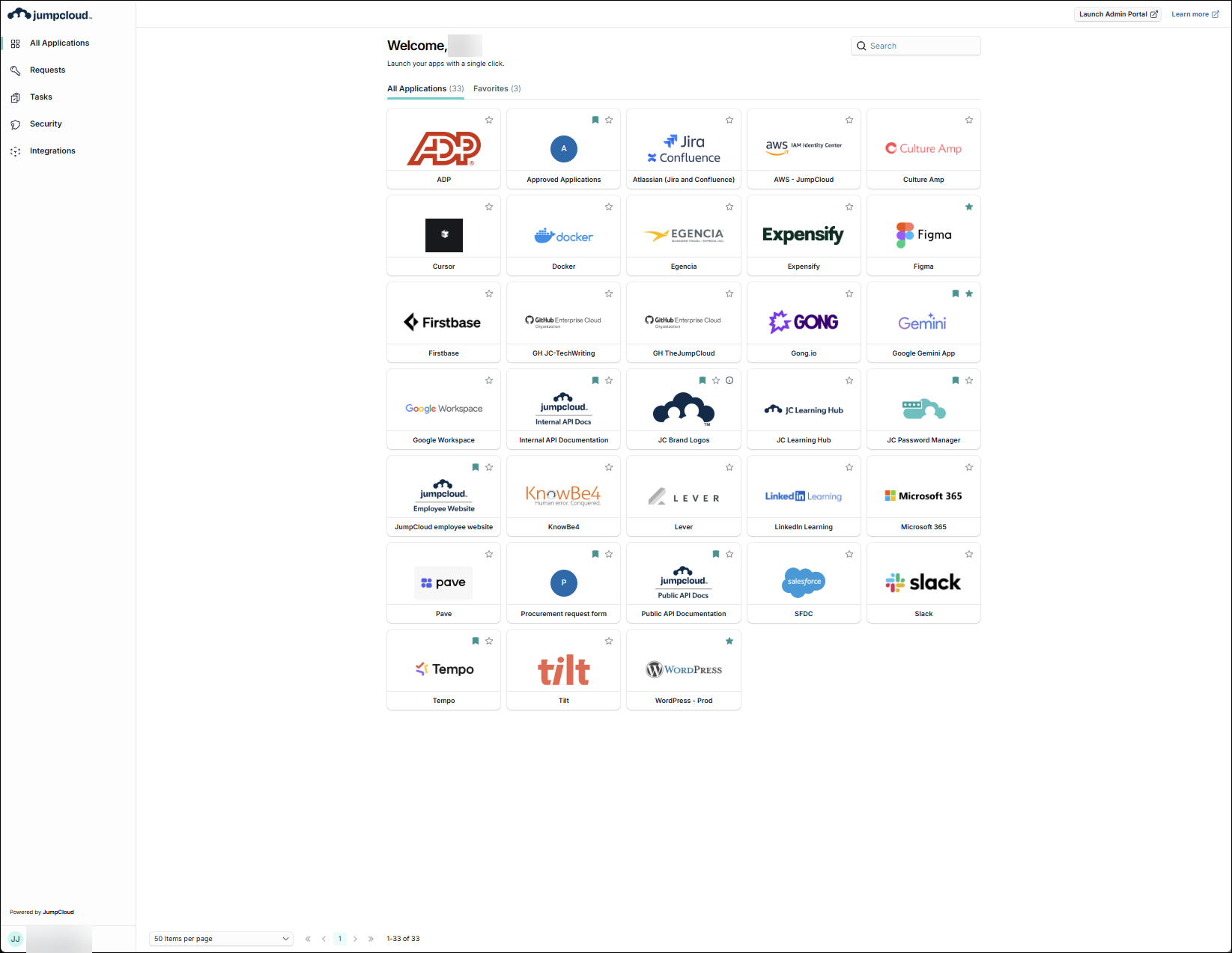 |
Updates
Navigation
The user portal navigation is nearly identical, with just a few refinements:
- Applications has been changed to All Applications
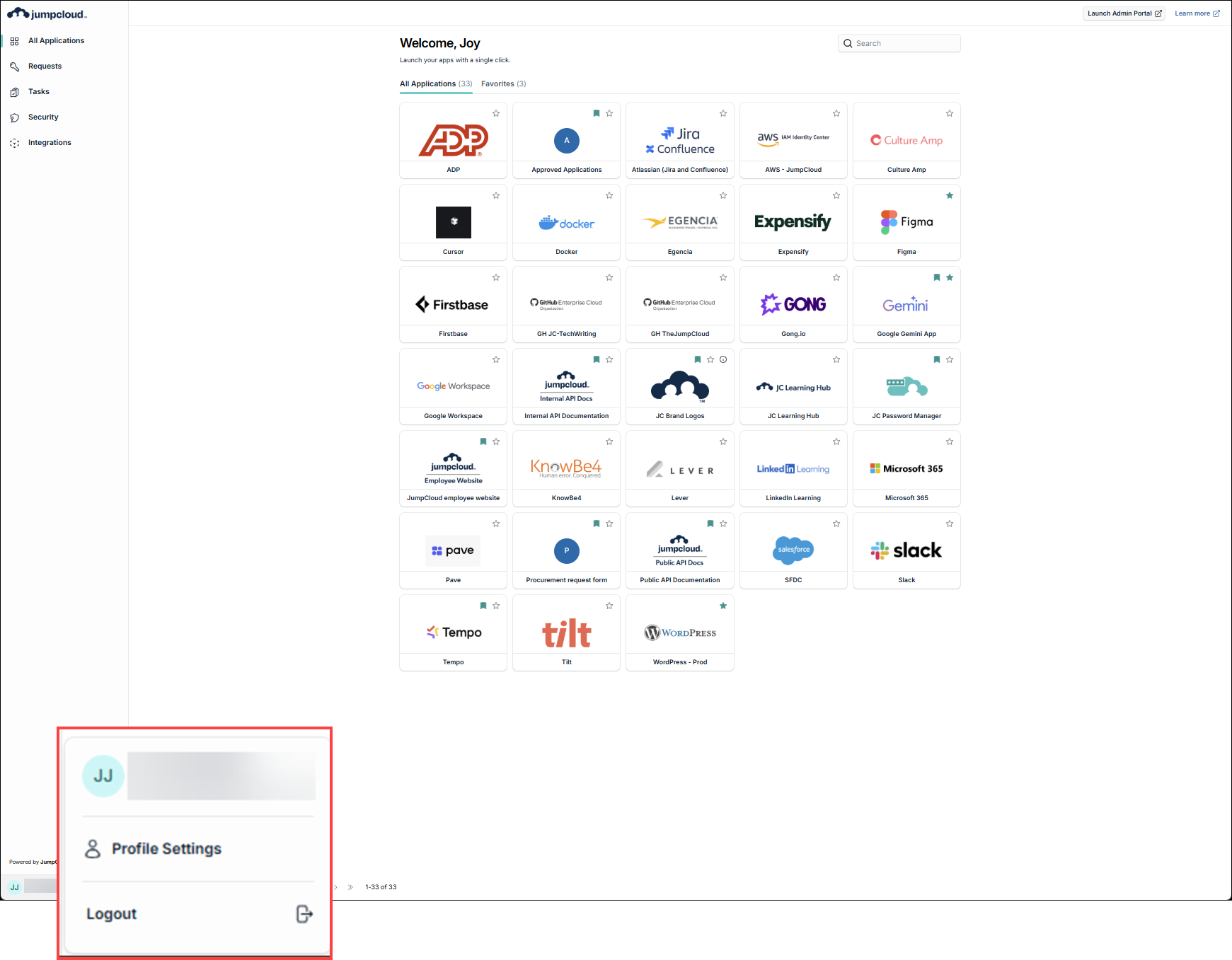
- Profile has been moved to the lower left corner
- The left navigation list has been reordered
- Launch Admin Portal button added
- Learn more link added (for Get Started: User Portal)
- Integrations has been added
| Legacy | New |
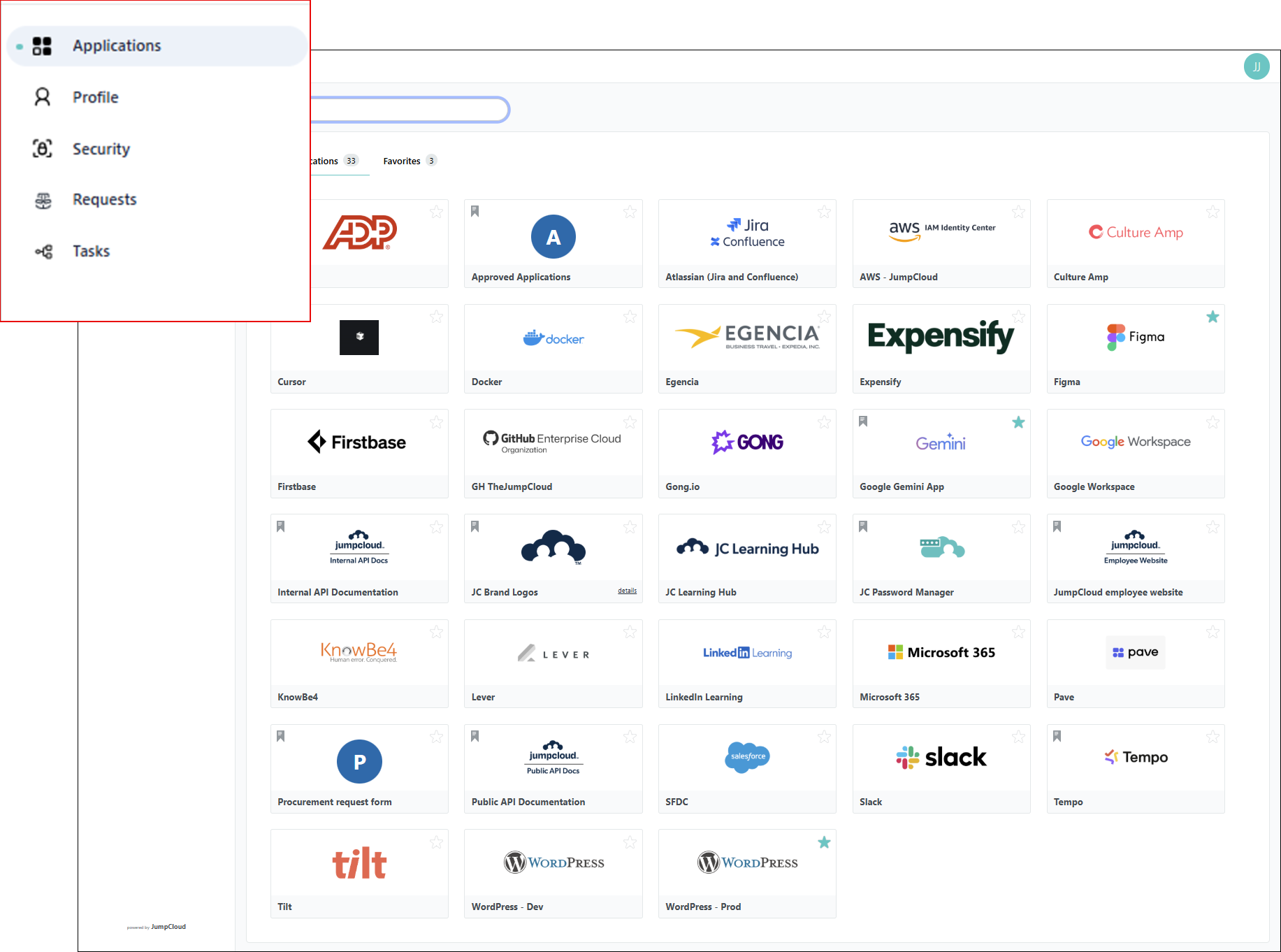 | 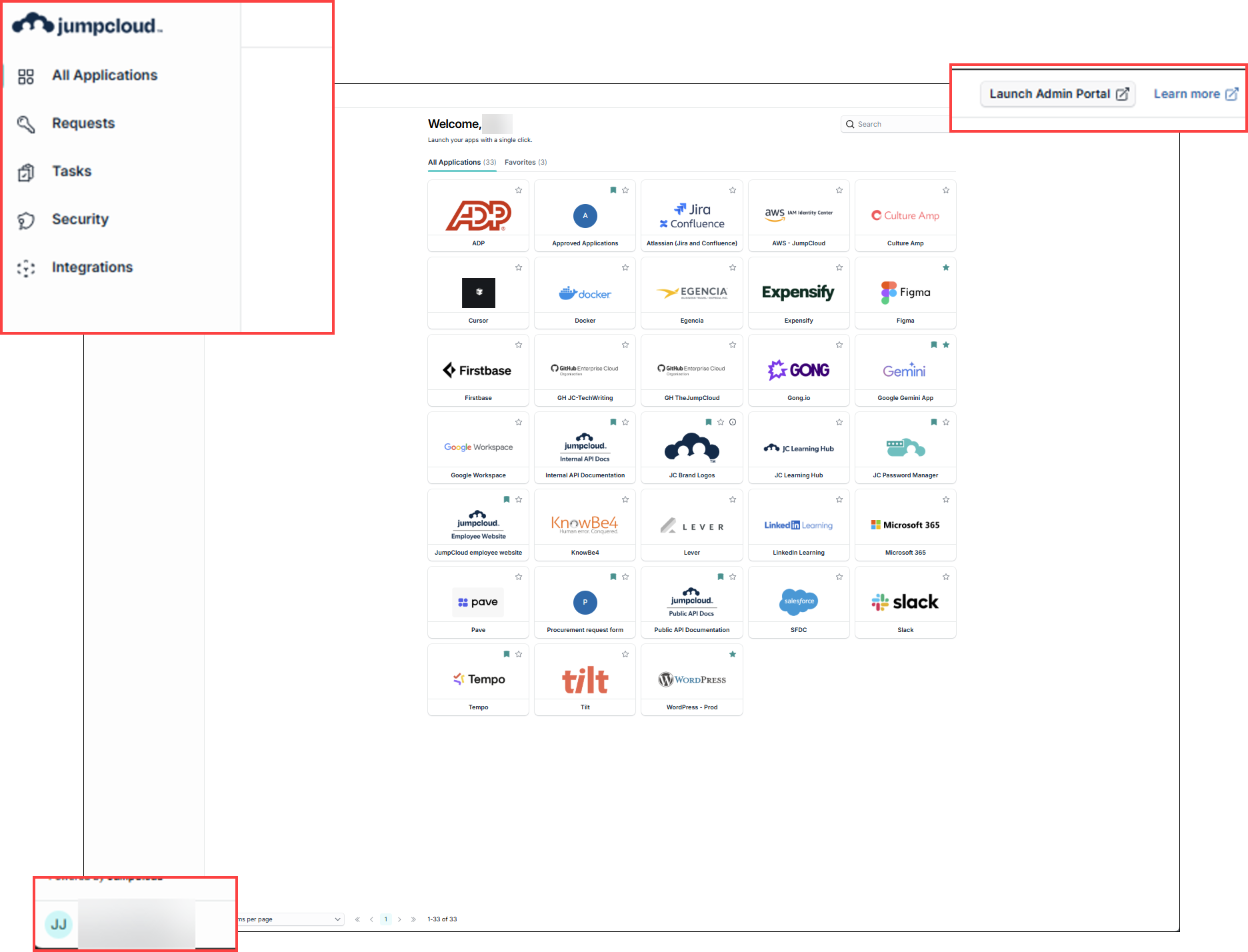 |
All Applications
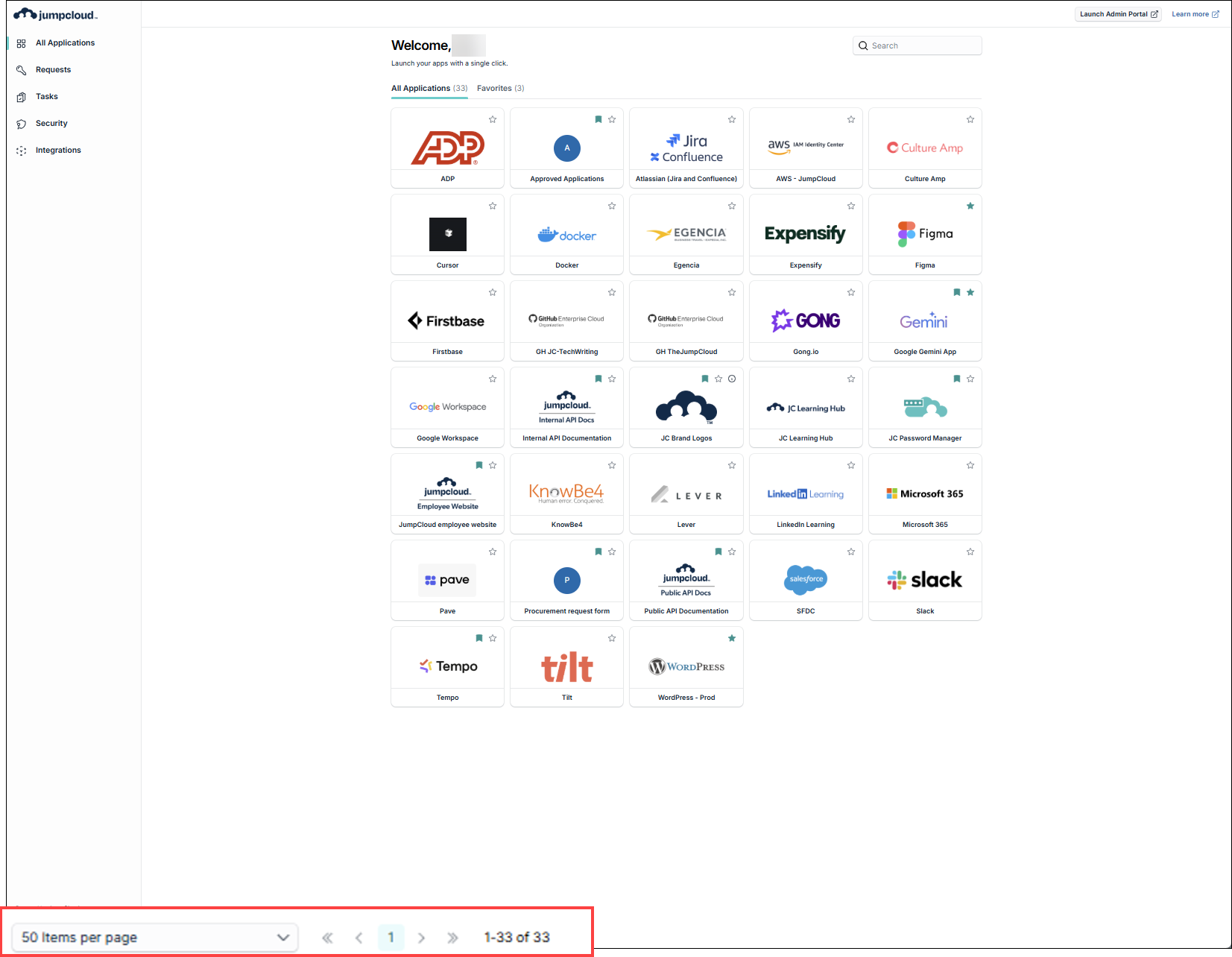
Applications has been changed to All Applications. Pagination has been added to display tiles in groups of 10, 20, 50 or 100 items per page.
| Legacy | New |
|  |
Profile
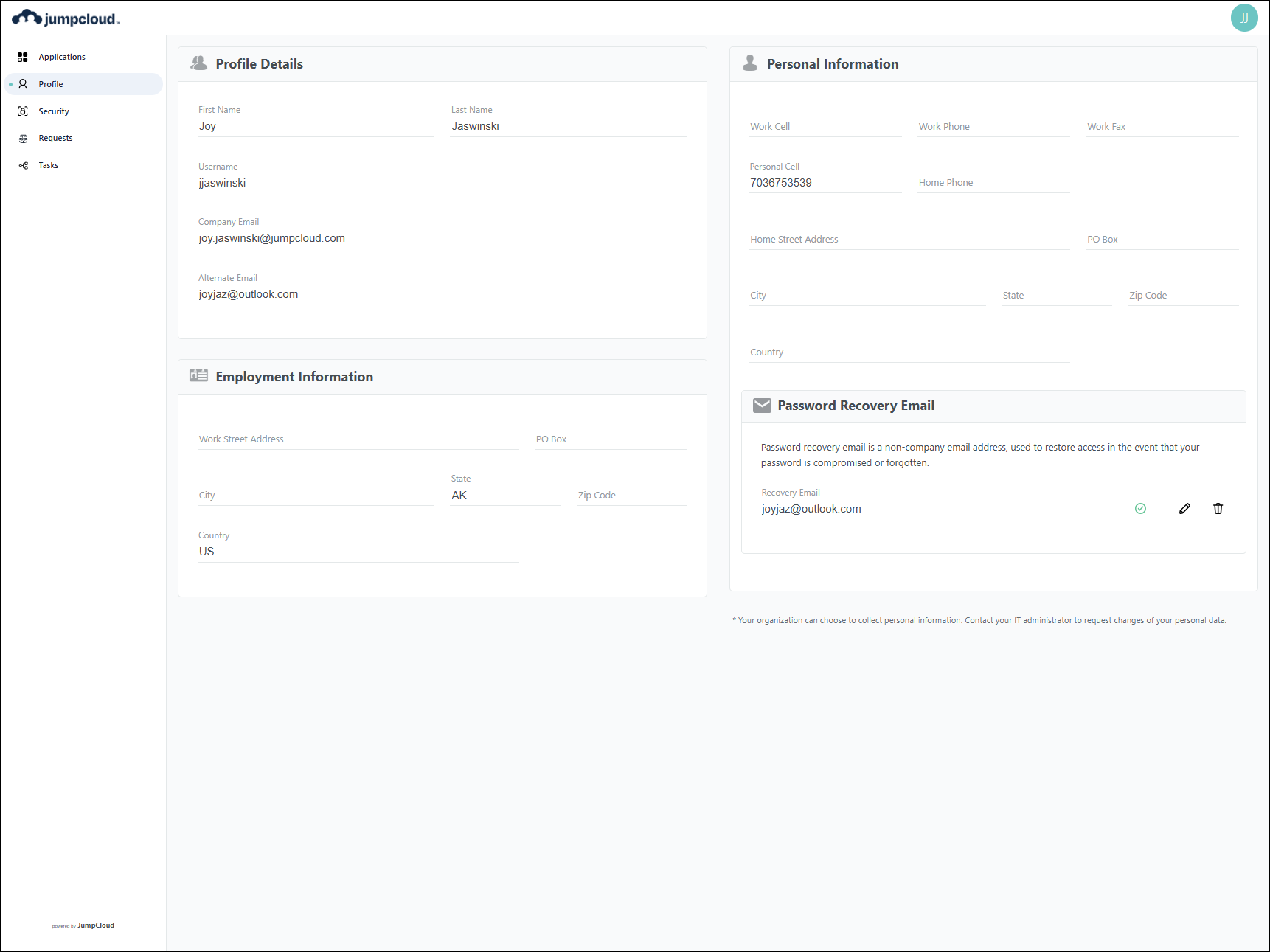
Profile has been moved to the lower left corner.
| Legacy | New |
 |  |
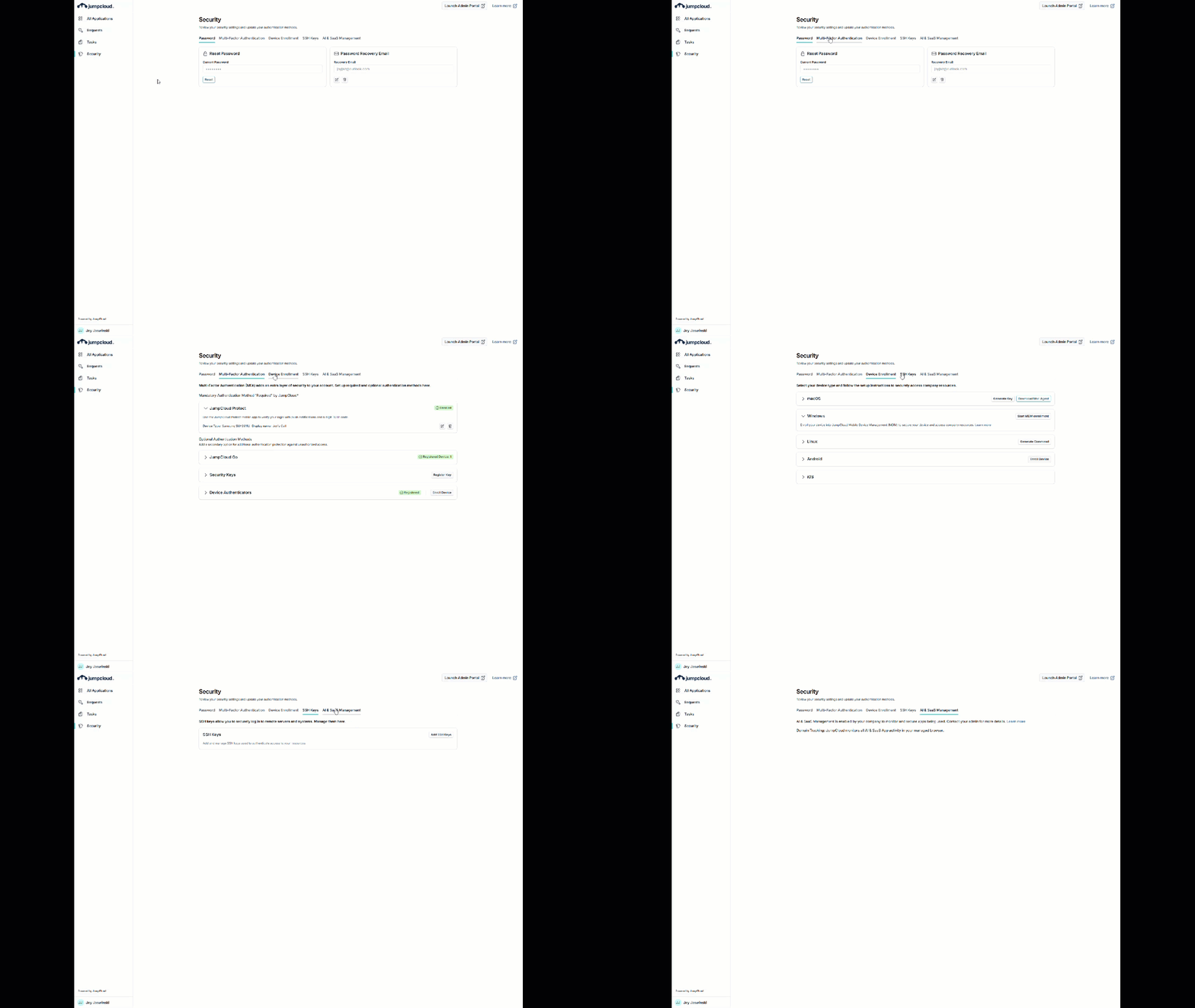
Security
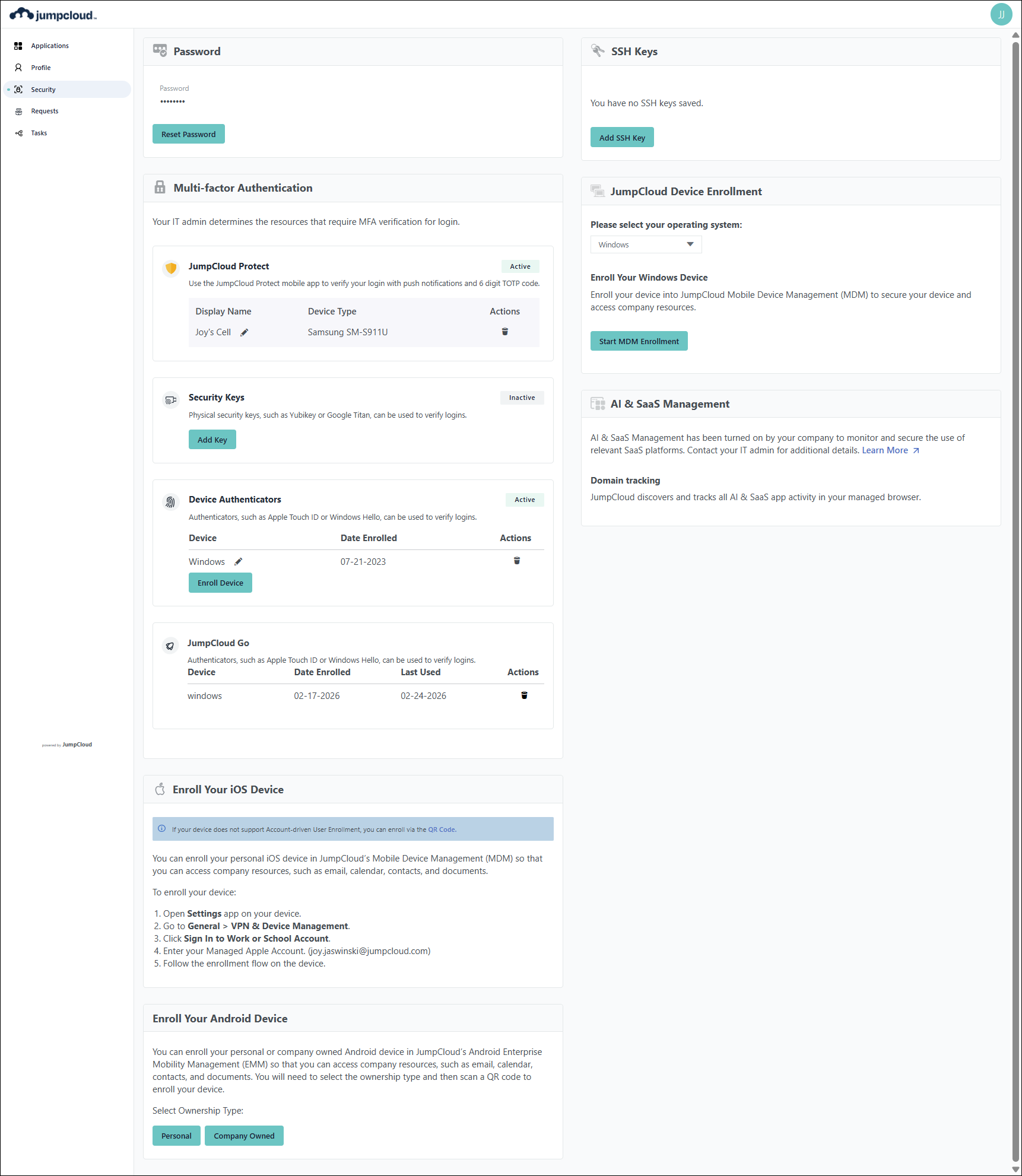
The tiles have been updated to tabs.
| Legacy | New |
 |  |
Requests
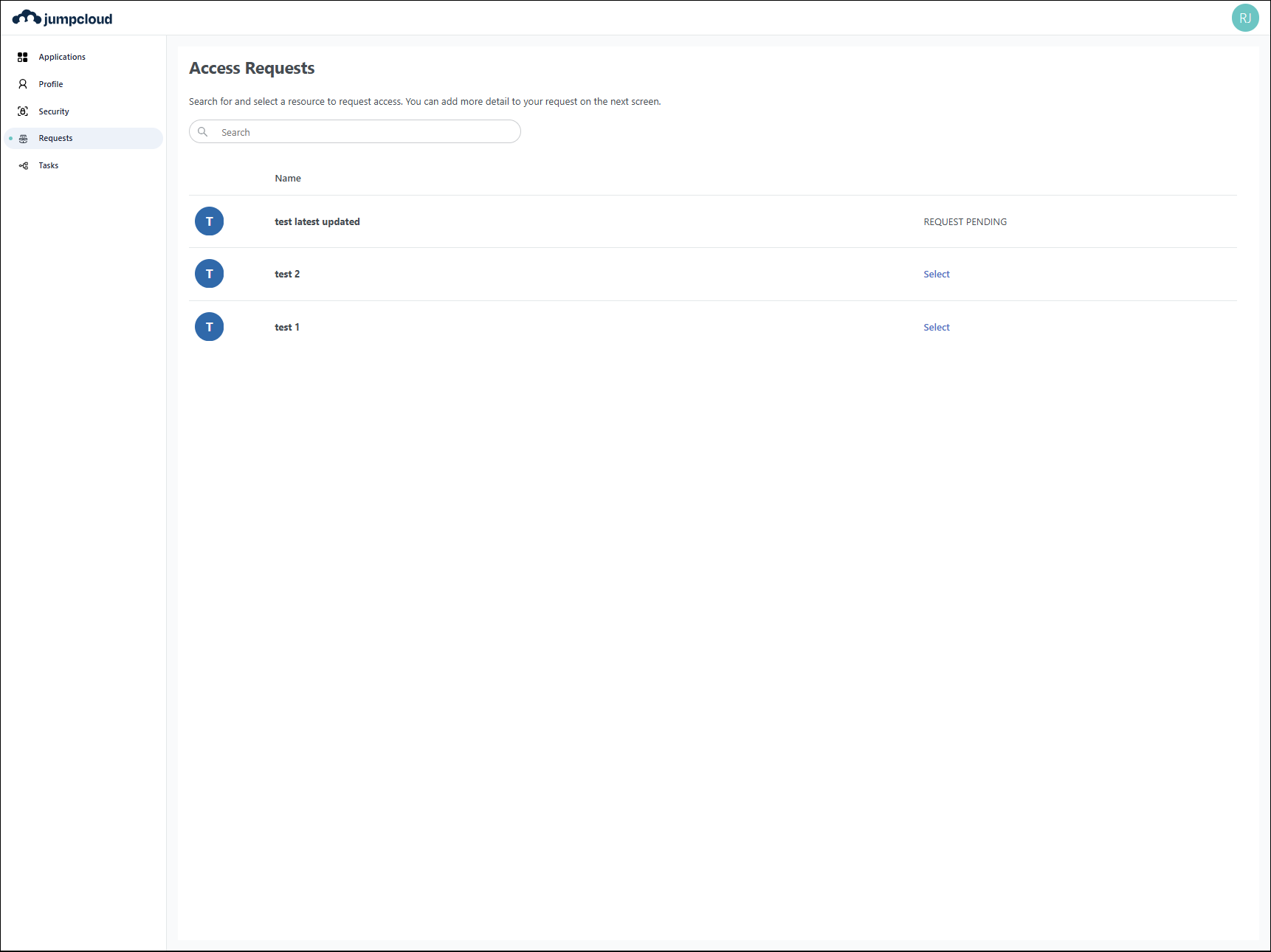
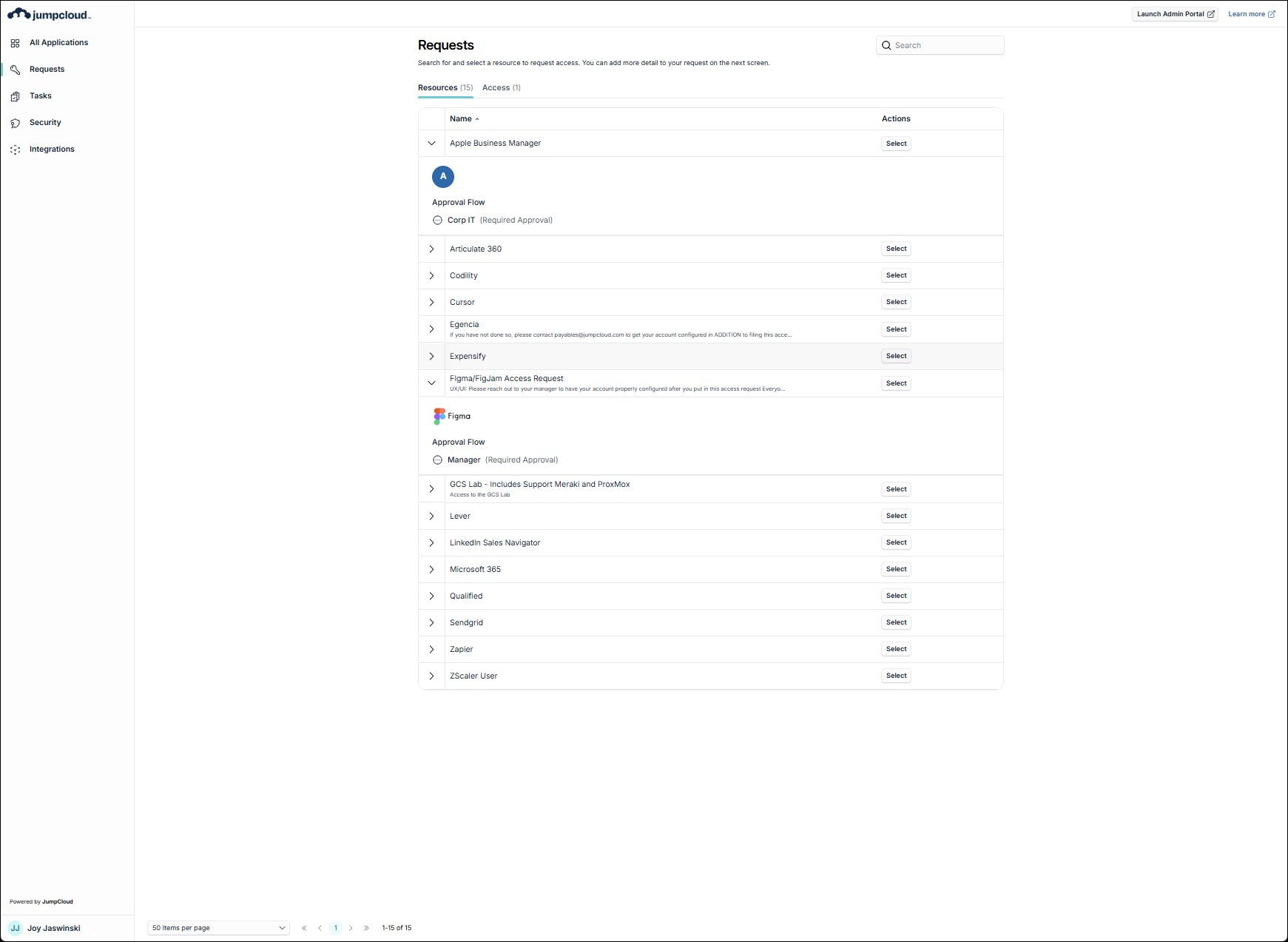
Access Requests has been changed to Requests and has expandable items showing the approval flow. The Select element has been changed from a link to a button.
| Legacy | New |
 |  |
Tasks
Tasks has not changed.
Next Steps
While these updates are relatively minor, let your users know this change is coming soon. To make this easy, we’ve provided a sample email (in the Attached Files section) that you can send to your community. It covers the key changes and explains what they can expect moving forward.
FAQs
The User Portal update is long overdue and aligns with changes that have been made in the Admin Portal. It is also laying the foundation for future enhancements.
No, once the new user portal has been turned on for your organization, you will not be able to access the legacy portal.
If you are running into something not working as it did in the legacy user portal, contact JumpCloud Support. If you have a request for a new capability or improvement, simply submit a feature request.
 In this Article
 Attached Files
 JumpCloud New User Portal Experience E Mail
 Learn More