Connect


This scenario would sound familiar to you. A developer needs admin rights to install a driver, and you approve it. The driver installs, the ticket is closed and no one revisits the permission again. Six months later, and the rights are still there.
Now multiply this by every approval your team would have granted this year, and you have a map of standing elevated privileges that absolutely nobody is tracking. The accounts holding these permissions may now be dormant, over provisioned or compromised.
IBM puts the global average cost of a data breach at $4.99 million in 2026, a 12 percent increase year over year and the highest figure the report has recorded.
Standing privilege rarely causes the breach. It decides how far the breach travels. Verizon’s 2026 Data Breach Investigations Report found that software vulnerability exploitation has overtaken stolen credentials as the leading breach entry point for the first time in nineteen years. The way in changed. What an attacker can reach after they are in still depends on the rights sitting on the account they land on.
Most IT teams already know this. The harder problem has always been fixing it without slowing down the people who depend on elevated access to do their jobs.
JumpCloud Access Requests already streamline how users request access to SSO applications and internal resources. Now, we are extending that same framework to solve one of IT’s biggest bottlenecks: temporary, time-bound elevated device privileges.
The Real Risk of Standing Elevated Privileges
Elevated access is a legitimate operational need.It becomes a liability when it outlives its purpose.
When elevated device privileges are permanent rather than time-bound, three things follow:
- Malware propagation: Standing admin access allows malware to move laterally and cause damage at scale without needing to escalate privileges.
- Credential compromise: An attacker hijacking an account with standing privileges gains immediate, high-level control.
- Offboarding gaps: Revocation is often missed during employee departures, leaving persistent windows of risk.
- Audit exposure: Permanent, unmonitored privileges are direct red flags for compliance frameworks like SOC 2 and GDPR.
The principle of least privilege is well understood. Operationalizing it is where the friction has always been. You need a way to grant access only when it is needed, and revoke it automatically the moment that window closes.
Introducing Self-Service Elevated Device Privilege Requests
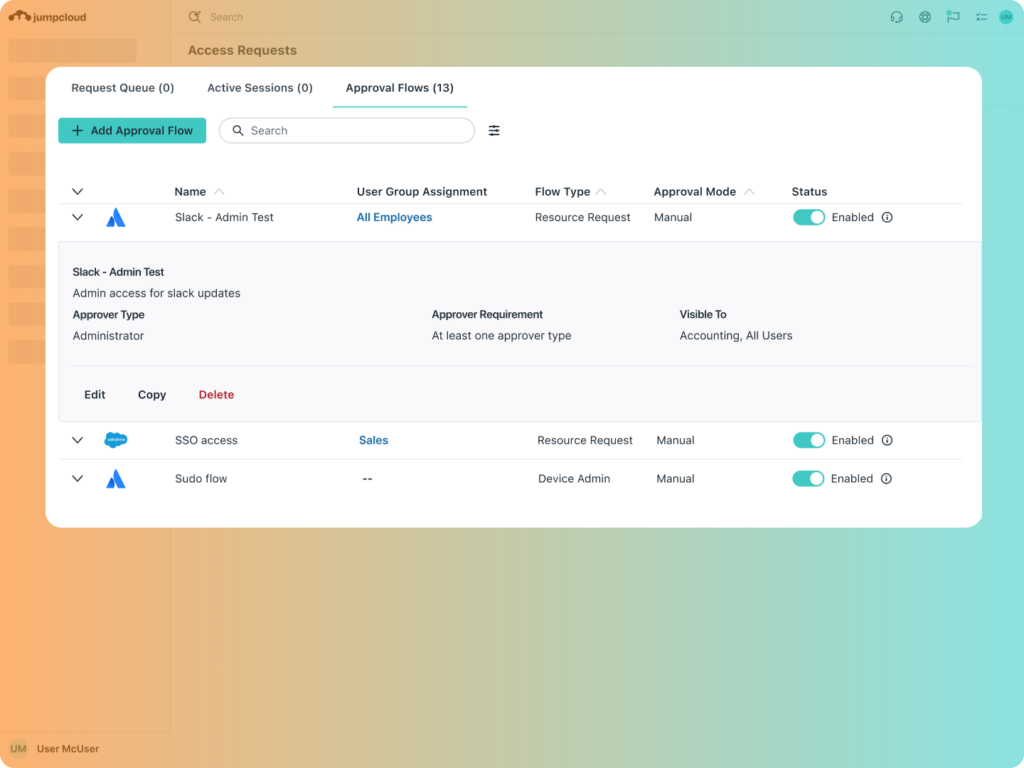
JumpCloud’s new self-service elevated device privilege request capability extends the existing Access Requests framework to cover temporary elevated device privileges.
Users can request elevated device privileges directly from the JumpCloud user portal or the device tray application on Windows and macOS. Administrators configure approval flows, set duration limits, and define which user groups can submit requests. Everything else is automated.
The result is a complete just-in-time access workflow that, unless you choose to require manual approval by an IT administrator, does not depend on manual follow-through. Access is granted for a defined period and expires on its own when that period ends. Directory Insights logs every action, giving you a complete record of who elevated, when, and why.
Important Distinction: This is Not PAM
This capability is not a Privileged Access Management (PAM) solution. PAM is built for highly sensitive, infrastructure-wide privileged access and session monitoring. JumpCloud’s Admin/Sudo Access Requests serve a different purpose: they provide an automated, just-in-time workflow for routine device-level elevation, effectively bridging the gap between standing privileges and secure, temporary access.
How It Works
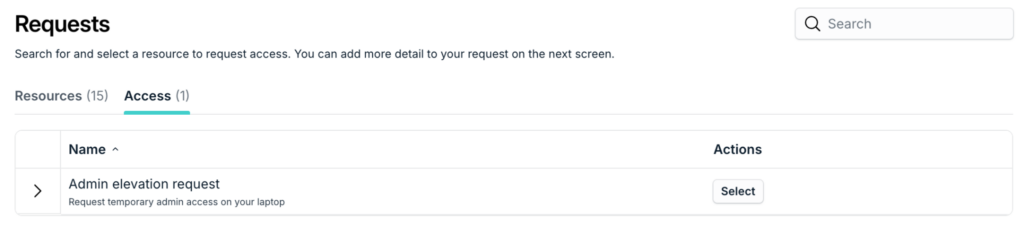
The end user experience
For end users, the request process is fast and requires no context-switching.
- Submit: The user selects the duration and provides a reason for the request.
- Approve & Start: Once approved, the user clicks Start Session in the tray app.
- Manage: A floating timer will appear on their screen, displaying exactly how much time remains.
- End: When the work is finished, the user clicks End Session to revoke privileges immediately. Access also expires automatically at the end of the selected duration, and an administrator can revoke it manually at any point.
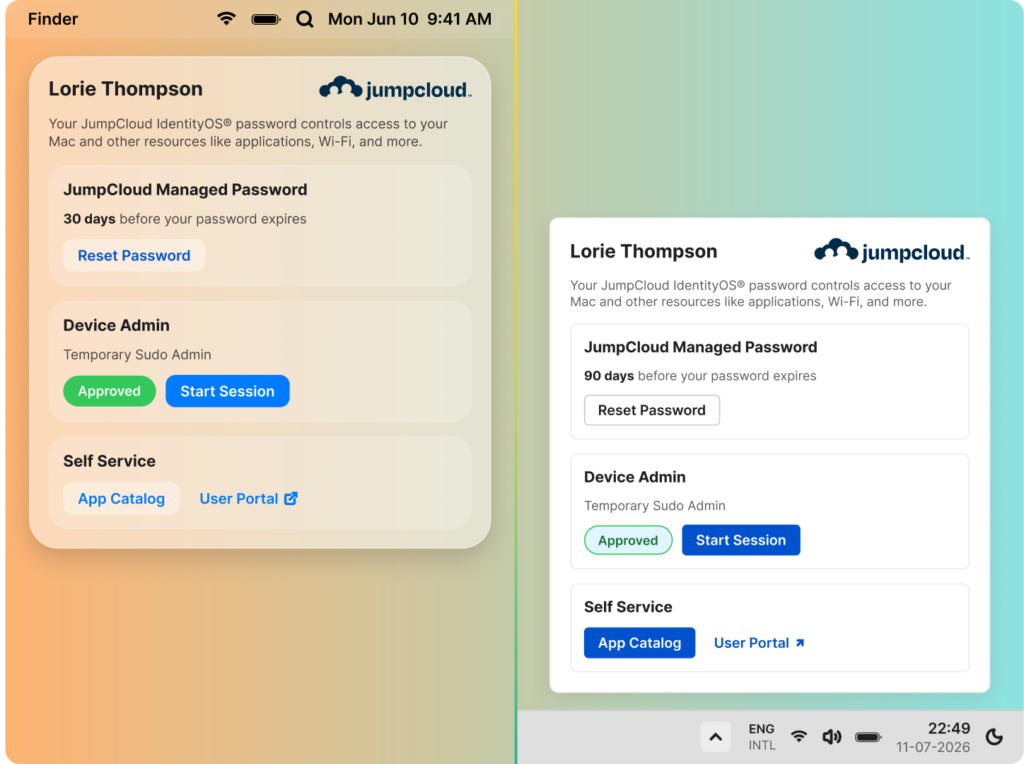
For a step-by-step guide on using the tray app, see Create Access Requests from the JumpCloud Menu Bar.
The administrator setup
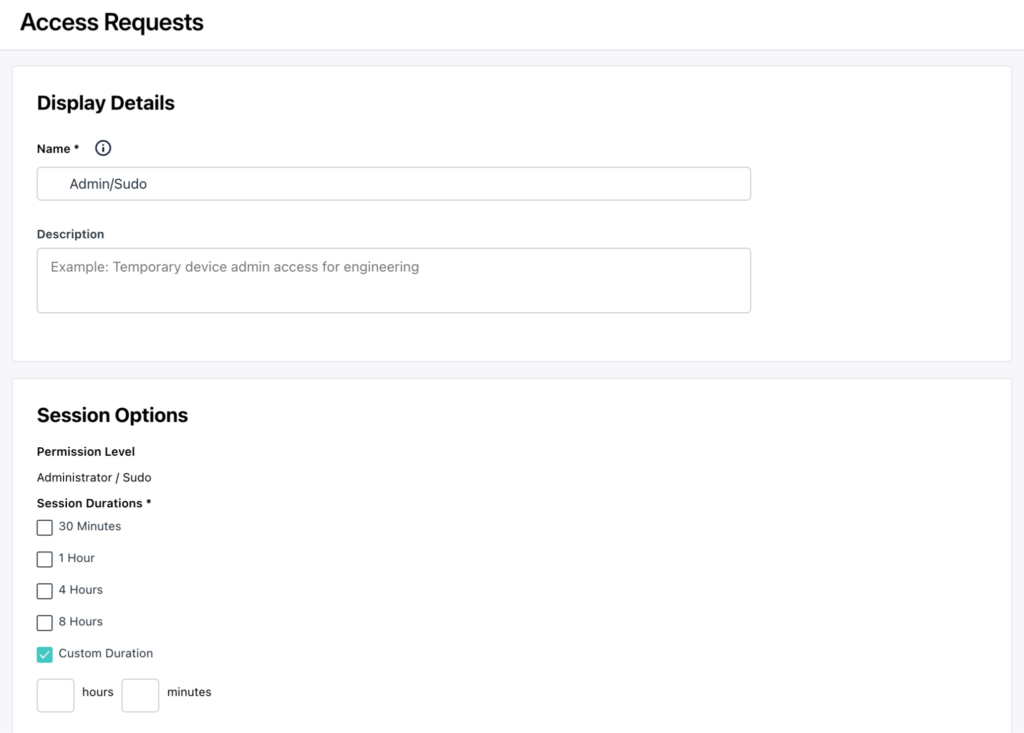
Getting started is designed to be intentional and secure. By configuring these four settings, you ensure that every instance of elevated device privileges is governed by your organization’s specific security policies.
Configuring an Elevated Device Privilege Approval Flow requires four decisions:
- Duration: Define the time windows available (e.g., 15 minutes, 1 hour, or 4 hours). You can offer users a range of options or require a fixed duration.
- Scope: Select which user groups can submit requests.
- Approval: Designate the required reviewers. You can choose between automatic approval or administrator approval. (Note: Non-administrator and Slack-based approvals are not currently supported.)
- Exceptions: For roles that require permanent elevated privileges, standard administrative controls remain available in the JumpCloud console, separate from this just-in-time workflow.
For more detailed instructions, see our support guide on creating approval flows.
Why IT Teams Choose This
By automating the request-to-revocation lifecycle, you gain three advantages:
- Zero-Standing-Access Security: Outside of an active, approved session, no account holds elevated rights unless you deliberately grant them as an exception. Directory Insights records every action, which gives compliance teams the evidence they need for SOC 2, HIPAA, and GDPR without a manual collection exercise.
- Reclaimed Productivity: You eliminate manual ticketing, spreadsheet tracking, and the constant back-and-forth that access management usually generates.
- Data-Driven Policy: Centralized requests reveal usage patterns. If the same users request access every week, that is a signal to adjust their standing permissions rather than keep approving the same request.
Configure Your First Approval Flow
Time-bound elevated access eliminates standing privileges, reduces breach risk, and gives compliance teams the audit trail they need, all without adding friction for the users and administrators who depend on efficient access workflows every day. That is what intelligent, secure IT looks like in practice.
You can configure your first Elevated Device Privilege Approval Flow today in your Admin Console.
New to JumpCloud? Start a free trial to experience how our unified platform simplifies identity, device, and access management.