


 Subscribe to Help Center RSS Feed
Overview
Access Risk evaluates every login event against nine distinct risk factors. Each factor is designed to detect a specific category of suspicious behavior. When a factor triggers, it contributes to the overall risk score for that login event.
Signals are compared against the user's behavioral baseline — which is built from the user's last 60 days of activity or last 50 successful login events, whichever is available. This means each signal is personal to the user; an unusual location for one user may be completely normal for another.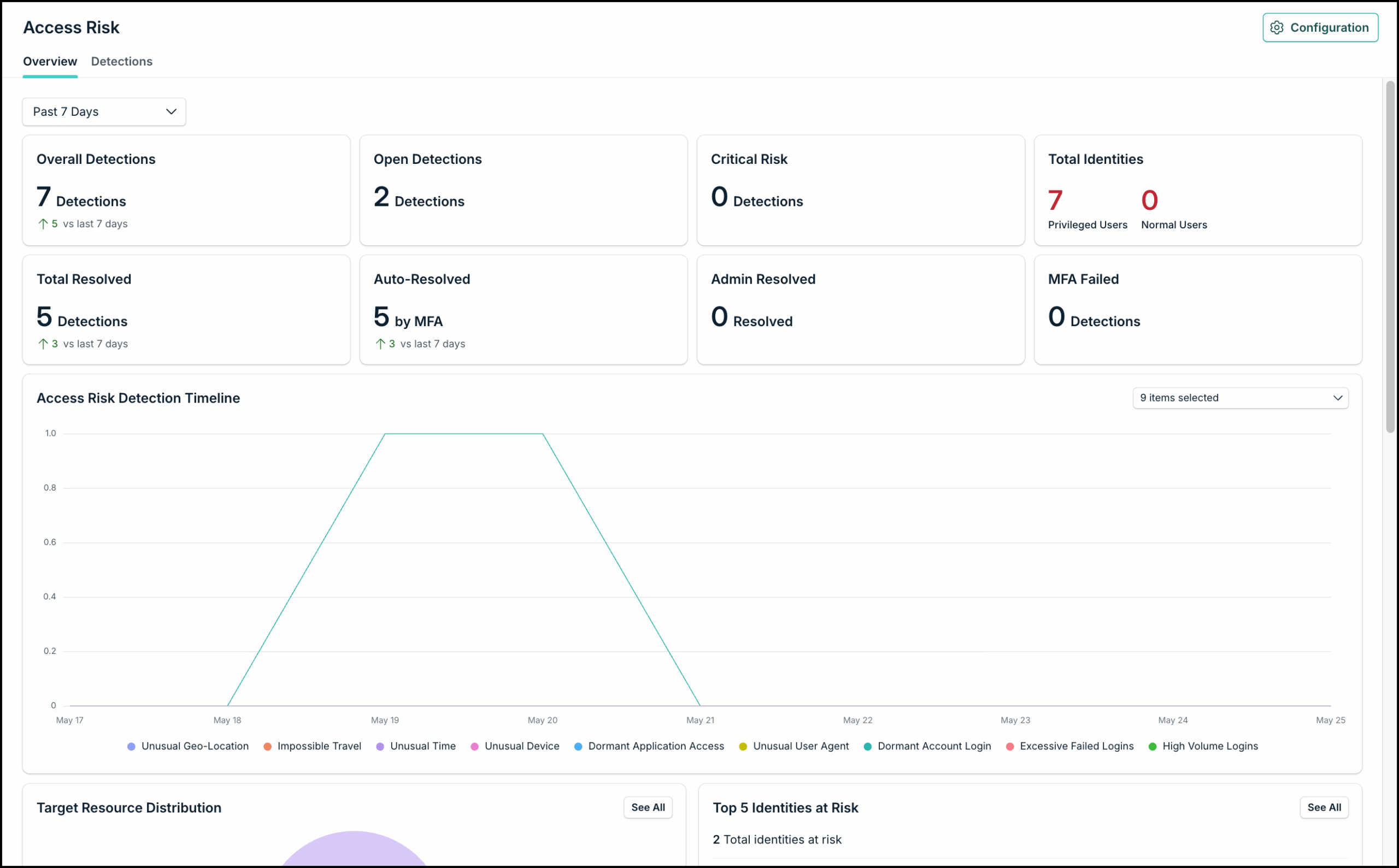
| Risk Factor | What it Detects | When it Triggers |
|---|---|---|
| Unusual Geo-Location | Identifies logins from unfamiliar geographic locations | The login originates from a country, region, or city the user has not previously logged in from |
| Impossible Travel | Flags sequential logins from distant locations that are physically impossible to reach in the time elapsed | A user logs in from two locations in a timeframe that would require exceeding realistic travel speed (for example, New York and Tokyo within one hour) |
| Unusual Time | Flags login attempts made outside of user’s established access patterns | The login occurs at a time that deviates from the user’s typical authentication behavior |
| Unusual Device | Detects first-time logins from new or unauthorized devices. This only applies to device login events with login_attempt event type | The device does not match any device previously associated with this user |
| Dormant Application Access | Tracks access attempts to applications the user does not normally access | The user authenticates to a federated SSO app they have not previously accessed or rarely use. This helps identify potentially unnecessary or unexpected application access, supporting privilege right-sizing, and license optimization |
| Unusual Browser | Detects logins from browsers not typically associated with the user | The browser signature differs from browsers the user typically use |
| Dormant Account Login | Flags login attempts on accounts that have been inactive | A user account with an extended period of inactivity authenticates successfully |
| Excessive Failed Logins | Tracks unusually high volumes of failed authentication attempts | Failed login activity significantly exceeds the user’s baseline authentication patterns, which are established using average login behavior over rolling 24-hour periods, indicating potential password guessing or credential attack activity |
| High Volume Logins | Monitors a surge of login activity within 24 hours | Login frequency exceeds the user's typical rate by a significant margin within a short window |
How Risk Factors Combine
A single factor detection does not necessarily mean a login is high-risk. Access Risk considers the combination of factors that are detected together. For example:
- A login detected with only Unusual Time may be low severity — the user simply worked late
- A login with Geo-location, Unusual Device, and Unusual Browser all detected together will be scored significantly higher — these factors together suggest the login is coming from someone other than the usual user
- A login with Impossible Travel detected on its own is almost always Critical, because that pattern has very few legitimate explanations
Enabling and Disabling Risk Factors
All nine risk factors are enabled by default. You can disable any risk factor you don't want to track from the Risk Factors section of the Configuration page. Disabling a signal stops it from contributing to future risk scores. It does not affect detections that have already been created.
Understand Risk Scores and Severity
Every login event in your organization passes through Access Risk evaluation. The system checks each of the nine enabled risk factors against the user's established behavior profile. If any deviation is detected, it contributes a weight to the overall risk score.
The final risk score for a login is the sum of all contributing factors. This produces a numerical score that represents how far the login has deviated from the user's normal behavior.

A login from Berlin is not inherently risky — but it is risky if the user has never logged in from Berlin before. Access Risk scores logins against each user's personal baseline, not against organization-wide thresholds. This is why the same behavior can be normal for one user and suspicious for another.
Severity levels
The numerical risk score is mapped to one of three severity levels, which are what you will see most often in the dashboard and detections list.
| Severity | What it Means | Typical Action |
|---|---|---|
| Low | A single minor deviation from established profile, or a pattern that is weakly suspicious on its own | Review periodically. Safe to auto-resolve via MFA in most cases |
| Medium | Multiple deviations, or a single stronger signal such as login from a new country | Review and investigate the user's recent activity before dismissing |
| Critical | High-confidence indicator of an account takeover — for example, impossible travel or login from a dormant account with multiple other anomalies | Investigate immediately. Consider forcing a password reset, reviewing session activity, and contacting the user to confirm |
 In this Article
 Learn More