The Zero Trust Playbook You’ve Been Waiting For
Achieve complete coverage and scale Zero Trust with clarity and control
Closing the Zero Trust Gap
Zero Trust is most effective when it’s implemented consistently across all users, devices, and access points.
If any part of your environment is left uncovered, it creates gaps that attackers can take advantage of. And from an IT perspective, inconsistent coverage makes it harder to enforce policies and stay in control.
Achieving full Zero Trust coverage requires more than getting the foundational controls in place. It requires clarity of what still needs protection, a scalable strategy for applying controls, and the ability to maintain its enforcement as your environment evolves.
For most teams, this is where things tend to slow down. Adding new systems and introducing more tools builds up complexity.
The more your environment grows, the harder it becomes to keep your Zero Trust strategy aligned and consistent. What started as a focused, manageable effort can quickly become fragmented and difficult to maintain.
This growing complexity is what this playbook will exactly help you take control of.
If you haven’t rolled out a Zero Trust strategy across your entire environment, or feel stuck, you may be unsure of what’s missing in your current approach, what to prioritize next, or how to scale it with efficiency.
This eBook will help you understand what complete Zero Trust coverage looks like, what it takes to get there, and how to scale your program without letting complexity stall your progress.
Where Most Zero Trust Programs Fall Short
Despite growing adoption, very few organizations have fully implemented Zero Trust across their environment.
According to Gartner’s research, only 16% say their strategy covers 75% or more of their users, devices, apps, and infrastructure. That means the effort focuses on a small set of high-risk areas like admin access, core systems, or a few critical apps. This kind of partial coverage creates risk. It leaves open paths for attackers, increases the chance of inconsistent enforcement, and makes it harder to detect and contain threats quickly.
Teams often start strong with steps like enabling MFA and locking down privileged access. But momentum fades and scaling Zero Trust across the rest of the environment becomes more complex.
This slowdown is usually caused by challenges that build up over time:
-
1
Lack of strategic direction and competing priorities.
-
2
Legacy systems that don’t support modern security controls.
-
3
Pushback from internal teams or stakeholders.
-
4
Inconsistent enforcement of Zero Trust policies.
-
5
A patchwork of tools that don’t integrate well or scale easily.
What Complete Zero Trust Coverage Enables
When fully implemented, Zero Trust delivers comprehensive protection and a lot more. It gives you stronger control over access and activity, improves user experience, and simplifies how the environment is managed over time.
Organizations with Zero Trust security policies save an average of $1.76 million per breach. That number reflects the value of stronger security controls, quicker response times, and a reduced impact when something goes wrong.
With consistent policies and real-time visibility, you can secure access without adding friction for users or introducing unnecessary overhead.
Here’s what that looks like in practice:
By continuously verifying identity, device trust, and access context, Zero Trust reduces the chance of credential misuse, lateral movement, and system compromise.
Zero Trust ensures that access decisions are made based on who the user is, what device they’re using, and what they’re trying to reach, regardless of their location.
When Zero Trust is done right, users don’t feel slowed down. Access is granted based on known identities and trusted devices, so users aren’t constantly interrupted.
Centralized policies and logging make it easier to track who accessed what and when, detect anomalies, apply controls consistently, and produce audit-ready reports.
As your infrastructure grows or shifts, Zero Trust gives you the flexibility to onboard new users, adopt new tools, or expand to new locations without starting from scratch.
What’s Required for Complete Zero Trust Coverage
To keep up, Zero Trust must scale with your environment. Securing a shortlist of high-value assets is no longer enough.
To move beyond surface-level adoption, a Zero Trust program needs to cover five essential areas. These are the structural elements that protect your organization at every layer where implicit trust typically hides.
If any one of these areas is lacking, your environment stays vulnerable, even if the rest is strong.
Every access request must be verified. This means multi-factor authentication (MFA) and conditional access policies wherever possible.
Knowing who is logging in is only part of the equation. You need to verify the health of the device they’re using and tie access requests to that.
Without broad, perimeter-based access controls, users should only connect to the specific apps and services they need, under specific conditions.
Elevated privileges are granted only when needed, and revoked after use. This is applicable everywhere, not just in critical pockets of your network.
You can’t secure what you can’t see. Centralized logging and monitoring helps detect unusual activity, enforce accountability, and simplify audits.
1. Identity and Access Management
90%
of organizations worldwide had at least one identity-related security incident in 2024.
Every access decision in Zero Trust starts with identity. If you don’t know who’s making the request, you can’t make an informed choice about whether to allow it. And if the identity verification process isn’t strong, attackers can slip in with stolen or weak credentials.
Identity and access management (IAM) gives you the foundation to make access decisions that are reliable and consistent. It helps you control who can get to what, when, and under what conditions.
A solid IAM system provides:
-
1
Strong, User-Friendly Authentication: MFA should be the default for every privileged action and every remote login. FIDO2 keys or modern mobile authenticators reduce day-to-day friction while closing a common attack path.
-
2
Least Privilege By Default: Start every user with the minimum entitlements they need. Grant additional rights only when there is a clear business requirement and remove them as soon as the need ends.
-
3
Centralized Policy Enforcement: A single source of truth for identities simplifies administration and ensures that policies follow the user everywhere, making it easier to audit who has what level of access.
-
4
Lifecycle Automation: A single source of truth for identities simplifies administration and ensures that policies follow the user everywhere, making it easier to audit who has what level of access.
-
5
Context-Aware Access Decisions: Your IAM system must consider device health, location, time of day, and recent behavior to decide if each request is normal or high risk. Suspicious requests trigger additional verification or are blocked outright.
2. Device Trust
A device is (and should be) an extension of a user’s identity. It’s not enough to just know who is logging in, you also need to know that the device they’re using is secure and trusted.
A strong password and MFA don’t mean much if the login comes from a device that is outdated, compromised, or unmanaged. This is especially important today, when users connect from a mix of company-issued laptops, personal phones, and home networks. If those endpoints aren’t governed by your security policies, they introduce risk every time they connect.
Device trust adds an essential layer of protection that works alongside identity and access controls to keep your environment secure.
Effective device trust includes:
-
1
Continuous Posture Checks: Devices shouldn’t be trusted once and forever. Their security posture must be evaluated continuously to account for changes, updates, and signs of compromise.
-
2
Policy-Based Enforcement: Access to apps or services should depend on whether the device meets defined standards. If it doesn’t, access is denied or additional steps (like reauthentication) are required.
-
3
Unified Device Visibility: You should have a clear, real-time inventory of all devices accessing corporate resources – managed or unmanaged. This makes it easier to detect gaps and enforce consistent controls.
-
4
Granular Access Decisions: Not all devices require the same level of access. For example, a personal phone might access email, but not your internal systems.
-
5
Automatic Remediation: Devices that fall out of compliance shouldn’t just be flagged, they should trigger automated responses like revoking access, prompting updates, or requiring re-authentication.
To avoid risks, ask yourself these questions before you grant access to any user:
-
- Is the user’s device encrypted?
- Is the device’s operating system current?
- Does it have endpoint security installed and active?
- Has the device been seen before and marked as trusted?
3. Network and Application Access
65%
of organizations plan to replace traditional VPNs with Zero Trust alternatives in 2025.
The concept of a single secure perimeter no longer applies. Applications are hosted in multiple clouds. Users connect from everywhere. And attackers don’t need to break down firewalls when they can simply log in with stolen credentials.
Zero Trust redefines network access by removing the assumption that being “on the network” is enough to earn trust. Instead, access decisions are based on who the user is, what device they’re using, where they are connecting from, and what they are trying to do.
This is what modern network and application access looks like under Zero Trust:
-
1
Access Is Segmented And Specific: Users are granted access only to the specific apps and services they need to do their jobs. This reduces the risk of lateral movement if a credential or device is compromised.
-
2
Access Is Contextual: Each request is evaluated based on context: device health, location, user behavior, time of day, and more. If something looks unusual, it can be challenged or blocked automatically.
-
3
Access Is Software-Defined: Instead of relying on network placement (like being connected to a VPN), access policies are enforced through software that is aware of identity and device status.
-
4
Access Is Logged And Monitored: Every access request is logged in real time. That provides visibility into what’s happening across your environment and supports faster response when something looks off.
-
5
Access Is Consistent Across Environments: Whether an app is hosted in the cloud or on-prem, the same access policies apply. This ensures a unified security posture and eliminates gaps.
4. Privileged Access Management
Forrester’s research finds that 80% of security breaches involve compromised privileged credentials.
Privileged access management makes sure elevated access is:
1. Given only when it’s truly needed.
2. Monitored while in use.
3. Taken away automatically when it’s no longer required.
Not every account carries the same level of risk. Admins, IT staff, and service accounts often have access to sensitive systems, critical data, and infrastructure controls. That access is necessary, but it also makes those accounts a prime target.
If compromised, a single privileged account can lead to widespread damage. That includes data theft, ransomware deployment, and manipulation of system settings.
Privileged access management (PAM) ensures that access is tightly controlled, temporary, and always monitored. Here’s what it looks like in practice:
-
1
Just-In-Time Access: Users are granted elevated privileges only when they need them, and only for as long as they need them. This reduces standing privileges and limits the window of opportunity.
-
2
Session Monitoring And Recording: When someone accesses sensitive systems or performs privileged actions, those sessions can be monitored in real time or recorded for later review.
-
3
Approval Workflows: Some actions should require explicit approval, especially when they affect production systems or critical infrastructure. PAM makes it easy to require peer validation before access is granted.
-
4
Automatic Privilege Revocation: When an employee changes roles, leaves the organization, or completes a task, their privileges should be automatically adjusted.
-
5
Credential Vaulting: Shared credentials, like root passwords or service account logins, should be stored in a secure vault. Access can be granted temporarily without ever revealing the actual password.
5. Visibility and Monitoring
|
Visibility gives you answers to critical questions like:
1. Who accessed a system? 2. From where and on what device? 3. What did they do while they were there?Was anything out of the ordinary? |
Zero Trust works only when you can see what is happening across your environment in real time. Without full visibility, you are left guessing whether policies are being enforced, whether users are following the rules, and whether attackers are lurking undetected.
Real-time visibility and monitoring help close that blind spot. They pull together logs, events, and behavioral data from every layer, so you can spot risk early and respond quickly.
Effective visibility involves:
-
1
Centralized Logging: All authentication attempts, access requests, and configuration changes feed into a single location. Having one place to search speeds up investigations, without having to hop between tools.
-
2
Real-Time Alerts: High-risk activity should trigger immediate notice. Unusual login locations, repeated failed authentications, or privilege escalations outside normal hours surface instantly.
-
3
Behavioral Analytics: Baseline user behavior helps you spot anomalies. If an employee typically works from Boston and downloads terabytes of data from a server in Singapore, the system flags it for review.
-
4
Risk-Based Response: Automated policies can step in when risk crosses a predefined threshold. For example, a non-compliant device can be blocked from sensitive apps until it is remediated.
-
5
Audit-Ready Reporting: Compliance teams often ask questions like who accessed what, when, and from where. With unified logs and clear dashboards, you can answer those questions in minutes instead of days.
A 3-Phase Implementation Plan to Help You Get There
56%
More than half of organizations stall early in their Zero Trust journey.
Rolling out Zero Trust fully, at one go, can feel overwhelming. In fact, trying to do that is one of the fastest ways your efforts stall.
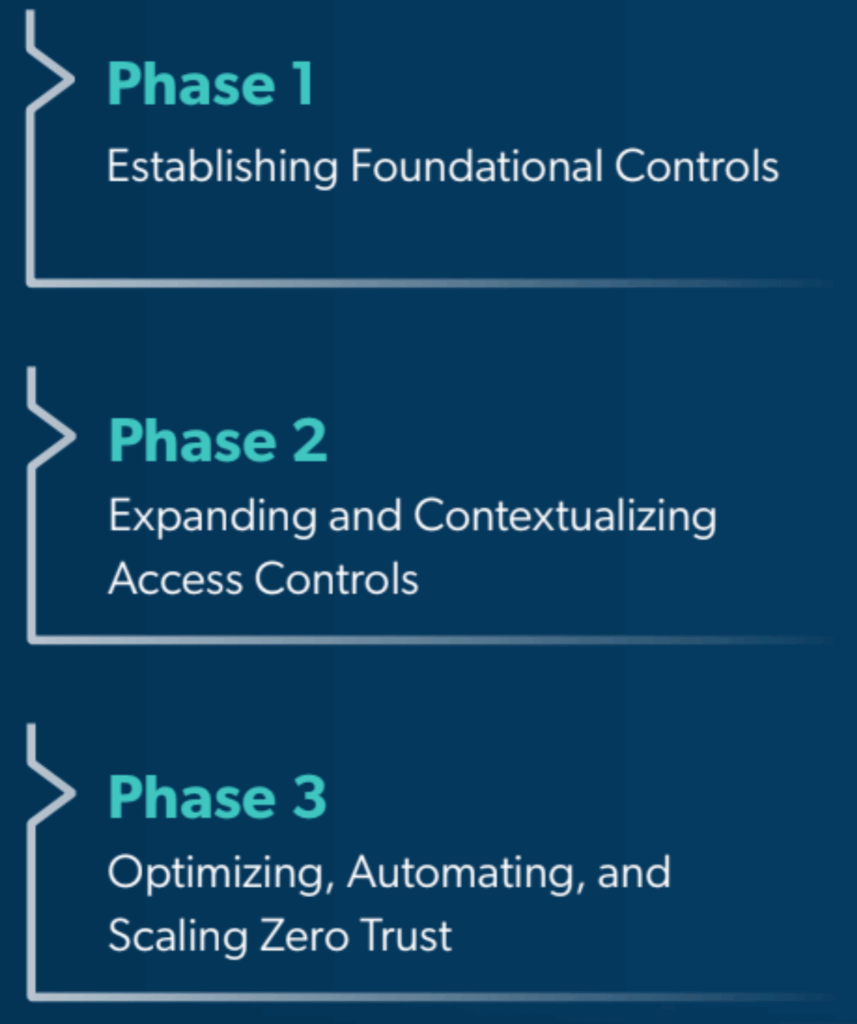
Implementing Zero Trust in three agile phases helps you avoid this trap and ensures steady progress without disrupting users or overloading teams.
Know Where You Stand In Your Zero Trust Journey
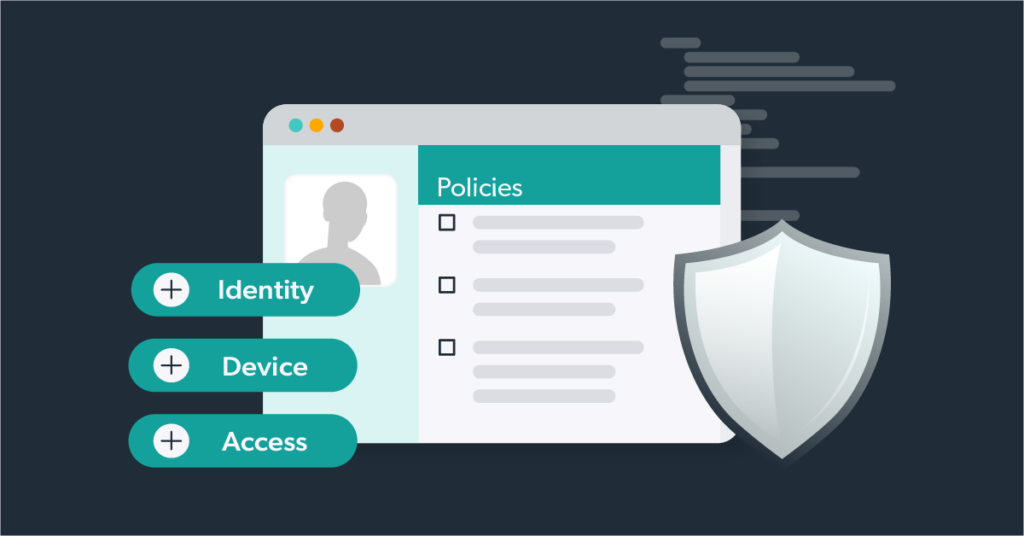
Before you move forward, it helps to know where exactly you stand today. The checklist below outlines the key areas that must be in place for a fully realized Zero Trust implementation. If your organization meets all of these, you’re operating with complete, scalable protection. If not, this can help you identify where to focus next. Your organization is on the path to full coverage when:
- MFA has been enabled for all users and systems
- A centralized directory or identity provider is in place
- Least privilege policies are consistently applied
- All devices are tracked in real time
- Device posture checks include OS updates, encryption, and security tools
- BYOD devices are governed by clear policies
- VPN access is minimized or replaced with app-level access
- Users only access what they need based on role and context
- Cloud and on-prem apps follow the same access standards
- Privileged access is temporary and request-based
- All sensitive credentials are stored in a secure vault
- Privileged sessions are monitored or recorded
- Centralized logging is turned on across key systems
- Real-time alerts are in place for risky behavior
- User activity and access trends are reviewed regularly
Phase 1: Establish Foundational Controls
The first phase is all about setting up the basics that reduce risk right away. Applying these foundational controls significantly reduce risk across your environment, without requiring major changes to systems or workflows.
If you’re just getting started with Zero Trust, this is the best place to focus your time and effort. Here’s what you need to prioritize in this phase:
Make sure MFA is applied to all users, across all systems. This is one of the fastest ways to block unauthorized access and protect against stolen credentials.
These are often overlooked and rarely monitored. Audit your systems and remove or rename default administrator accounts wherever possible.
Store shared and privileged passwords in a secure location, and rotate them on a regular schedule. Use delegated access to entirely remove the need to share passwords.
Review who has access to what, and remove permissions that aren’t essential. New users should get only what’s required for their role.
Disable legacy protocols, unused services, and unneeded administrative tools. This reduces the attack surface and simplifies your environment.
Phase 2: Expand and Contextualize Access Controls
Once your foundational controls are in place, the next step is to build on them. Phase 2 is where you start connecting the dots between identity, device health, and user behavior.
In this phase, you start expanding Zero Trust across more of your environment and use real-time context to make smarter access decisions. Key goals include:
Enforce controls based on device posture. Block or limit access from devices that are unmanaged, unencrypted, or missing endpoint protection.
Move toward application-specific access models. Allow users to connect only to the services they need, when they need them.
Use signals like login location, device health, or time of day to evaluate risk before granting access. If something looks off, require re-authentication.
Apply policies to more SaaS tools and cloud infrastructure. Ensure that new environments follow the same access and authentication standards as existing ones.
Surface and evaluate tools that users may have adopted without IT involvement. Decide whether to bring them under governance, block them, or offer secure alternatives.
Phase 3: Optimize, Automate, and Scale
Once your Zero Trust policies are in place and working across your environment, the next step is to make them easier to maintain and more efficient to manage. Phase 3 is where you shift from setup mode to long-term sustainability.
This is where Zero Trust ensures your program doesn’t just maintain momentum, but keeps improving over time. Focus on:
Connect provisioning to your directory or HR system. Ensure that users are onboarded, offboarded, and transitioned automatically as roles change.
Consolidate logs, audit trails, and policy controls into a single location. This simplifies compliance, speeds up investigations, and helps your team spot patterns.
Tune your monitoring tools to surface actionable signals. Focus on user behavior, access anomalies, and high-risk changes.
Build a rhythm for evaluating what’s working, where gaps remain, and how your policies should adapt to changes in technology, business priorities, or user needs.
Make Zero Trust an integral part of how you evaluate new tools, onboard new teams, and design new services.
JumpCloud and VaultOne Simplify Zero Trust Implementation
30%
of organizations now rely on unified platforms for Zero Trust. Consolidating tools controls complexity, improves policy consistency, and frees up teams to focus on higher-impact work.
One of the biggest challenges in implementing Zero Trust is managing a fragmented toolset. When identity, device, access, and monitoring are handled by different systems, it’s easy for things to get disconnected. That slows you down and makes it harder to enforce policies consistently.
JumpCloud and VaultOne help solve this by unifying key Zero Trust functions into a single platform. Instead of switching between disconnected tools, your team can manage identity, device trust, access control, privileged access, and visibility from one centralized system.
With JumpCloud and VaultOne, you can:
-
1
Automatically check if a device is encrypted, updated, and running security tools before granting access.
-
2
Control privileged access with secure vaulting, session monitoring, and just-in-time permissions.
-
3
Gain full visibility through built-in logging and reporting across your environment.
-
4
Scale with ease by applying consistent policies as users, devices, and apps grow.
-
5
Reduce operational overhead by consolidating access, identity, and security workflows.
Strengthen Your Organization’s Zero Trust Coverage
To keep up with today’s evolving threat landscape, your Zero Trust program must scale with your environment, not just protect a static shortlist of assets.
As your organization adds new users, devices, and apps, Zero Trust must expand accordingly to maintain full protection.
Without full coverage, even a single gap can create an entry point for attackers and undermine the controls you’ve already put in place.
By rolling out Zero Trust in phases and embracing a unified approach, your organization can confidently support growth, adapt to change, and stay ahead amidst the growing complexity.
JumpCloud and VaultOne help organizations like yours streamline Zero Trust and achieve complete coverage.
Instead of relying on separate tools for identity, device trust, access control, and monitoring, you can manage it all from a single platform. It’s simpler to manage, faster to scale, and built to reduce the complexity that slows most Zero Trust programs down.
No more guesswork. No more friction. Just a clear, reliable path to managing Zero Trust with confidence.
Take the next step towards full Zero Trust coverage
Book a demo with JumpCloud to see how the platform fits your environment and simplifies what's next
Start A Trial