Connect


Updated on September 5, 2025
Network administrators face mounting pressure to secure their infrastructure while maintaining seamless user access. Network Access Control (NAC) solutions provide a critical defense layer, but understanding how they block traffic and resolving related issues requires technical precision.
This guide breaks down the technical workflow of how NAC identifies and blocks non-compliant devices. You’ll learn the specific mechanisms NAC uses to enforce security policies and gain practical troubleshooting steps for common enforcement issues.
Whether you’re implementing a new NAC solution or optimizing an existing deployment, this technical breakdown will help you maintain both security and network performance.
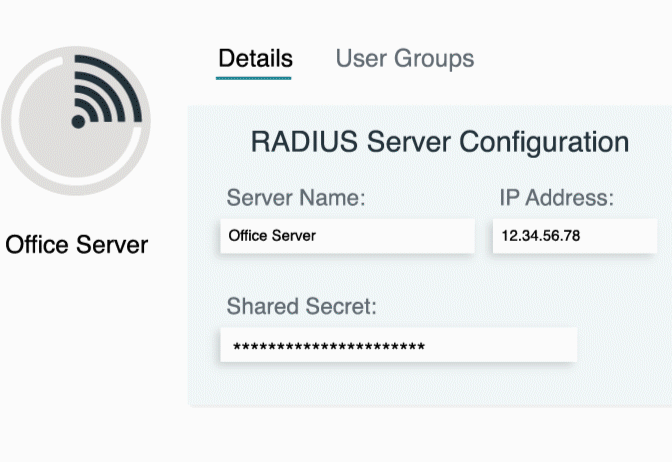
JumpCloud’s simplified Cloud RADIUS solution gives you all the benefits of RADIUS with none of the traditional hassle.
Definition and Core Concepts
- Network Access Control (NAC): A security solution that centrally manages and enforces policies for devices attempting to connect to a network. NAC acts as a gatekeeper, ensuring only compliant devices gain network access.
- Endpoint Compliance: The state where a device meets predefined security policies. This includes specific operating system versions, up-to-date antivirus software, enabled host-based firewalls, and approved applications.
- Access Policy: A set of rules defined in the NAC solution that dictates device requirements for network access. Policies can include patch levels, security software status, and device configuration standards.
- Guest Network: A network segment with limited access, typically used to quarantine devices that fail compliance checks. This segment provides controlled access to remediation resources while blocking production network access.
How NAC Blocks Traffic: The Technical Workflow
Step 1: Device Authentication
When a device attempts to connect to the network via wired or wireless connection, the NAC solution immediately detects it. The NAC server authenticates both the device and user using protocols like 802.1X or by checking against a corporate directory such as Active Directory.
The authentication process establishes the device’s identity before any network access is granted. This step ensures only known devices and authorized users can proceed to the compliance evaluation phase.
Step 2: Policy Evaluation (Compliance Check)
The NAC agent on the endpoint performs a comprehensive security posture assessment. For agentless deployments, the NAC solution conducts a passive scan of the device’s configuration and security status.
During this evaluation, the system verifies endpoint compliance with the access policy. It checks that antivirus software is running and current, required patches are installed, unauthorized applications are absent, and security configurations meet organizational standards.
The NAC solution then assigns a posture status to the device—either “compliant” or “non-compliant”—based on the policy evaluation results.
Step 3: Access Enforcement (Blocking)
When a device fails the compliance check, the NAC solution enforces specific actions to block or restrict network traffic:
- Quarantine: The most common enforcement action places the device in a quarantine VLAN. This special network segment blocks access to production resources while potentially providing access to remediation servers for patching or antivirus updates.
- Access Control List (ACL) Enforcement: The NAC solution dynamically applies a restrictive ACL on the network switch port connected to the non-compliant device. This ACL blocks all traffic except for specific whitelisted services needed for remediation.
- Port Shutdown: In extreme cases involving high-risk devices, the NAC can administratively shut down the switch port. This action completely cuts off the device’s network connection until manual intervention occurs.
Troubleshooting NAC-Related Issues
Common Issue 1: Device Stuck in Quarantine
Symptoms: Device remains in quarantine VLAN despite apparent compliance with security policies.
Troubleshooting Steps:
- Verify the device’s compliance status in the NAC management console
- Check the endpoint’s security configuration against policy requirements
- Review NAC logs for specific policy failures
- Common causes include outdated antivirus definitions, disabled host firewall, or missing critical patches
- Force a policy re-evaluation if the device appears compliant but remains quarantined
Common Issue 2: Intermittent Connectivity
Symptoms: Device experiences periodic network disconnections or access restrictions.
Troubleshooting Steps:
- Review NAC logs for frequent policy re-evaluations that may cause connectivity interruptions
- Check if policy changes are being applied inconsistently across network infrastructure
- Verify the NAC agent on the endpoint is running correctly and maintaining communication with the NAC server
- Examine network switch logs for port state changes that correlate with connectivity issues
- Confirm policy evaluation intervals are appropriate for your environment
Common Issue 3: Inability to Authenticate
Symptoms: Device cannot complete initial authentication process to gain any network access.
Troubleshooting Steps:
- Check authentication logs on the NAC server for specific failure reasons
- Verify username and password credentials are correct
- Confirm 802.1X supplicant configuration on the client device
- Test communication between the NAC solution and corporate directory services
- Check certificate validity if certificate-based authentication is used
- Verify RADIUS server configuration and connectivity

Guided Simulations
Explore our personalized, interactive JumpCloud experience, tailored to your priorities.
Frequently Asked Questions
How does NAC distinguish between different device types during policy evaluation?
NAC solutions use device fingerprinting techniques to identify device types, operating systems, and installed software. This information allows administrators to apply different policies based on device categories—such as corporate laptops, personal mobile devices, or IoT equipment.
Can NAC block traffic for devices that don’t support agent installation?
Yes, agentless NAC deployments can scan and enforce policies on devices without installed agents. These solutions use network-based scanning techniques and DHCP fingerprinting to assess device compliance, though they may have limited visibility compared to agent-based approaches.
What happens if the NAC server becomes unavailable?
Most enterprise NAC solutions include failover mechanisms. In fail-open mode, devices continue to access the network during NAC server outages. In fail-closed mode, no new devices can authenticate until the NAC server is restored. The choice depends on your organization’s security versus availability priorities.