


 Subscribe to Help Center RSS Feed
Enhance the security of your Vault account by registering a FIDO2 passkey. A passkey allows you to sign in securely without needing to use a password.
Prerequisites:
- You must have a FIDO2-compliant security key or a device with a built-in authenticator (like Windows Hello or Apple Touch ID).
- Confirm that your specific type of passkey (e.g., USB, NFC, Internal) is permitted by your organization's security policy, as your administrator may have restricted which types can be used.
To register your FIDO2 passkey:
- Log in to the Vault.
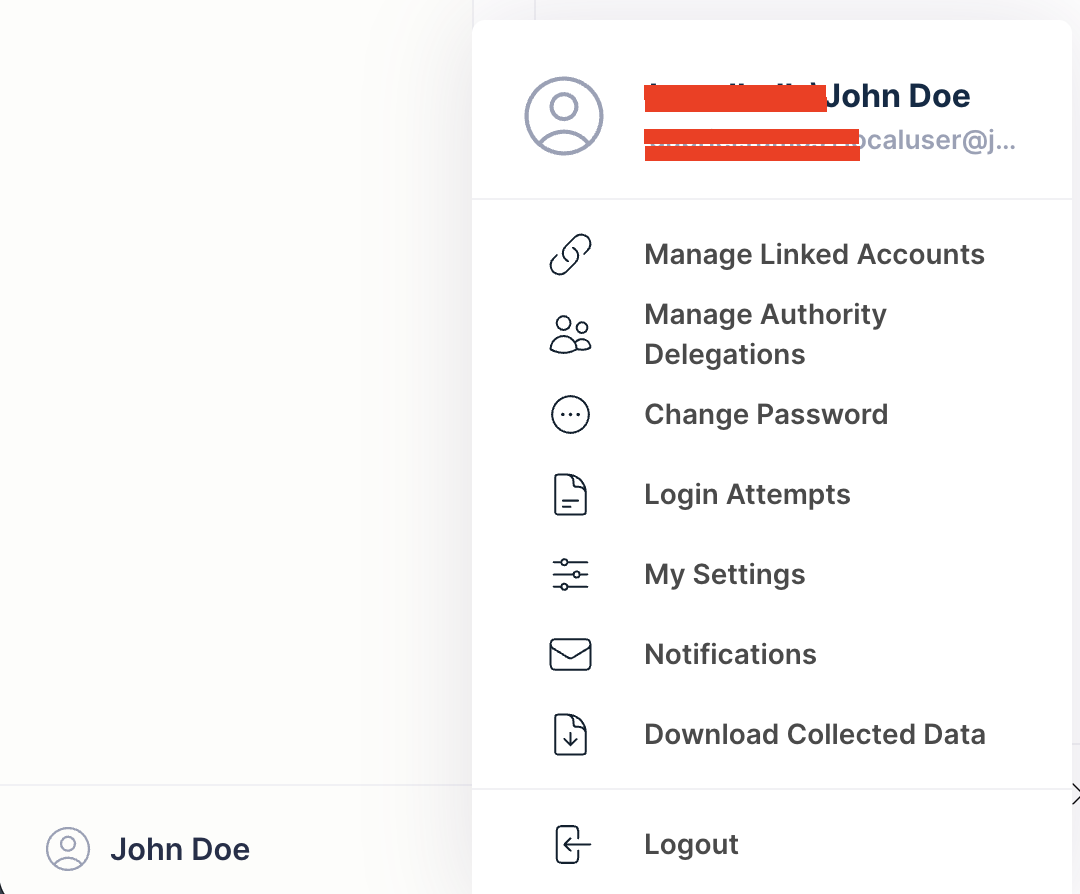
- In the bottom-left, click your user icon and select My Settings.
- Go to the the Passkeys tab.
- Under Passkeys Registered, click Add to begin the registration process.
- When prompted, enter a descriptive name for your new passkey to help you recognize it later (for example, "My Laptop" or "YubiKey").
- Follow the on-screen instructions from your browser or operating system to register your security key. This will likely involve touching the key, using your fingerprint, or entering a PIN.
- After the registration is successful, click Save.
Your FIDO2 passkey is now registered and ready to be used for future logins.
Back to Top
 In this Article
 Learn More