Connect


Your time is valuable, and every click matters when you’re managing IT. We know that as your company grows, so do your daily tasks. That’s why we’ve redesigned how you navigate the JumpCloud Admin Portal.
This is more than just a new look. It’s a redesign that matches your workflow, makes things smoother, and helps you get to important tools faster. By removing clutter and organizing features in a more logical way, we’re giving you a foundation that grows with you. This way, you can spend less time searching and more time solving problems.
This article will show you how to use the updated Admin Portal to make your work easier and manage your systems more efficiently. We’ll guide you through the steps to make the most of these improvements, whether you’re managing access, fixing issues, or growing your infrastructure.
Why the Change?
The previous Left Nav had 33 items buried in expandable menus. Critical information, like Settings and Support, was scattered. We knew we could do better.
The goal of this update was to minimize visual clutter and streamline your workflow, creating a more cohesive and logical flow that provides a scalable foundation for future platform growth.
What’s New: A Hover-Based, Modern Experience
The new design features a modern look and feel with a hover-based menu that makes finding what you need faster than ever.
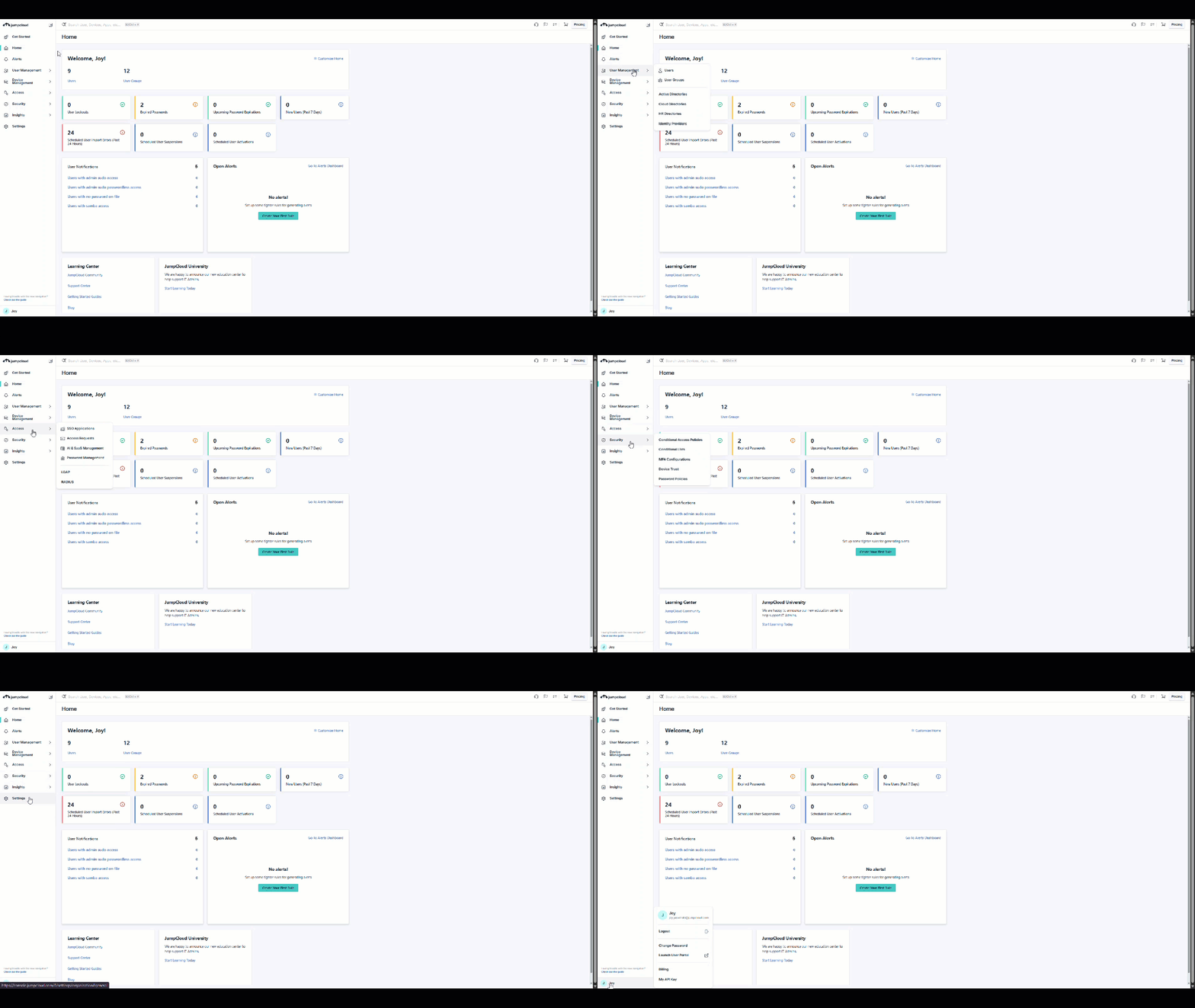
Here are the key updates to help you navigate:
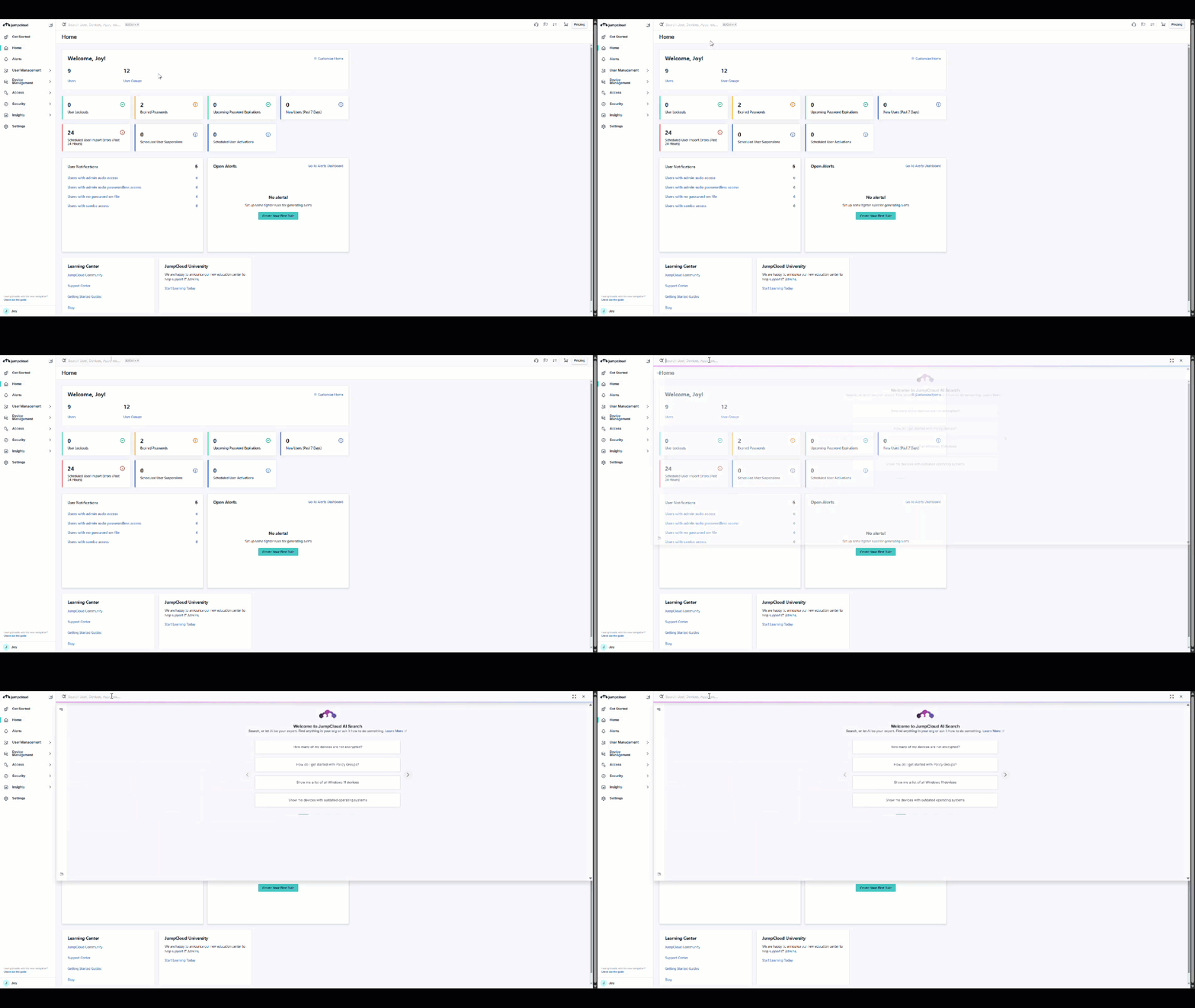
- Search and JumpCloud AI: Search has been moved to the top of the window and now opens directly into JumpCloud AI for intelligent assistance.
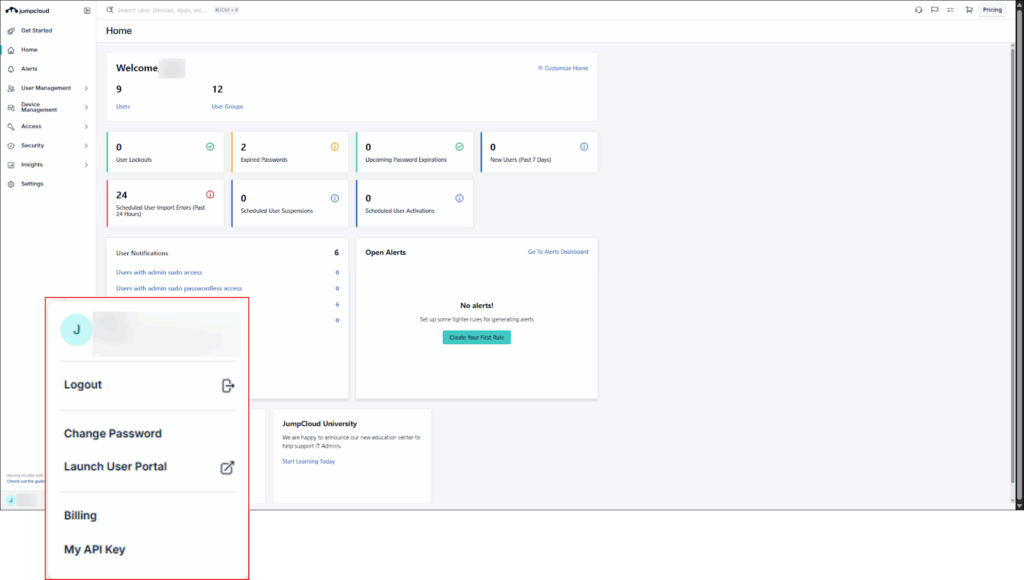
- Admin (profile) menu: Your Admin (profile) menu has found a new home in the lower left corner.
- Alerts: Alerts is now a dedicated, easy-to-spot Left Nav menu item.
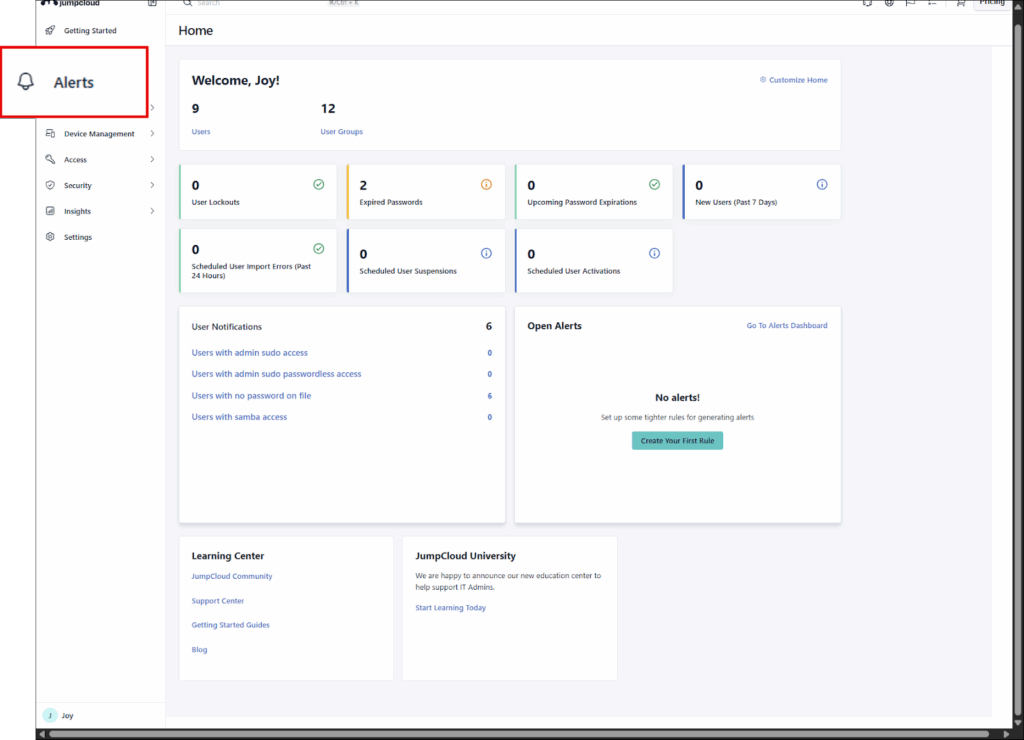
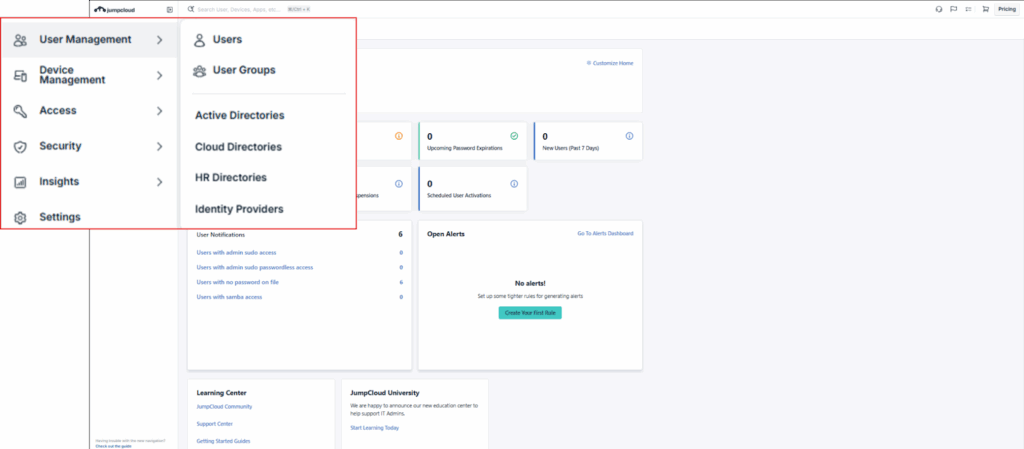
- User Management: This section has been enhanced with the inclusion of Active Directories, Cloud Directories, HR Directories, and Identity Providers, all of which were previously grouped under Directory Integrations.
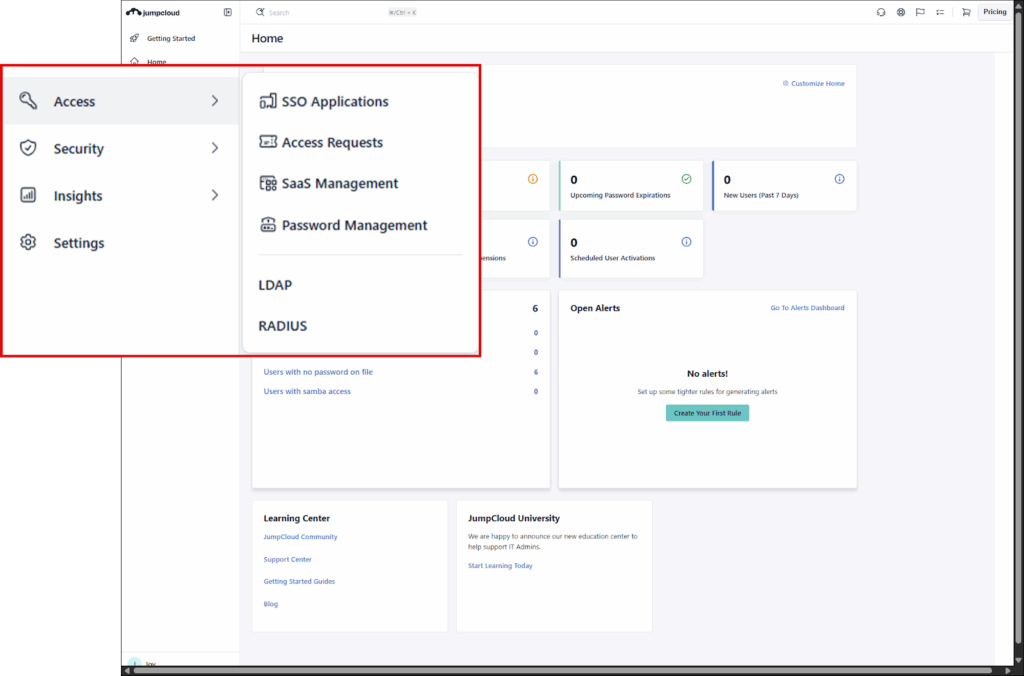
- Access: The User Authentication section has been renamed to Access. It’s reorganized and now includes Access Requests and SaaS Management. Password Manager has been updated to Password Management.
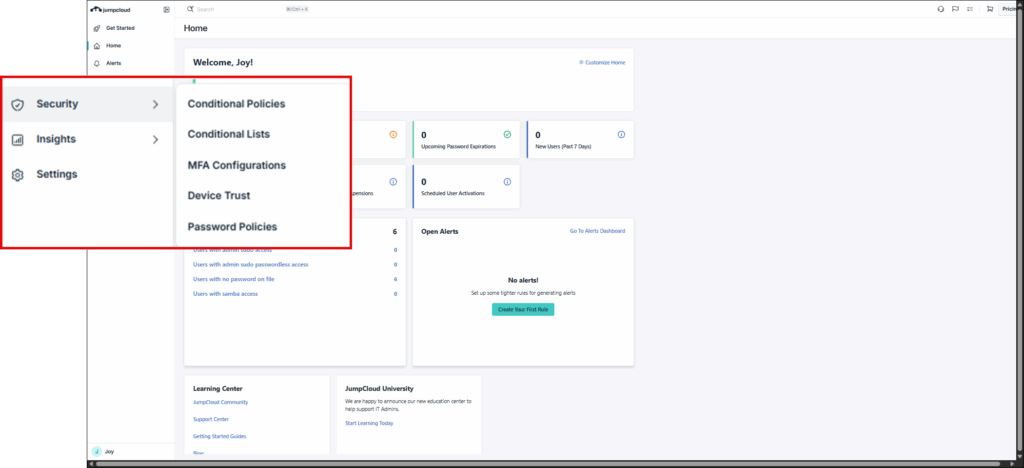
- Security: Security Management is now just Security. (Note: SaaS Management is not in the new Access section.)
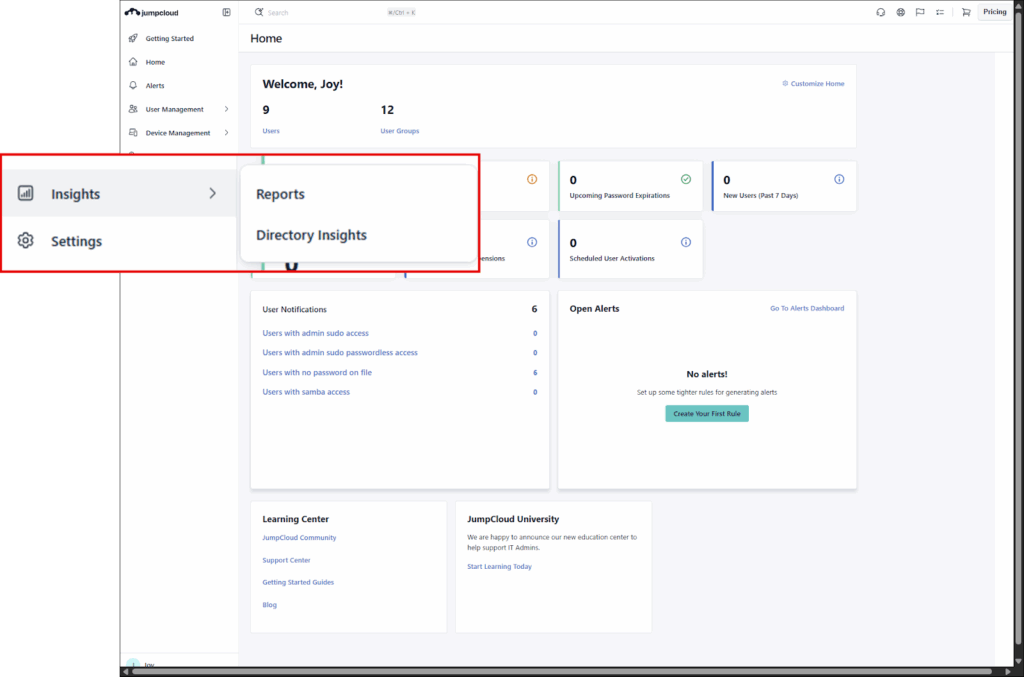
- Insights: The Insights section has been cleaned up, removing Alerts (now its own main item) and reorganizing the remaining tools.
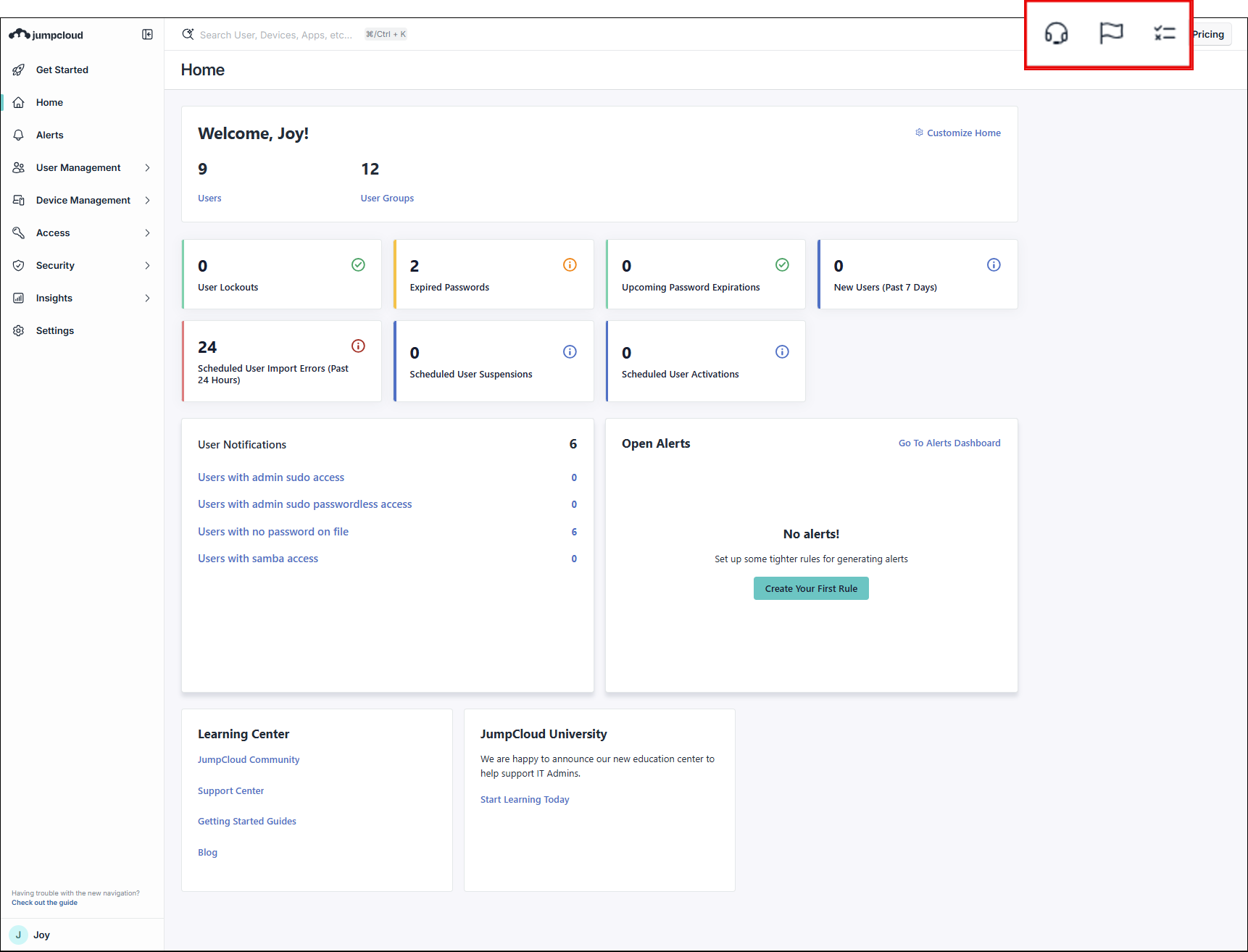
- Unified Support Access: Live Chat, What’s New, and Checklists are now grouped together in the top menu for a unified experience.
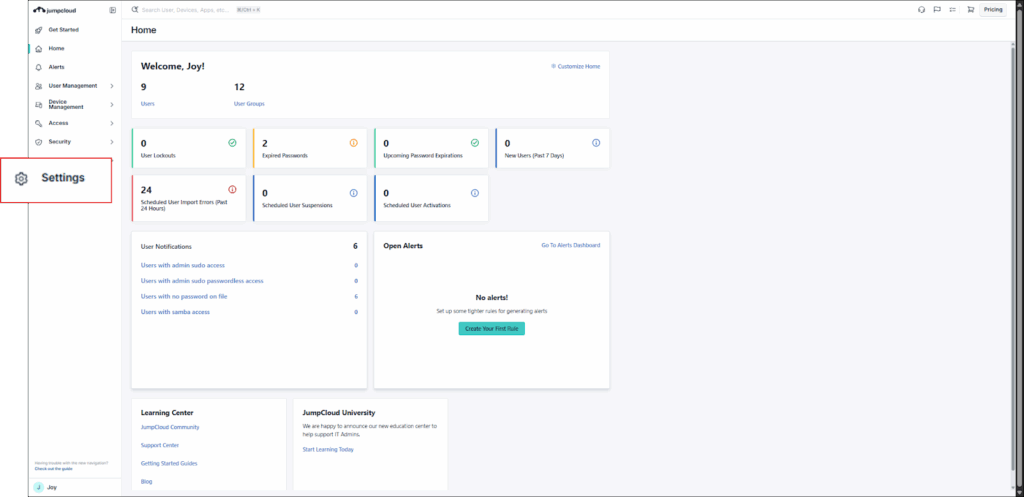
- Settings has moved into the Left Nav.
Simplifying The Art of IT
These updates are meant to do one thing: improve your overall experience by making the tools you need easier to find, and the workflows you rely on more seamless. By simplifying navigation, consolidating related functionalities, and prioritizing usability, we aim to help you focus on what matters most.
We encourage you to log into the admin portal today to explore these enhancements firsthand and see how they can streamline your operations.
FAQ: Your Questions Answered
Yes! No new Admin Portal functionality or features are included in this update—it only involves the Left Nav. The URLs for all pages remain the same.
Currently, no. However, the ability to customize or pin items is planned for a future update.
Currently, no. This is planned as a future update.