


SaaS Management: A Pillar Is Forged
Why the Practice of SaaS Management Is Now Part of the Foundation of IT Management
We’ve reached a point where SaaS (Software-as-a-Service) applications aren’t just common in the workplace; they’re an essential pillar to making work happen. As such, the management of those applications has become just as important as the management of your core IT infrastructure. Your IT management shouldn’t stop at identities, devices, and access: it should include a program for effectively using the SaaS applications that keep your organization running.
Without a SaaS management program, you run the risks of unmitigated shadow IT, SaaS sprawl, and everything that comes with it: operational inefficiencies, security and compliance threats, and skyrocketing (and poorly allocated) IT costs.
This ebook dives into how SaaS management works, what it delivers to your organizations beyond the technical program, and how to build a comprehensive SaaS management program from the ground up. It also includes a checklist to get you started with your own SaaS management program.
After reading this ebook, you’ll be equipped to start building your own SaaS management program, which will help you mitigate risks, optimize costs, and foster IT maturity across your SaaS environment.
What is SaaS Management?
SaaS management is the strategic approach of identifying and managing all SaaS applications within an organization. It involves the discovery of SaaS apps and the management of inventory, licenses, and renewals to ensure full visibility. This practice aims to bring visibility and control over all SaaS usage, sanctioned and unsanctioned, ensuring better security, consistent compliance, and both cost and operational efficiency.
Stop thinking of SaaS management as a nice-to-have, and start thinking of it as a foundational pillar of IT management.
Why is shadow IT such a problem?
84% of IT professionals are concerned about shadow IT. Why?
- The rise of remote and hybrid work has allowed employees to work outside the confines of a corporate network.
- The demand for specialized software across departments to solve specific challenges is increasing unsanctioned app usage.
- Free trials, flexible subscriptions, and burgeoning capabilities only available in cloud-centric licensing models make SaaS apps easier and more appealing to adopt.
Is Shadow IT Putting Your Data at Risk?
Unapproved apps and hidden devices are the "silent killers" of modern security. If you can’t see it, you can’t secure it. Learn how to identify hidden risks with "Casting IT into Shadows" and implement a proactive strategy that keeps your organization safe and your employees productive.
Download Now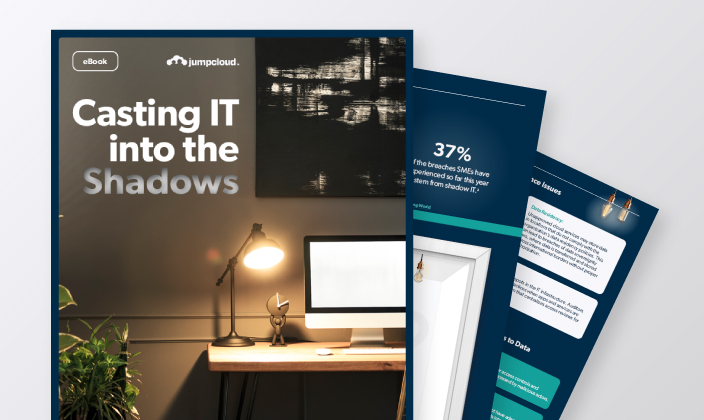
How SaaS Management Works
SaaS management provides comprehensive visibility into all SaaS apps used within the organization. This includes discovering and cataloging both sanctioned and unsanctioned apps. Every single identified app goes to a comprehensive inventory, helping IT teams understand the full scope of their SaaS environment.
SaaS management also provides important context that IT can use to more effectively manage them. SaaS management programs must provide detailed insights into usage patterns, user behavior, and app-to-app connections, and gather granular metainformation like user roles and permissions that brings security to the front door of the app itself.
While VPNs and SASE solutions may secure traffic, they don’t inherently understand whether the use of any given SaaS app is conducive to security best practices like SaaS management programs can do.
Through SaaS management, organizations can implement and enforce policies governing the use of SaaS applications.
With clear visibility over SaaS apps in use, IT admins can set up access controls and clearly define which apps are approved for use. SaaS management solutions allow employees to look up sanctioned alternatives from an authorized app catalog, reducing the friction in their and IT admins’ work. More advanced programs may even warn users about unapproved cloud applications directly through their browsers to proactively encourage secure SaaS adoption.
IT admins can also block user access to unauthorized SaaS domains to prevent signups/logins from work browsers and minimize data exposure and security risks. This can be done via network-based or device-based policies, a decision usually dependent upon where employees are more likely to work.
By managing the lifecycle of SaaS apps, SaaS management helps control and optimize costs. This includes tracking subscription usage and identifying redundant or underutilized apps. Detailed analytics on app usage patterns allow organizations to consolidate licenses and eliminate unnecessary expenditures.
For shadow IT applications, cost management also involves evaluating the financial impact of these unauthorized tools and making informed decisions about whether to bring them under formal management or replace them with approved alternatives.
Continuous monitoring and reporting are integral to SaaS management. SaaS management programs track authorized app usage and detect the introduction of new, unapproved applications. Detailed reports can provide insights into usage trends, showcasing when they were last used, by whom, and by which login methods.
These insights help IT teams identify patterns that can inform new security policies, improve IT governance efforts, and even support strategic technology investments across and within specific departments.
Building a SaaS Management Program from The Ground Up
As organizations grow, employees increasingly resort to unauthorized SaaS tools to boost productivity or overcome new challenges quickly. They often seek out these tools because they have previous experience with them, believe in their “cutting edge” capabilities, or simply offer convenient access to features that the officially sanctioned solutions may lack.
It’s also quite possible that your IT responsibilities and scope of work have grown so much, and so quickly, that you have yet to implement a structured program that catalogs and helps employees find and leverage sanctioned SaaS applications.
Wherever you may be, it’s important to recognize that a SaaS management program has as much to do with implementing technology solutions as it does curbing bad behavior and facilitating organizational governance and proper expectations.
And before you get the green light to invest in whatever technology solutions you deem best to attack the problem at hand, you should consider performing a manual self assessment.
Why?
Simply put: conducting a self assessment is a great way to get a baseline understanding of what you have and where you need to go. The results of your self assessment will provide the data points you need to make your case to leadership for formal SaaS management software.
IT teams often struggle to control IT sprawl. Nearly half (45%) of SMEs require five to 10 tools to manage the worker lifecycle even though 84% would prefer to do so with only one.
How to Get Started: The Self Assessment
The first step to SaaS management is conducting a self assessment. Self assessments are generally a manual inventory of the state of the SaaS in your organization. It helps you document what you have, identify gaps, and understand needs and challenges.
Self assessments establish the foundational knowledge and understanding of what you have so you can figure out where your program needs to go.
The results of your self assessment will provide the data points you need to make your case to leadership for formal SaaS management software.
A SaaS self assessment consists of the following milestones:
– Identify and catalog: Create a list of all SaaS applications currently in use. Common discovery methods include network scans, user surveys, and direct inquiries.
– Track usage: Gather data on application usage. Common methods include tracking domain-level visits to SaaS apps, reviewing user logs, interviewing employees, and monitoring network traffic.
While this phase of the self assessment is led by IT, it requires all departments to participate. This likely won’t uncover everything (it’s nearly impossible to uncover all instances of shadow IT) but it’s a great way to get a baseline. Data collection forms and a central spreadsheet for tracking can help keep all your information accounted for.
– Review policies: Go over existing policies related to SaaS app usage, procurement, and management.
– Conduct interviews with staff to assess adherence to these policies and identify gaps.
– Review licenses and compliance: Examine licensing agreements and compliance documentation. This includes checking expiration dates and usage terms against actual usage.
In this phase, it’s essential to take note of both existing policies and areas that are not governed explicitly. A gap analysis will help drive priorities for future policy development by assessing the risks inherent to these missing policies.
– Analyze costs: Create a focused view of all the SaaS apps in your organization with their subscription fees and additional expenses. Review and compare these costs with perceived value and benefits through manual calculations and interviews with users.
– Perform a cost-benefit analysis: Assess each application’s benefits and necessity level versus their costs to determine whether the investment is justified.
Identify redundant or underutilized apps by comparing user feedback with usage costs.
As part of this phase, note where competing features exist across functions. SaaS apps related to storage, project management, and data analysis are common areas where departments invest in their own platforms and thus create duplicative services used throughout the organization.
How Technical Solutions Enhance SaaS Management
Though self assessments are a necessary starting point, they should act as a stepping stone – not a final destination – when it comes to mature SaaS management. Self assessments are limited by their manual nature and they can be time-consuming and even prone to inaccuracies over time, making them less effective the larger an organization becomes.
Your self assessment should give you an idea of where your organization stands and what it needs to do when it comes to researching, implementing, and maintaining SaaS management solutions. The output of a self assessment will lay the groundwork for future investments.
A fully operational program leverages technical solutions on top of your self assessment to automatically track, report on, and secure SaaS usage, and utilizes these insights to develop and improve policies that govern future investments. The result is improved security, efficient management, and long-term cost reductions that are felt across the entire organization.
As the number of apps and users in your organization grows, so too will the complexity and volume of data your SaaS management program needs to evaluate. An effective SaaS management program leans on technical solutions but should be supplemented by periodic manual assessments, allowing IT teams to regain control over the shadowy parts of SaaS more consistently and maintain security, compliance, and operational efficiency over sanctioned SaaS usage across different departments.
Stop Shadow IT in Its Tracks!
App sprawl is a real problem, leaving a tangled web of shadow IT, potential security exploits, and costly license management to deal with. Watch this 14-minute demo that shows how JumpCloud discovers and catalogs SaaS usage, prevents unwanted apps, and visualizes app license information.
Watch Now →
How Technical Solutions Enhance SaaS Management
SaaS management solutions empower IT teams to efficiently secure and manage their organization’s SaaS applications in a way that aligns with their daily use. Organizations can leverage technical solutions to simplify SaaS app discovery, prevent shadow IT, increase SSO coverage expansion, and meet compliance mandates.
This starts with the discovery process. While different solutions may approach this aspect in their own way, the goal is to automatically associate every new SaaS login with the user, login method, and last login date information in a clean, categorized inventory.
This allows IT admins to prevent shadow IT by identifying unauthorized usage immediately, blocking or warning against access to unauthorized apps, and offering sanctioned alternatives. In addition, it enables IT admins to optimize costs by establishing comprehensive oversight of SaaS subscriptions and usage trends.
- Real-Time App Discovery
- Catalog and Inventory App Context
- Policy Development
- Technical Controls Implementation
- Strategic Recommendations
- Ongoing Program Optimizations
- Continuous Discovery
- Technical Solutions
- Self Assessment
When done right, an effective technical SaaS management solution will empower you and your team with the following:
Achieve full visibility into SaaS app logins and registrations across your organization, giving you the power to get unauthorized SaaS usage under control.
Identify unsanctioned SaaS applications to mitigate potential security risks that can stem from a third-party data breach.
Maintain a single inventory for every SaaS app discovered. Categorize them as authorized/unauthorized to quickly identify and address potential security vulnerabilities. This inventory automatically updates when new applications are discovered, eliminating manual SaaS tracking.
Find company-approved SSO apps that are not connected to your provider to expand SSO usage and enhance your security posture.
Maximize budget efficiency by identifying and eliminating unnecessary licenses or excessive user caps. Easily keep track of your company-wide SaaS usage on a single platform to identify which ones are actively used and cancel extras.
Block user access to specific SaaS domains to prevent unauthorized signups/logins from work browsers and minimize data exposure and security risks.
Warn users about unapproved cloud applications directly through their browsers to proactively encourage secure SaaS adoption. Employees can then look up a sanctioned alternative from their authorized app catalog, reducing the friction in their work (as well as your IT team’s).
Empower IT Teams with Simplified Management
SaaS management is no longer a nice-to-have; it’s an essential component to the foundation of effective IT management. While critical to addressing shadow IT and SaaS sprawl, this is just a single part of the broader challenge that modern IT teams face without effective SaaS management programs.
To achieve comprehensive IT maturity, security, and compliance, organizations need an approach that integrates SaaS management with identity, access, and device management. Each of these components are essential and complementary, ensuring that every digital touchpoint remains safe and sound.
Fortunately, managing all that doesn’t have to be time-consuming or complex.
JumpCloud simplifies SaaS management by integrating it into its cloud-based directory, so you can manage your identities, devices, and applications from one unified platform. With JumpCloud, IT organizations of all sizes get complete visibility and control over their environment, which translates to better security, tighter compliance, and lower costs.