


 Subscribe to Help Center RSS Feed
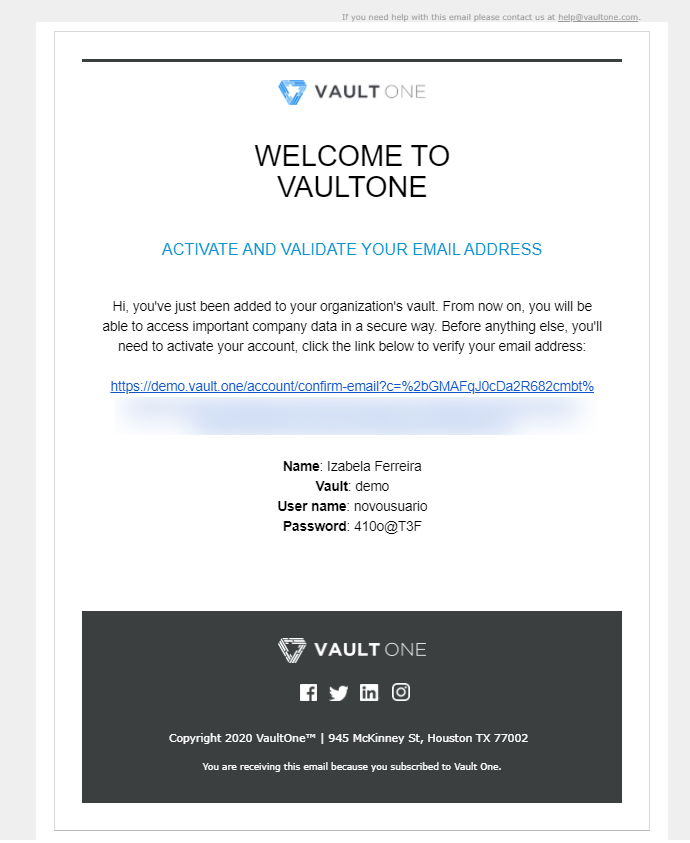
When a new user account is created in VaultOne, that user will receive an email to activate their account and set up their initial access.
Activating Your Account
- Check your inbox for an email from VaultOne regarding account activation.
- Click on the activation link provided in the email.
- You will be directed to the VaultOne login page.
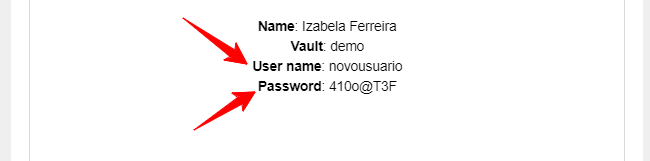
- Use the credentials (username and temporary password) that were provided in the activation email to log in.
- Upon your first successful login, you will be prompted to change your temporary password to a new, secure password of your choice.

Note: The functionalities and access levels available in your VaultOne account are determined by your administrator. If you encounter any issues during this process, please contact your VaultOne administrator or support team for assistance.
Back to Top
 In this Article