


 Subscribe to Help Center RSS Feed
VaultOne allows administrators to customize how user accounts are blocked after multiple incorrect login attempts. You can define both the number of allowed failed attempts and the duration of the account lockout.
- Go to Administration > Settings > Security in your VaultOne portal.
- Locate the following options for configuring login attempt limits and lockout duration.
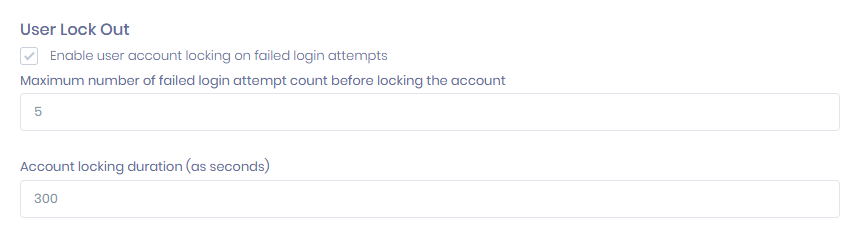

Tip: If you set the limit to 5 incorrect login attempts, the user’s account will be blocked after the fifth failed attempt. You can also set the lockout duration, for example, 300 seconds (5 minutes). After this period, the user will be able to attempt to log in again.
- Adjust the values according to your organization’s security policy.
These settings help protect your environment against brute-force attacks and unauthorized access attempts.
Back to Top
 In this Article