Vault: Audit Databases
Vault allows you to audit actions performed on databases configured within the platform. This article outlines the steps to view and analyze database activity logs.
- Log in to the Vault platform.
- Go to Databases. A list of all the configured databases is displayed.
- Select a desired database and select Sessions present under the Actions column.
- Click View All.
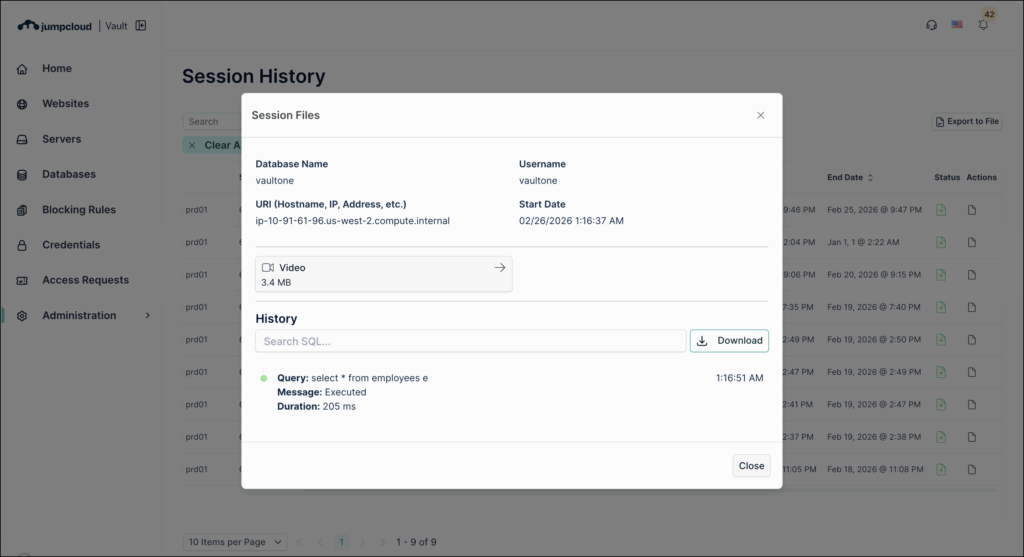
- Click View Files in the Actions column. On the Session Files window, the complete history of accessed files and activities is displayed.
Was this information helpful?