Updated User Portal Experience
Overview
We're continually updating the JumpCloud User Portal with a fresh, responsive design. Read this article to learn more about the latest updates.
September
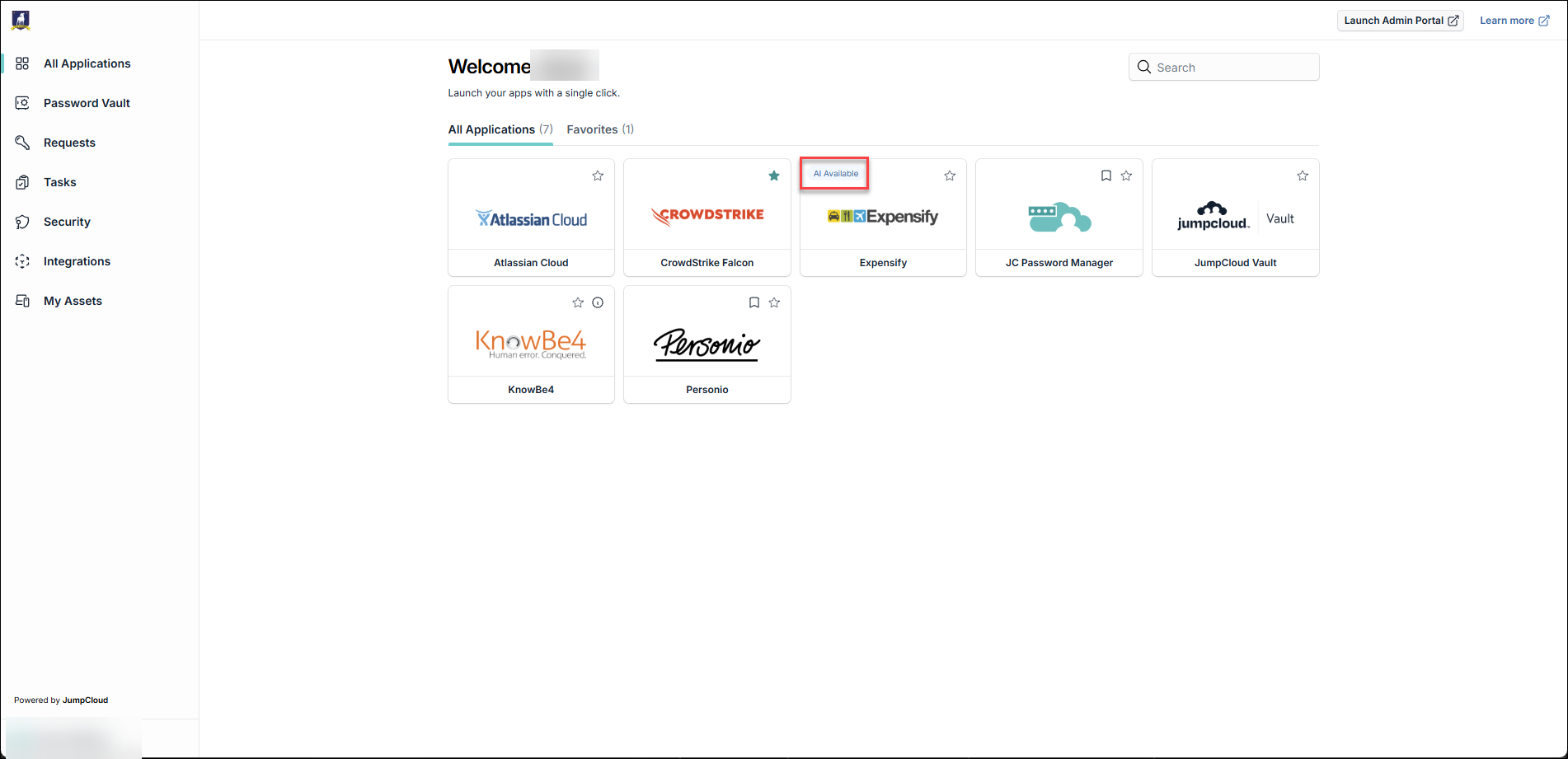
AI Available Badge
JumpCloud is introducing an AI Available indicator on application tiles within the JumpCloud User Portal. This enhancement enables authenticated employees to easily identify which of their assigned applications have been approved and configured by their IT administrator for connection to AI tools through the JumpCloud AI Gateway.
April
While the look and feel are getting a fresh, modern update, your core experience remains the same. You will still have access to all the features and applications you rely on today, but with several planned improvements:
- Built-in Support: New contextual help features are available right where you need them to guide you through the portal
- Enhanced Search: Find your applications and resources faster with a more powerful search tool
- Mobile-Friendly Design: Access your portal seamlessly from any device, whether you're at your desk or on the go
Don't worry, your login experience (including JumpCloud Go or MFA prompts) remains the same. This update focuses on the dashboard you see after you log in.
The new User Portal will begin rolling out on April 1, 2026. If you'd like early access before General Availability, we're offering a Private Preview starting March 11, 2026. Reach out to your Account Team to express interest and get signed up. We encourage you to take advantage of the Private Preview to explore the new experience and share your feedback before the full rollout.
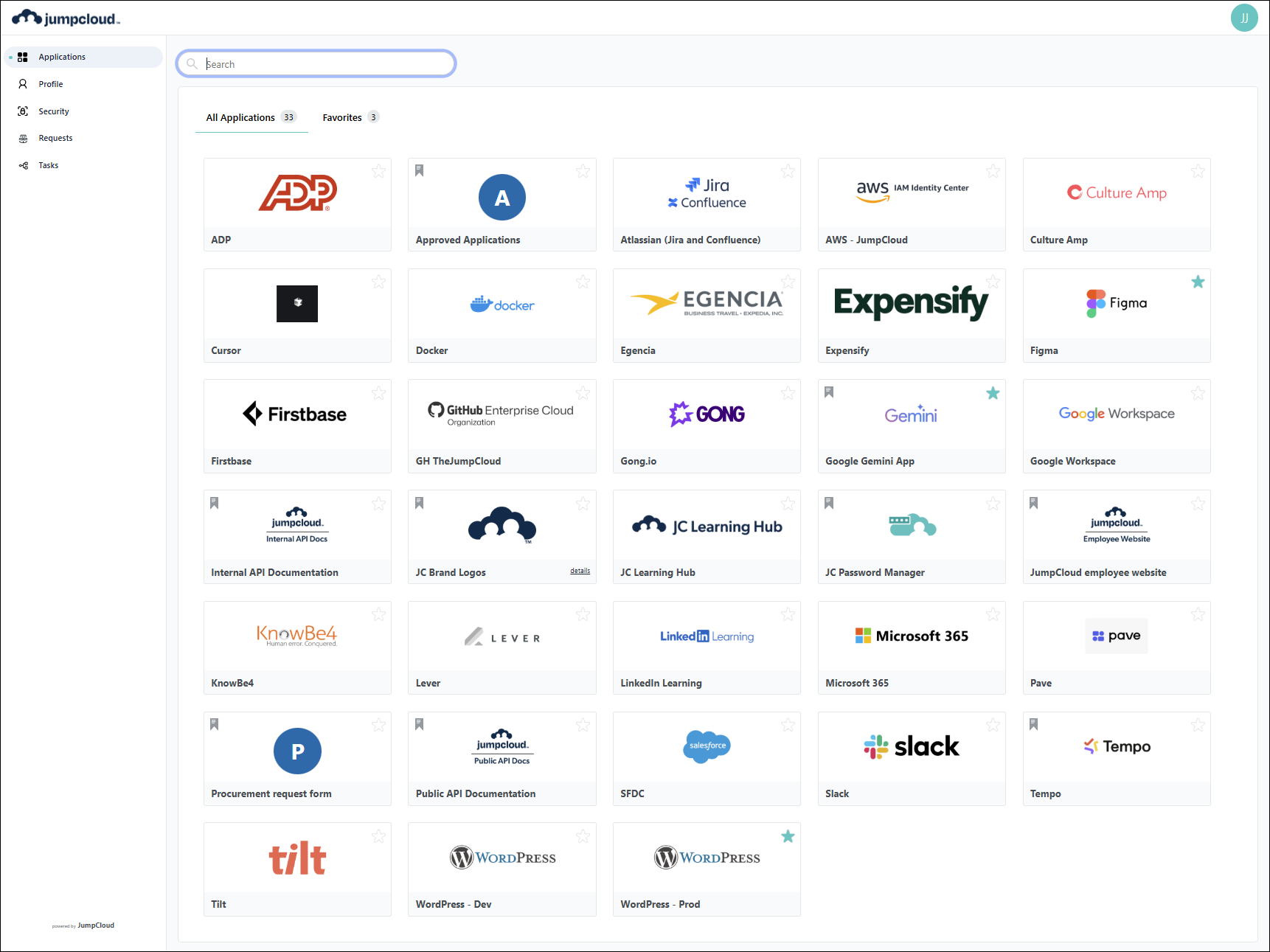
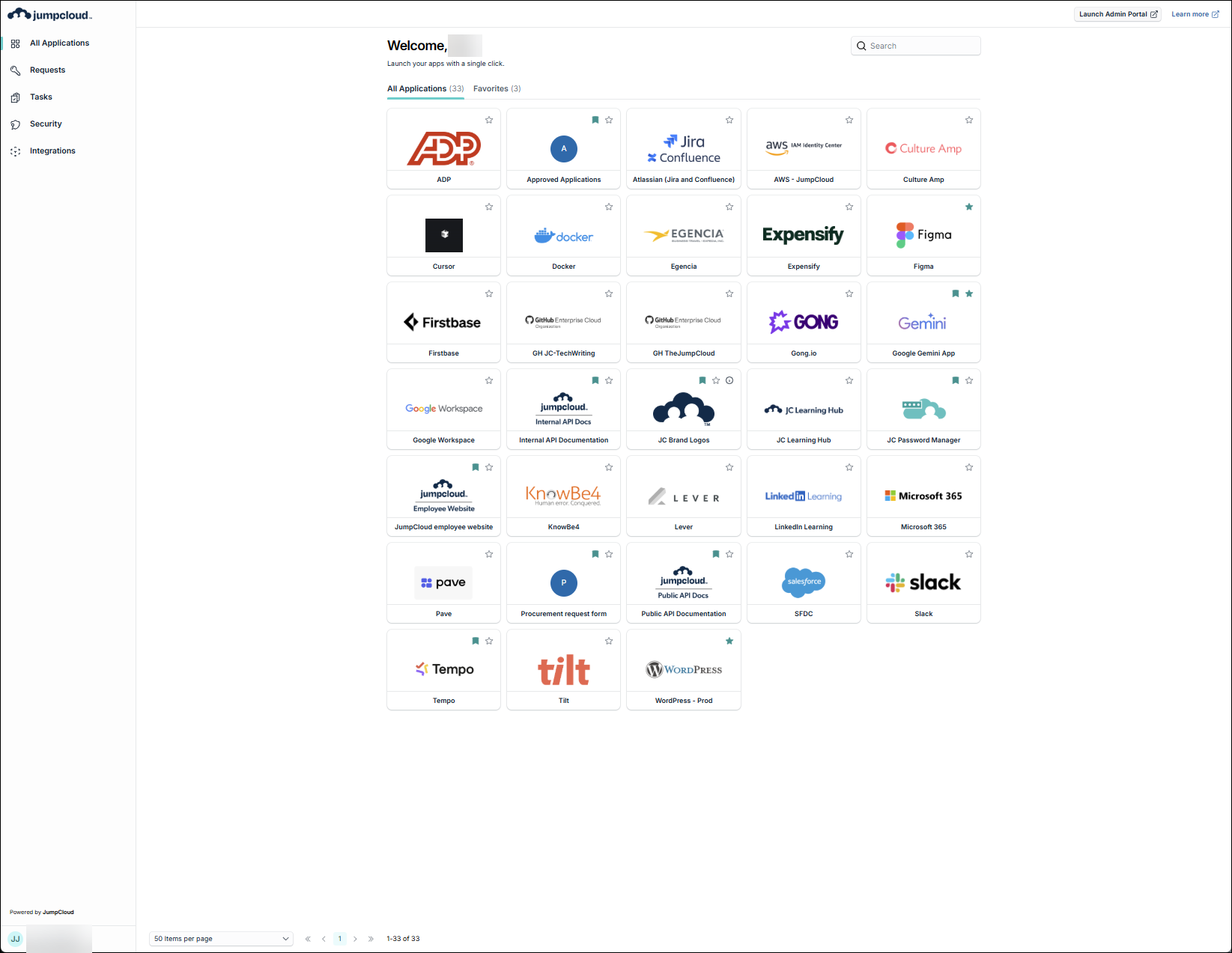
New User Portal Interface
| Legacy | New |
|---|---|
 |  |
Interface Updates
Navigation
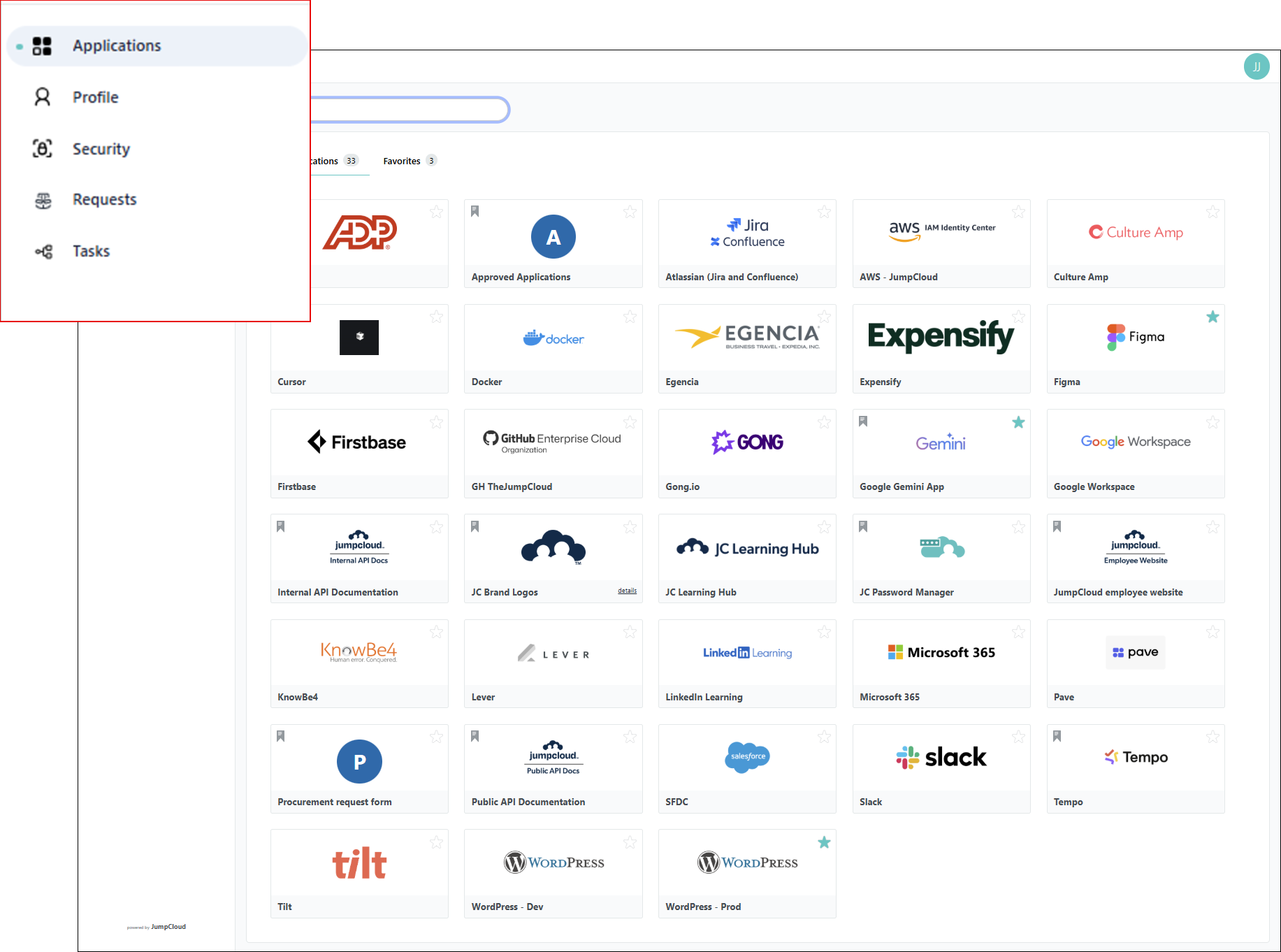
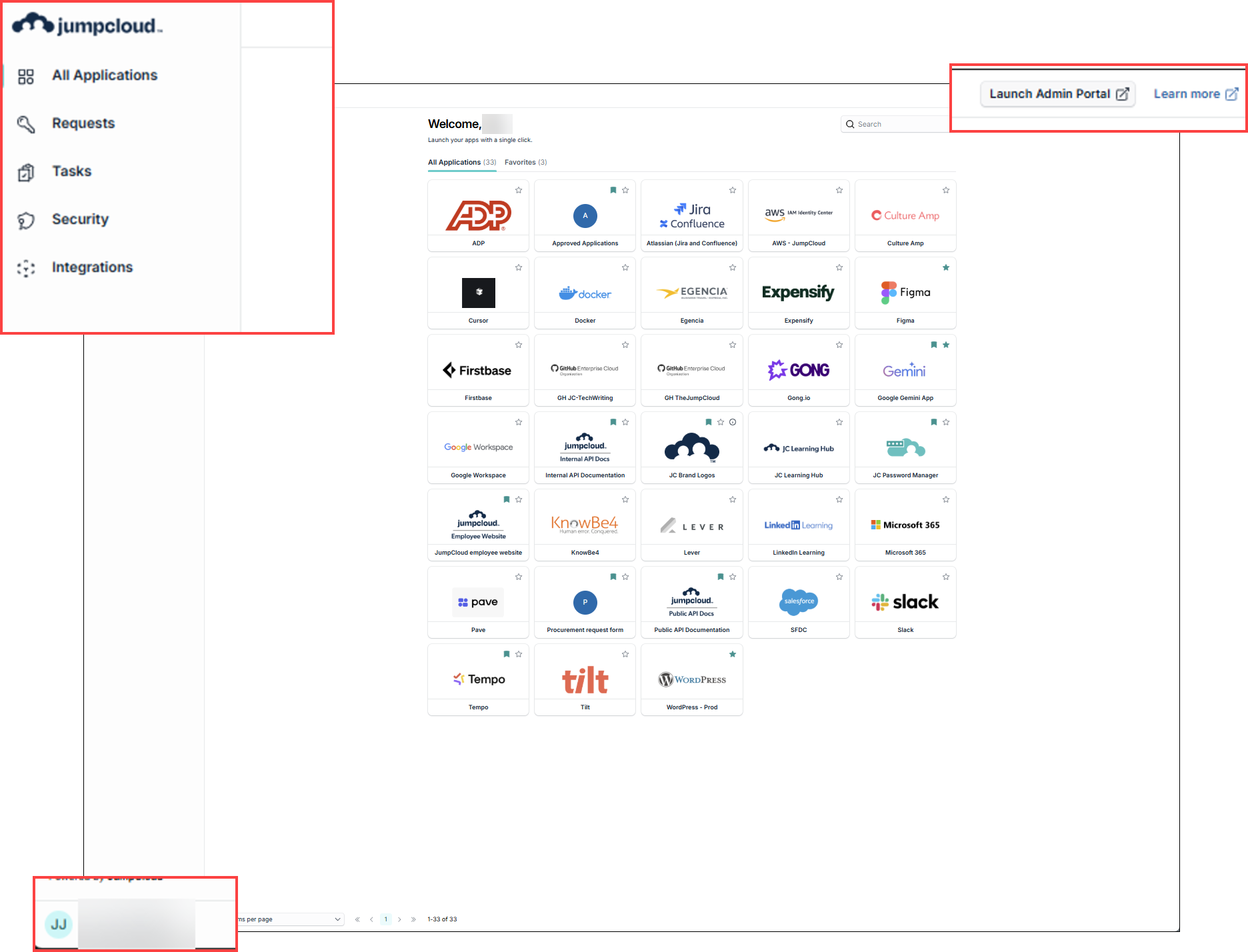
The user portal navigation is nearly identical, with just a few refinements:
- Applications has been changed to All Applications
- Profile has been moved to the lower left corner
- The left navigation list has been reordered
- Launch Admin Portal button added
- Learn more link added (for Get Started: User Portal)
- Integrations has been added
| Legacy | New |
|---|---|
 |  |
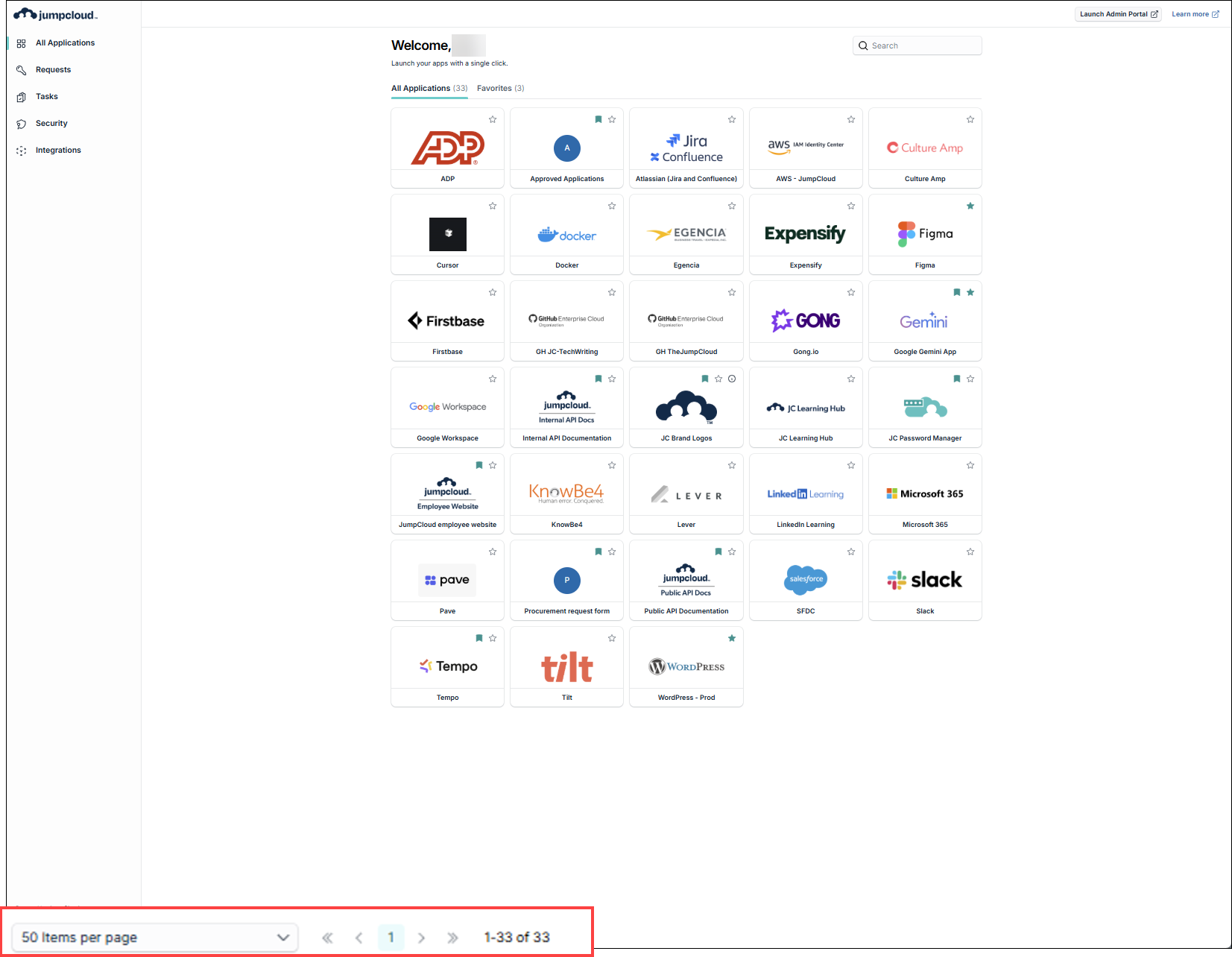
All Applications
Applications has been changed to All Applications. Pagination has been added to display tiles in groups of 10, 20, 50 or 100 items per page.
| Legacy | New |
|---|---|
|  |
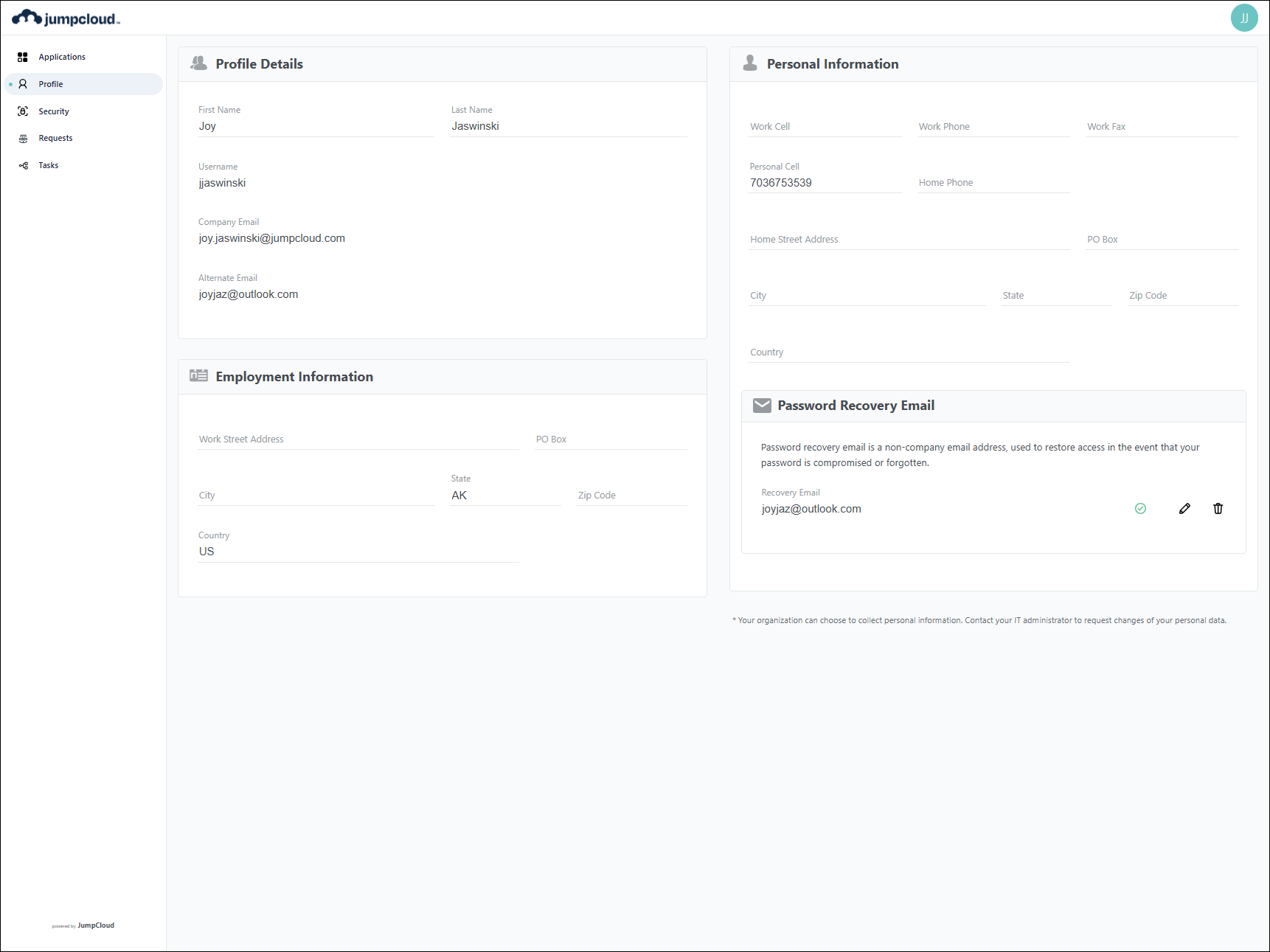
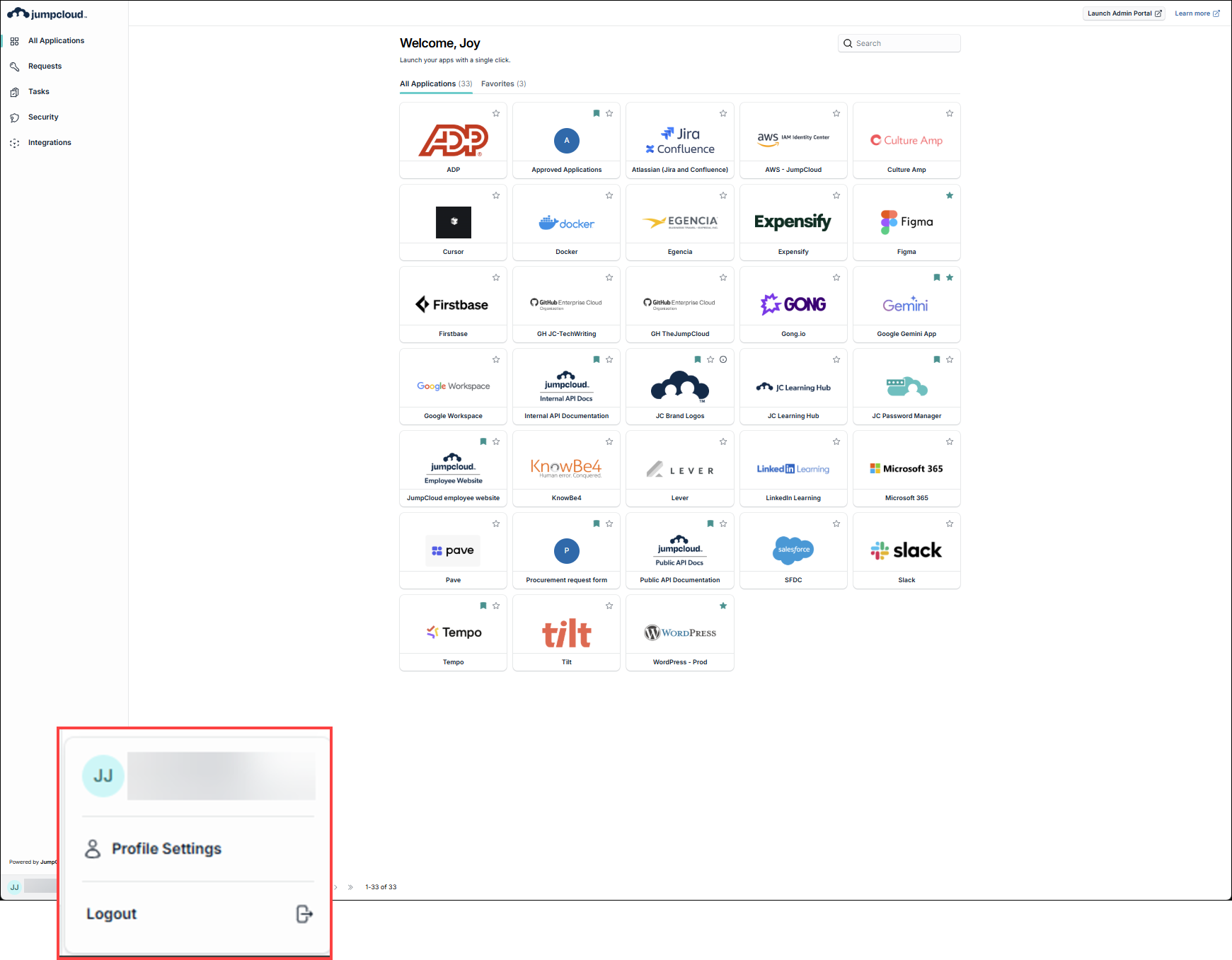
Profile
Profile has been moved to the lower left corner.
| Legacy | New |
|---|---|
 |  |
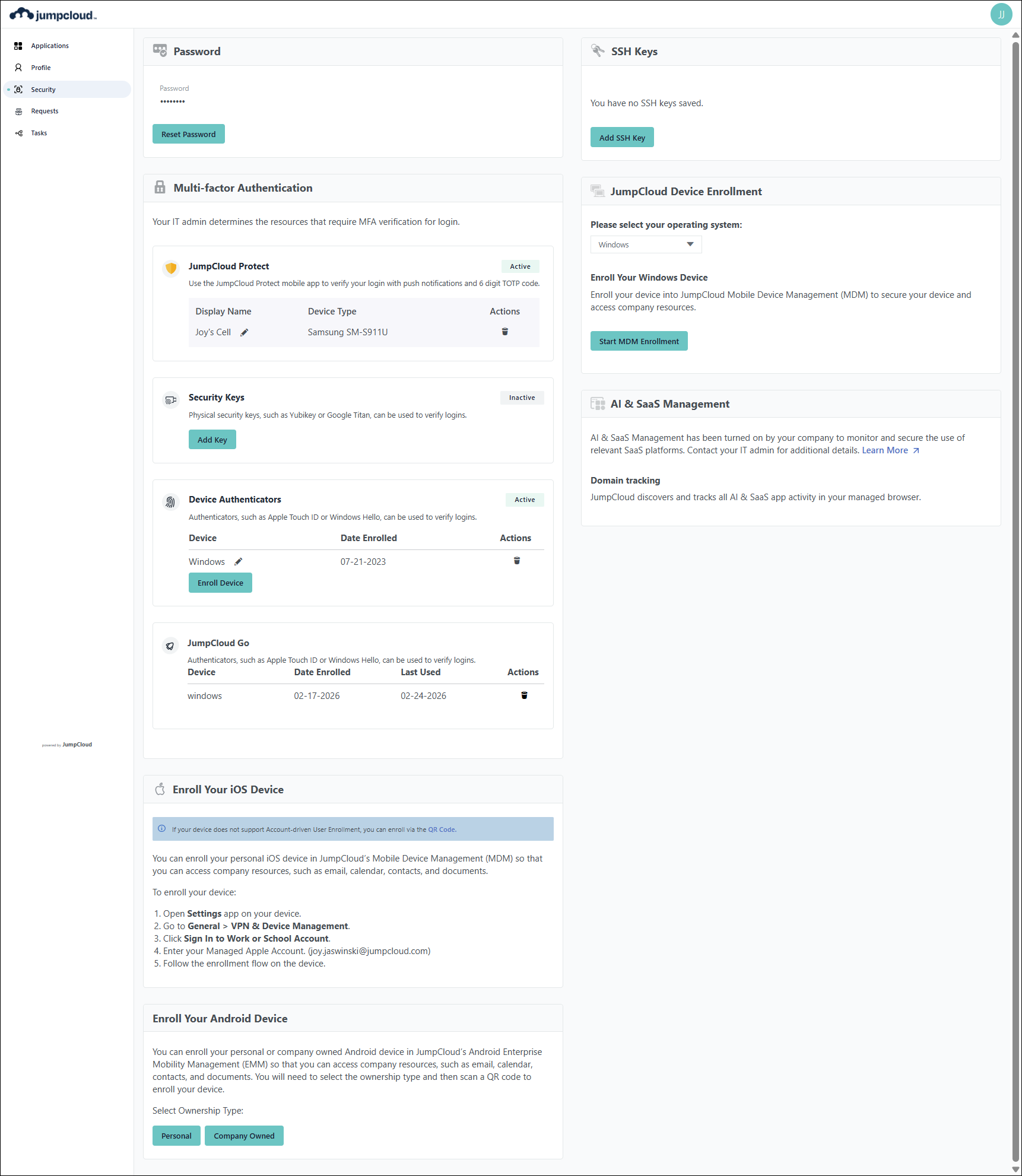
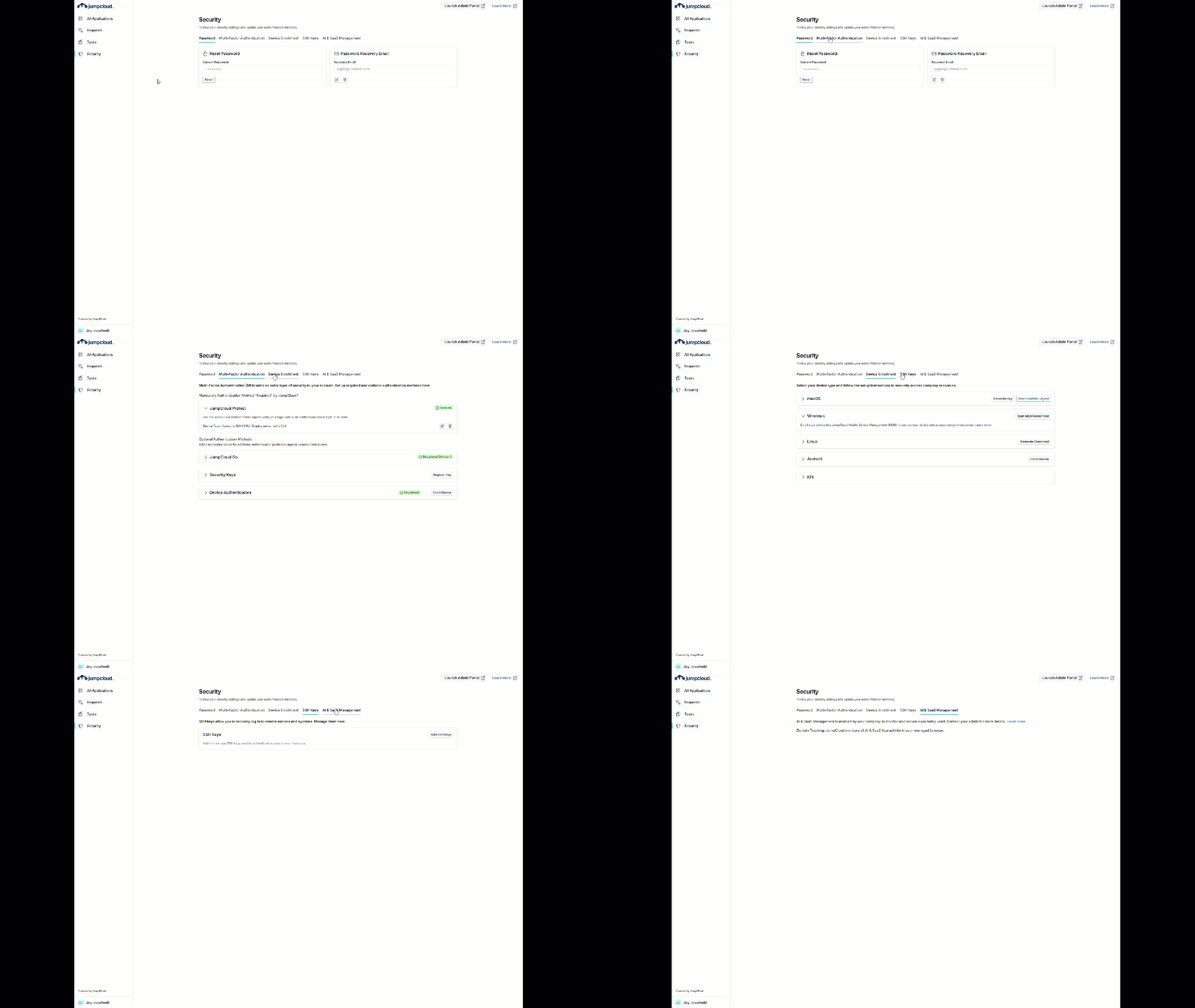
Security
The tiles have been updated to tabs.
| Legacy | New |
|---|---|
 |  |
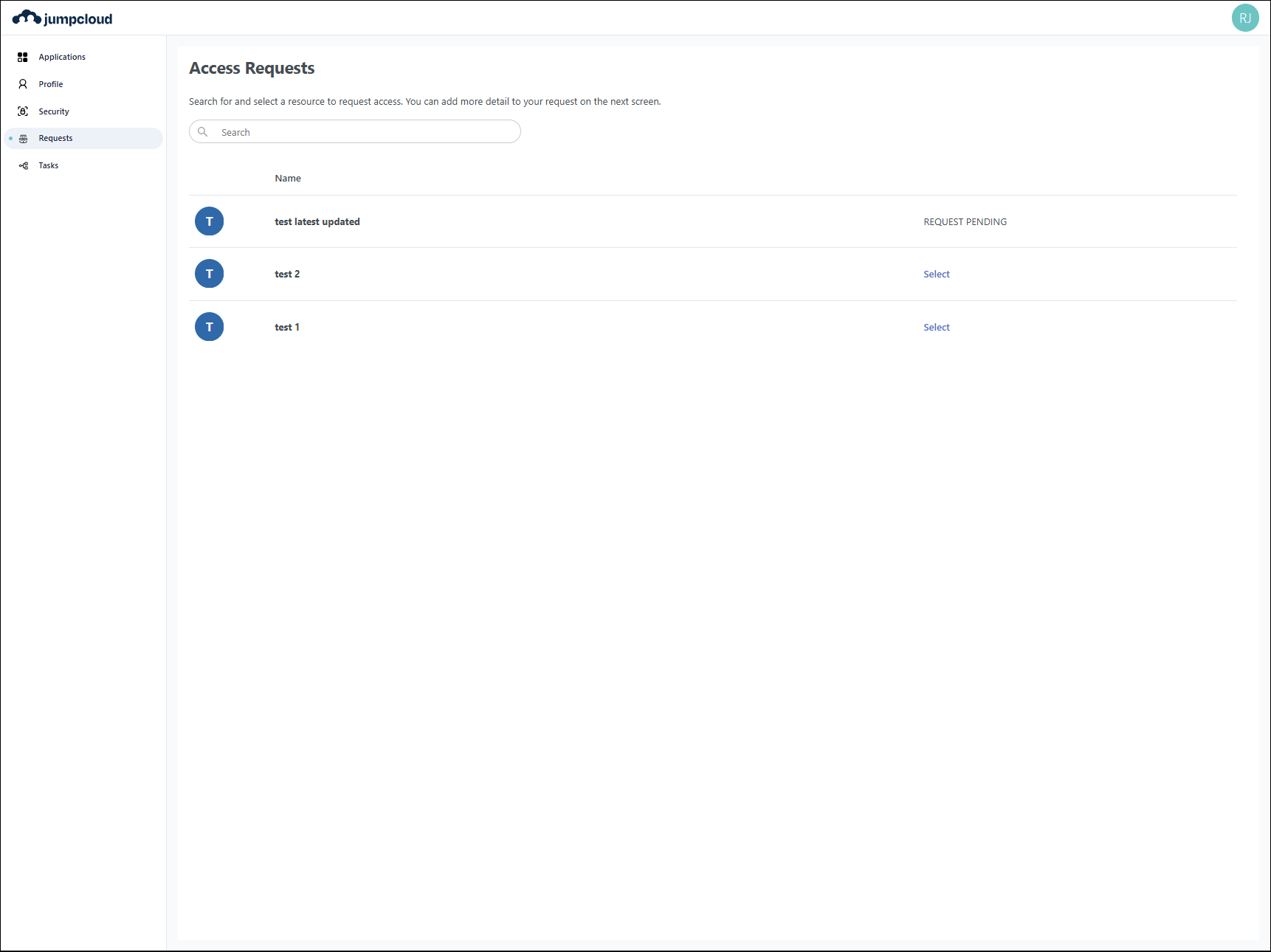
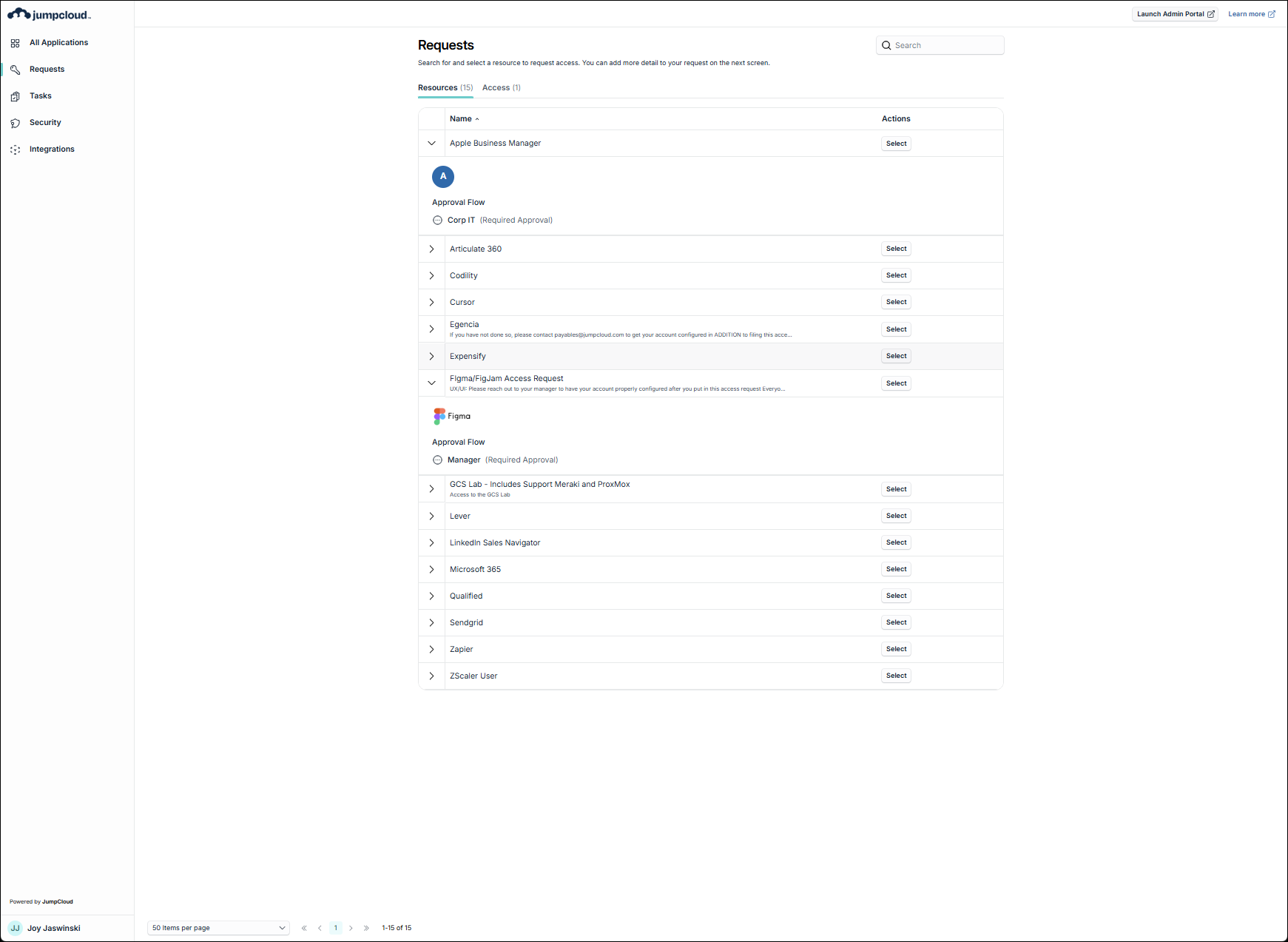
Requests
Access Requests has been changed to Requests and has expandable items showing the approval flow. The Select element has been changed from a link to a button.
| Legacy | New |
|---|---|
 |  |
Tasks
Tasks has not changed.
Next Steps
If you are running into something not working as it did in the legacy user portal, contact JumpCloud Support. If you have a request for a new capability or improvement, simply submit a feature request.
Was this information helpful?