Troubleshoot: Error 403 Amazon S3 Forbidden
Installation completes but the Jump Server certificate is missing (403 Forbidden from Amazon S3).
When you install a Jump Server on an Amazon EC2 instance, the installer downloads the SSL certificate of the Jump Server from an Amazon S3 bucket managed by JumpCloud Privileged Access Management (PAM). If your VPC has an S3 gateway endpoint with a restrictive policy, that download can be blocked with 403 Forbidden.
Symptoms:
-
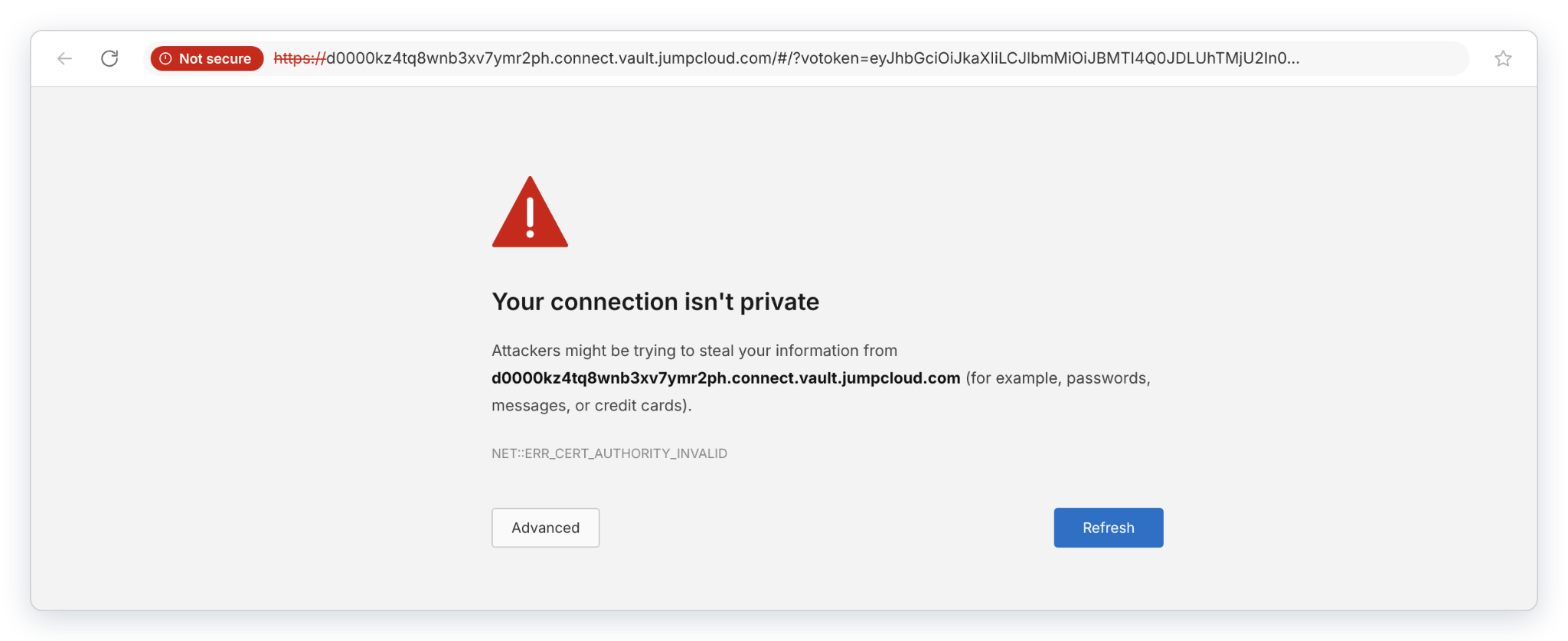
The installation finishes with Installation complete!, but the browser shows Your connection isn't private (NET::ERR_CERT_AUTHORITY_INVALID) when you open the Jump Server address.
-
The installation log contains curl: (22) The requested URL returned error: 403 and failed to download certificate.
-
Requests to Amazon S3 from the instance return Access Denied.
A VPC endpoint for Amazon S3 keeps traffic to S3 inside the AWS network. The endpoint has its own policy, and that policy can limit which buckets the instances in the VPC can reach. When the policy lists only your own buckets, S3 denies any request to a bucket that is not on the list, including the PAM bucket that holds the certificate.
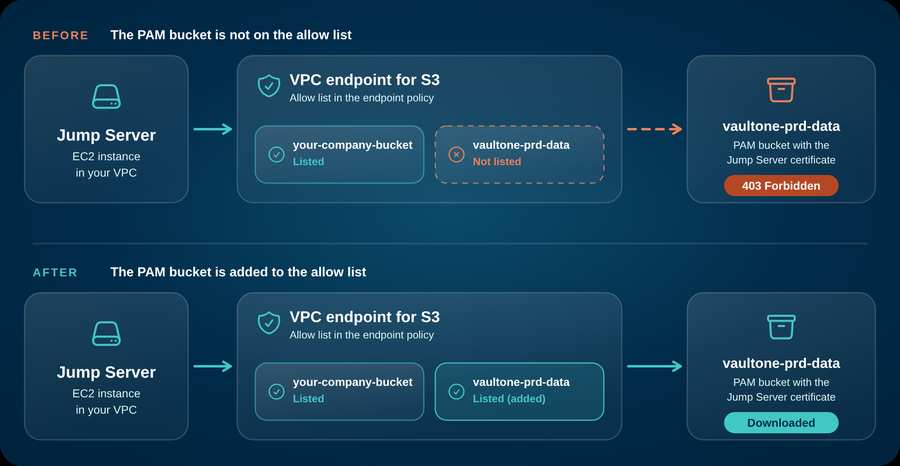
This is an AWS setting, not a JumpCloud PAM defect. The Jump Server and the PAM Platform work as expected. The fix is in the policy of the VPC endpoint in your AWS account.
Resolution: Confirm the cause in the installation log and with curl, then add the PAM bucket to the S3 VPC endpoint policy. Verify the certificate afterward.
Confirm the cause
- Open the installation log on the EC2 instance and look for the download error.
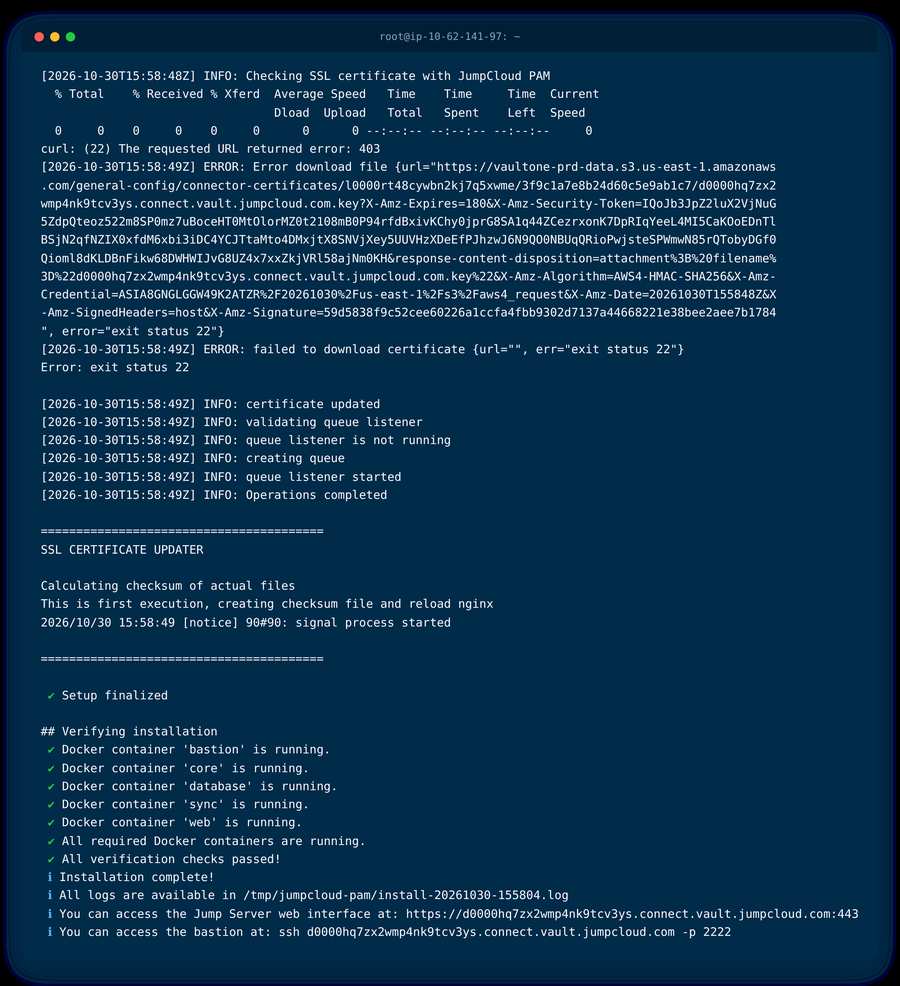
The ERROR: Error download file line contains the full URL of the certificate. Copy that URL for the next check.
- Run the command below on the same EC2 instance with the URL from the log. Keep the URL between quotation marks.
curl -i "<certificate-url-from-the-log>"
A response that points to the VPC endpoint policy blocking the request confirms this issue.
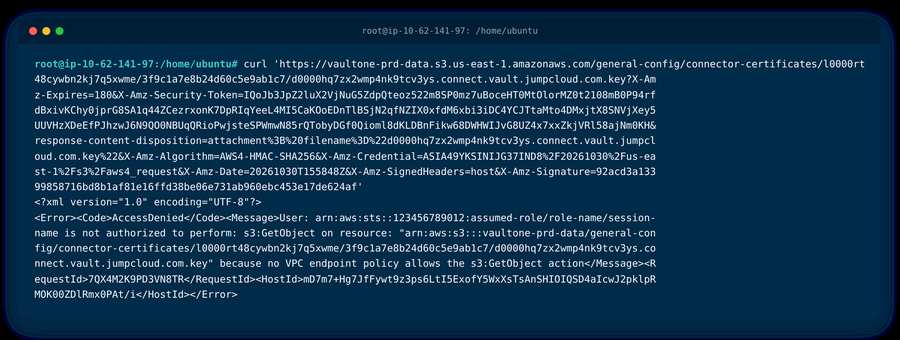
Use a fresh URL. The URL expires 3 minutes after it is generated. An expired URL also returns 403, but the message says the request has expired. Only the message about the VPC endpoint policy points to this issue. To generate a new URL, see Verify the fix.
Fix the VPC endpoint policy
Add the PAM bucket to the policy of the S3 endpoint used by the VPC of the instance.
-
Sign in to the AWS Management Console and open the VPC service.
-
In the navigation pane, select Endpoints.
-
Select the endpoint whose service name is com.amazonaws.<region>.s3, for example com.amazonaws.us-east-1.s3.
-
Open the Policy tab and select Edit policy.
-
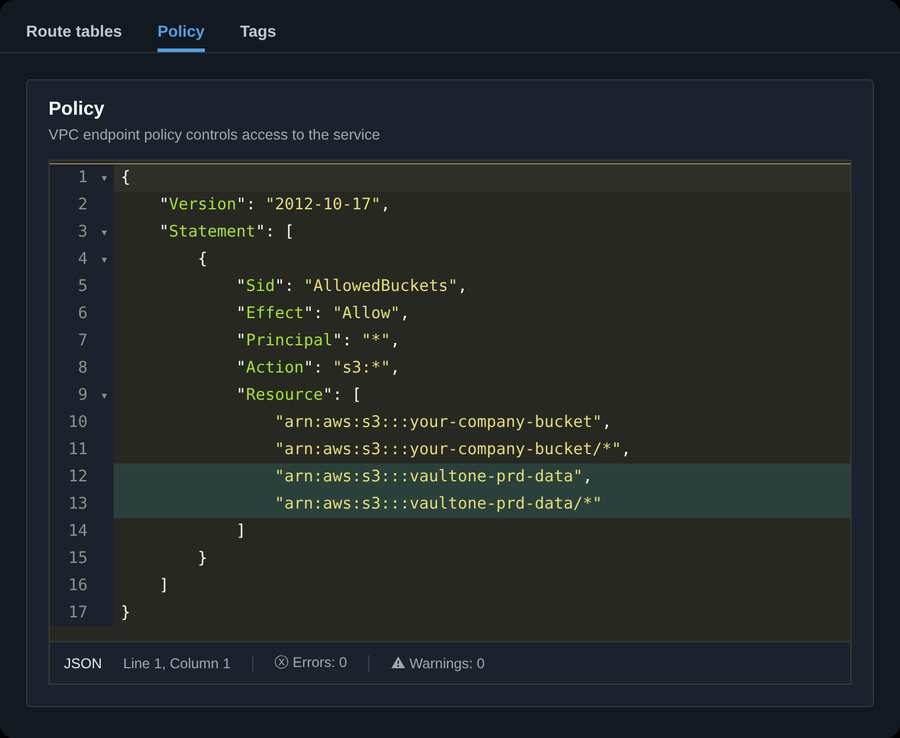
In Resource, add these two ARNs next to the buckets that are already listed:
arn:aws:s3:::vaultone-prd-data\ arn:aws:s3:::vaultone-prd-data/*
The first ARN covers the bucket and the second covers the objects inside it. The complete policy looks like this:
{\ "Version": "2012-10-17",\ "Statement": [\ {\ "Sid": "AllowedBuckets",\ "Effect": "Allow",\ "Principal": "*",\ "Action": "s3:*",\ "Resource": [\ "arn:aws:s3:::your-company-bucket",\ "arn:aws:s3:::your-company-bucket/*",\ "arn:aws:s3:::vaultone-prd-data",\ "arn:aws:s3:::vaultone-prd-data/*"\ ]\ }\ ]\ }
Replace your-company-bucket with the buckets already allowed in your policy. Keep your own statements and your own Action values. Only the two vaultone-prd-data entries are new.
- Select Save. The new policy applies to new requests, usually within a few seconds.
Verify the fix
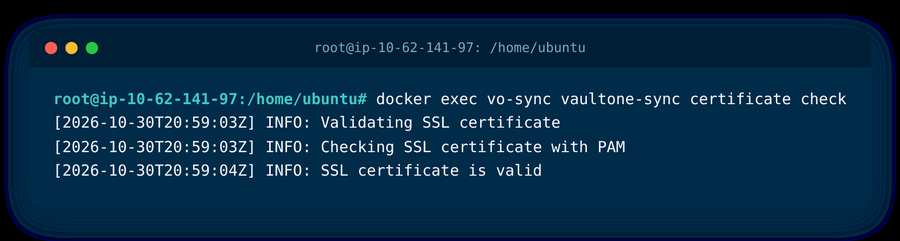
- On the EC2 instance, run the command below. It checks the SSL certificate of the Jump Server.
docker exec vo-sync vaultone-sync certificate check
-
Check that the output ends with SSL certificate is valid. It must not show a 403 error.
-
Open the address of the Jump Server in the browser again. The warning must not appear.
If the certificate still is not installed, verify: - The endpoint you edited is the one associated with the route table of the subnet of the instance. - No other control blocks the request, for example a service control policy (SCP), a proxy, or a network firewall that restricts S3 destinations. - The firewall allows the outbound addresses of your data center on port 443, including *.s3.<region>.amazonaws.com.
Was this information helpful?