Troubleshoot: Conditional Access Policy Denials and Errors
Users are denied access by a Conditional Access Policy
When a Conditional Access Policy (CAP) denies a user’s access attempt. You have to correlate the denial using the user’s timestamp, username, and app name.
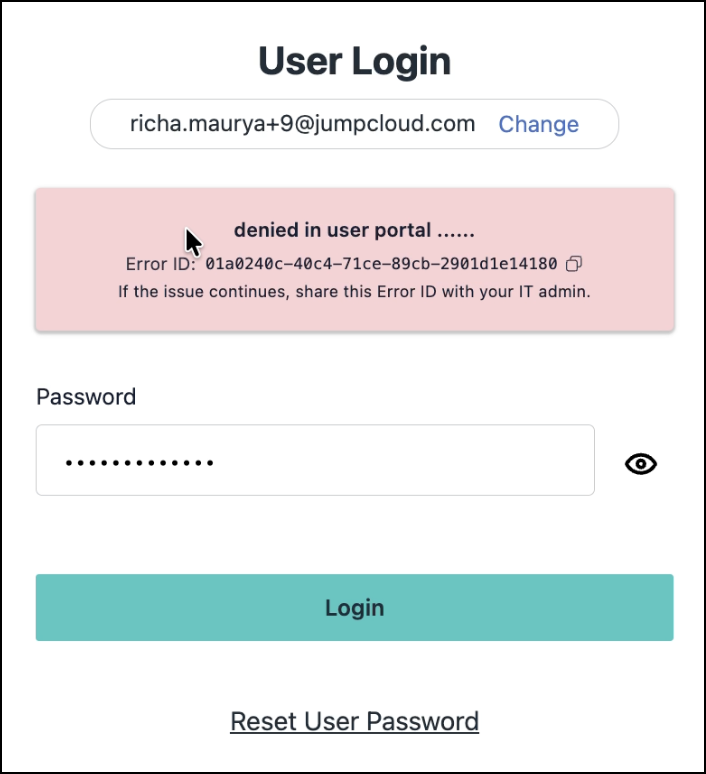
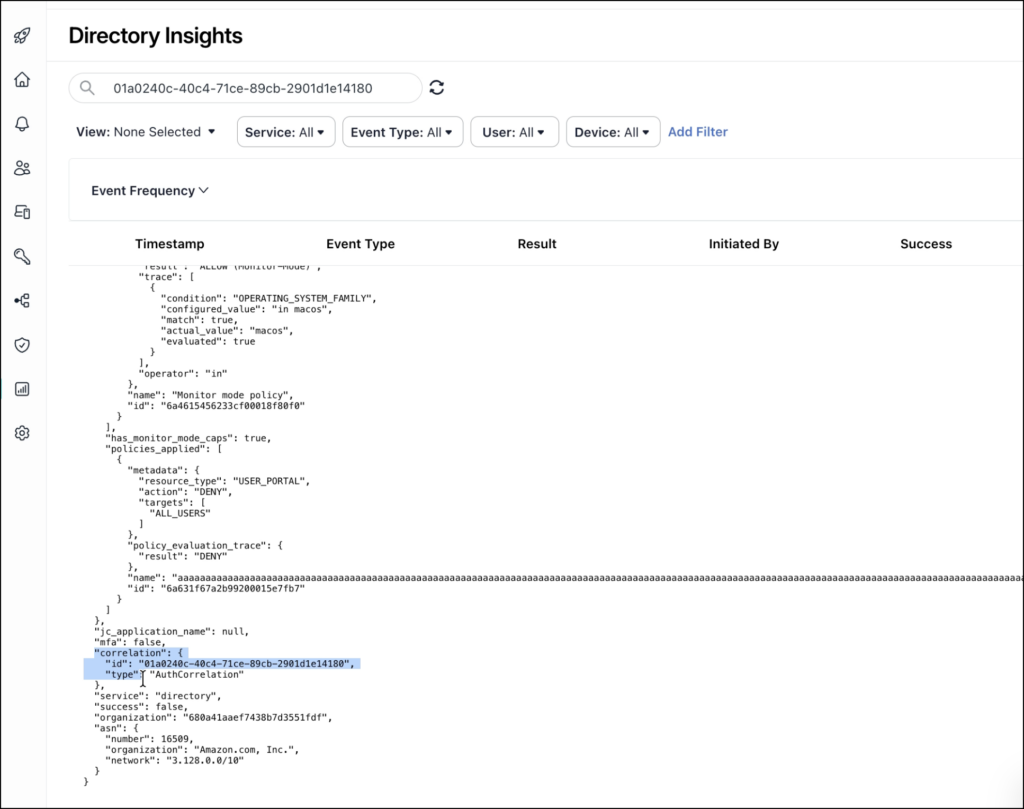
JumpCloud Conditional Access Policy now generates an Error ID for each event where access is denied and displays it as part of the error message displayed to the user and includes the same ID in the corresponding DI event.
- Ask the user to copy the Error ID from the CAP denial screen.
- Log in to the JumpCloud Admin Portal.
- Go to Insights > Directory Insights. The Directory Insights page is displayed.
- Search Directory Insights using the same Error ID.
- Review the returned event.
Was this information helpful?