Export a Jump Server Backup File
Each Jump Server keeps a daily encrypted backup of its privileged credentials and resources. The backup files stay on the Jump Server host. To use the data outside the Jump Server, decrypt a backup file to a JSON file and copy it to the host.
This article explains how to list the backup files, decrypt one of them with the Backup Key and copy the JSON file out of the Jump Server. To generate the Backup Key, see Configure Jump Server Credentials Backup.
The JSON file is not encrypted. It contains passwords, private keys and resources in plain text. Restrict access to the file, move it only through a secure channel and delete it when you no longer need it.
Prerequisites
- Jump Server Backup is active, and you have the Backup Key. You generate the key in Settings > Jump Server Backup.
- Root access to the host of the Jump Server.
- The Backup Key that matches the backup file. A backup file created before a key rotation needs the previous key.
List the Backup Files
- Log in to the host of the Jump Server.
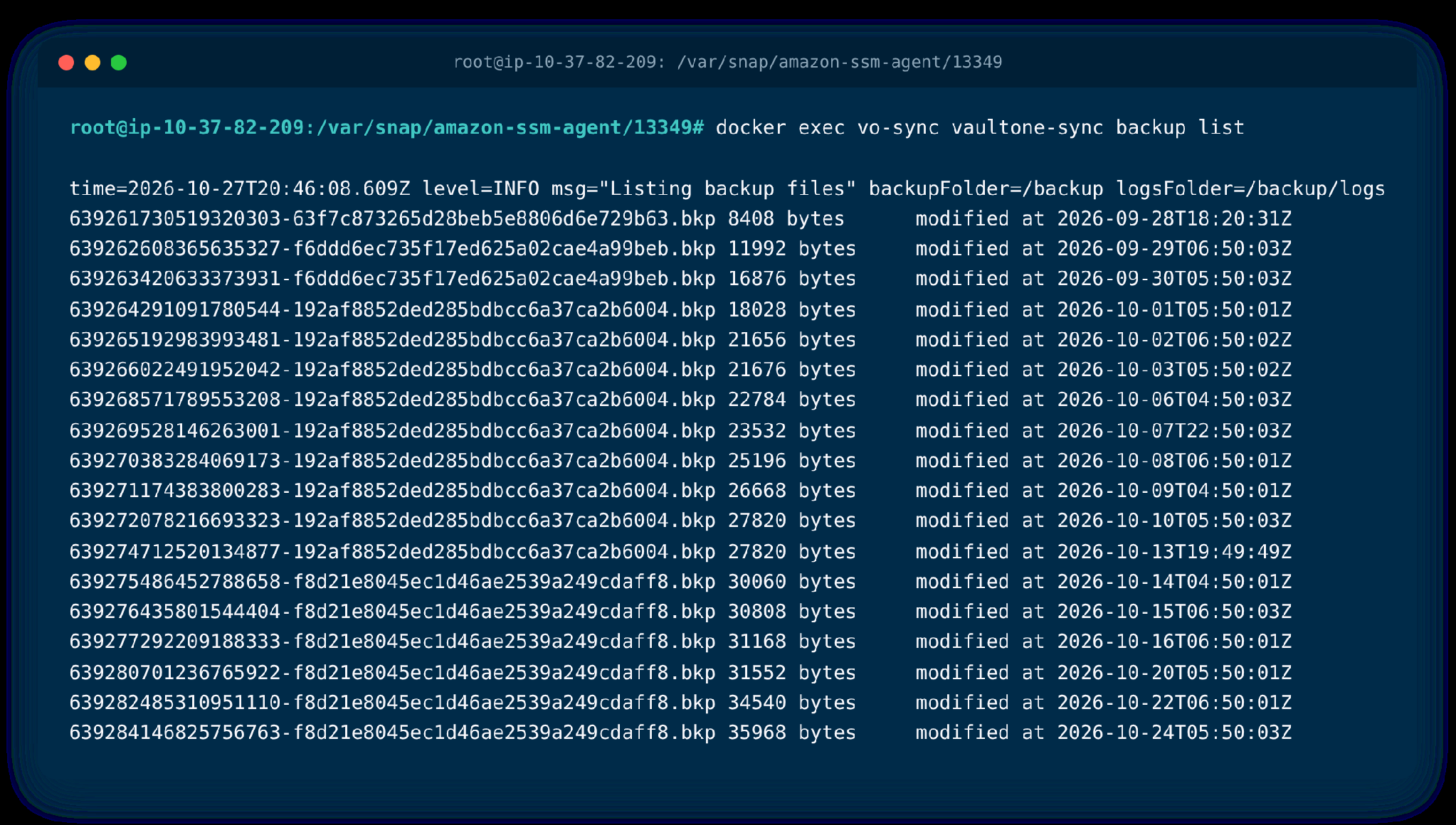
- List the backup files that the Jump Server keeps:
docker exec vo-sync vaultone-sync backup list
The files are listed from the oldest to the newest. Each line has the file name, its size and the date it was saved. Copy the name of the file that you want to export.
Decrypt the Backup File to JSON
- Open a shell in the vo-sync container:
docker exec -ti vo-sync bash
- Decrypt the file. Replace
BACKUP-FILE-NAME.bkpwith the name of the backup file:
base64 -d /backup/BACKUP-FILE-NAME.bkp | openssl enc -d -aes-256-cbc -out /tmp/backup.json
- When the prompt enter AES-256-CBC decryption password appears, enter the Backup Key and press Enter.
The message deprecated key derivation used is expected and does not mean that the decryption failed. If the message bad decrypt appears, the Backup Key does not match this backup file. Use the key that was active when the file was created.
Copy the JSON File to the Host
- Exit the container:
exit
- Copy the file from the container to the current folder of the host:
docker cp vo-sync:/tmp/backup.json ./
- Delete the file from the container:
docker exec vo-sync rm /tmp/backup.json
The file backup.json is now in the current folder of the host. Open it with a text editor or a JSON viewer.
Was this information helpful?