Choose Between PAM and JumpCloud Password Vault
JumpCloud Privileged Access Management (PAM) and JumpCloud Password Vault both store credentials, but they solve different problems. They are separate products, and the concepts of one do not apply to the other. This article helps you decide which product to use for each credential, what each one stores, and how to share safely.
This article is for administrators who decide where the credentials of their organization are stored.
The One Question That Decides It
Ask who owns the account and its password.
- The user owns it. The user created the account, or it is tied to the user's own email, and the user can reset the password. Use Password Vault.
- The company owns it. The company controls the account, and the user should not know the password. Use PAM.
PAM is built on one concept: the user must not have access to the password and must always go through PAM. If the user can obtain the password another way, PAM cannot enforce that.
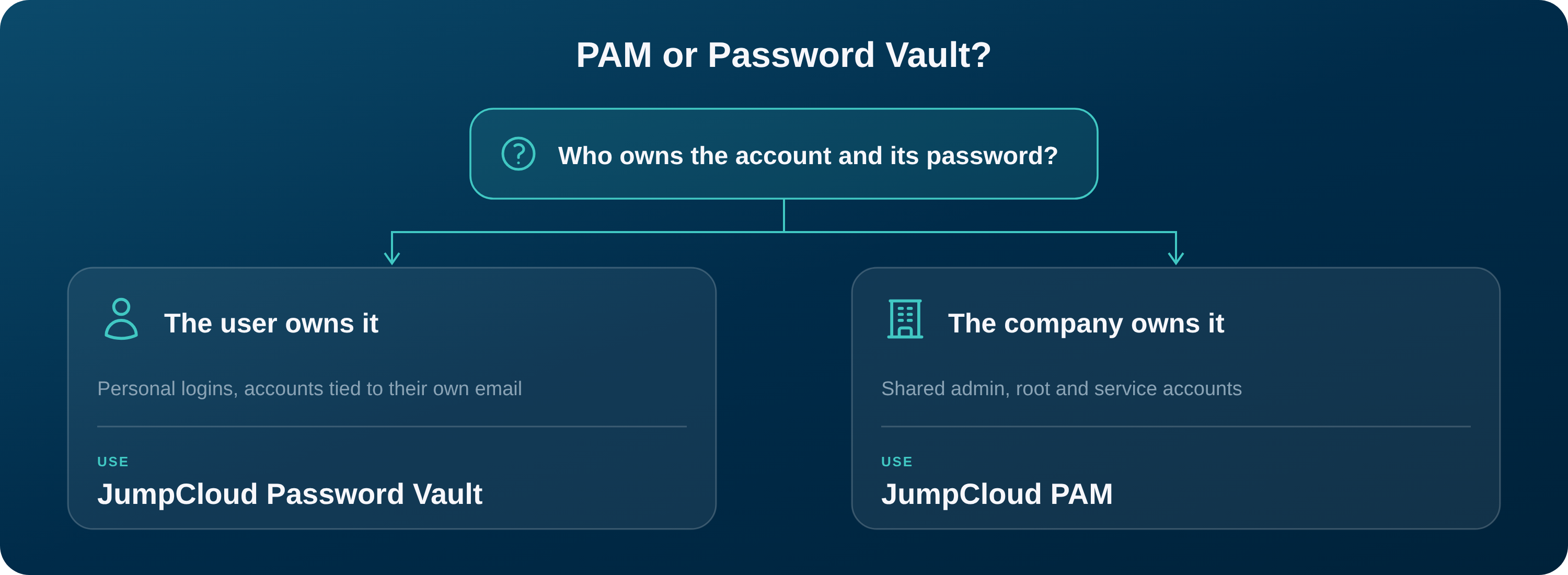
Compare PAM and Password Vault
| PAM | Password Vault | |
|---|---|---|
| Who owns the credential | The company | The user |
| Does the user know the secret | Not required. The user connects through PAM, and the secret can stay hidden. | Yes. The user stores and uses their own credentials. |
| Recording and auditing | Sessions go through the Jump Server and can be recorded and audited. | No session recording. Access does not go through PAM. |
| Can admins see the secrets | Administrators manage resources and credentials according to their permissions. | By default, administrators cannot view or change the passwords that users create. |
| How you share | Through user groups, Resource Managers, and Access Requests. | Through shared folders. |
When to Use PAM
Use PAM for credentials that belong to the company and that users should reach only through PAM. Examples:
- Shared administrator, root, and service accounts for servers.
- Administrator logins for databases.
- Company accounts on websites and SaaS applications, such as the corporate social media accounts.
- Credentials that must be hidden from the user, or that require recording, auditing, or approval to use.
When to Use Password Vault
Use Password Vault for credentials that the user owns. Examples:
- Logins that employees create for themselves.
- Accounts tied to the user's own email address.
- Personal items such as payment cards, notes, and identities.
Why User-Owned Accounts Do Not Belong in PAM
Administrators sometimes put every credential in PAM to record the sessions. This fails when the user owns the account.
Example: A user has a LinkedIn account tied to their own email. You store it in PAM to record and audit access. The user can still reset the password through their email and sign in directly, without PAM. The session is not recorded, and the credential is not hidden.
This is not a limit of PAM. The user owns the password, so PAM cannot prevent access outside it. If recording, auditing, or hiding the secret is your goal, the account must belong to the company.
Exception: Force Access Through the Jump Server
You can store a named user account in PAM when the user has no way to reach the resource except through PAM. The Jump Server sits between the user and the resource, for any resource type: website, server, or database. To make it the only path, create a network rule so that the resource accepts connections only from the Jump Server.
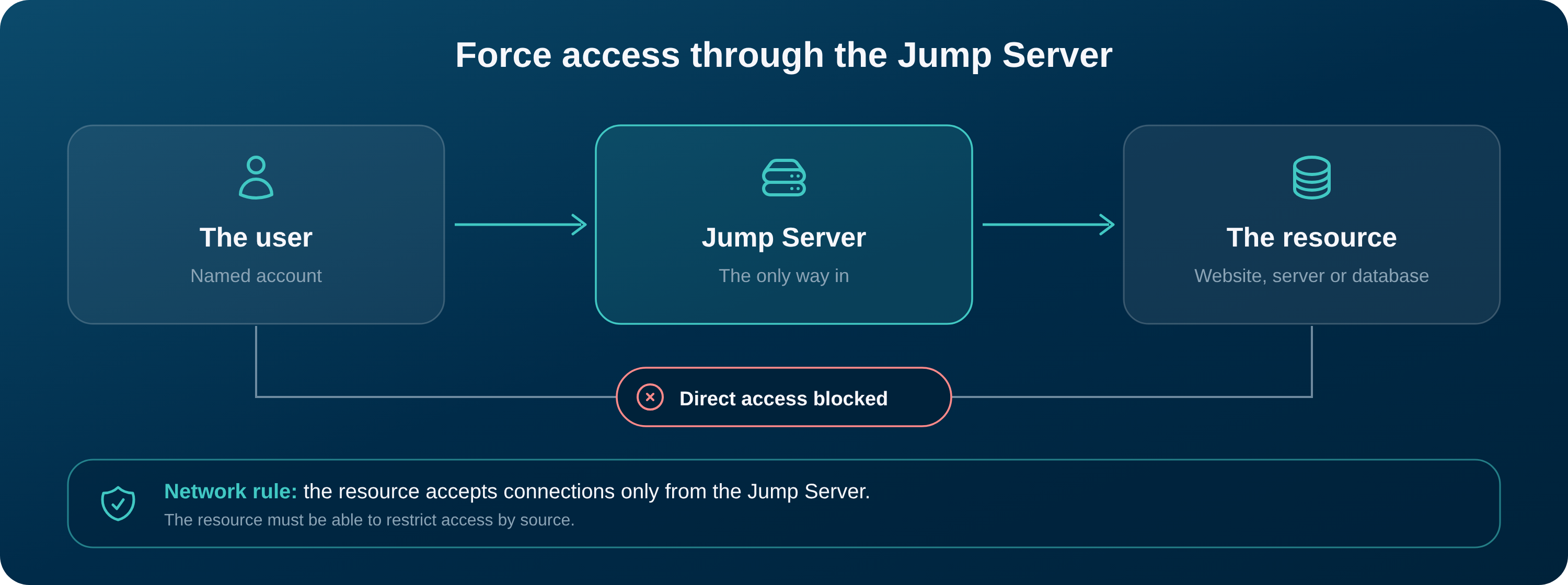
- The rule works only if the target resource can restrict access by source. Check this before you rely on it.
- If users can still reach the resource directly, the account is not protected by PAM, and the original problem returns.
Best Practices for Sharing
Sharing in PAM
- Share with user groups. Enroll the user groups in PAM and give access to the group, not to individual users.
- Prefer Connect over View Secret. With Connect, the user works in the session without seeing the credential. Allow View Secret only when users must read it.
- Delegate with Resource Managers. Use Resource Managers so that the right administrators manage each set of resources.
- Use Access Requests for temporary access. Grant access for a limited time instead of leaving it open.
Sharing in Password Vault
- Use shared folders. Share items through folders with users and user groups, not by sending the password.
- Assign the lowest role that works. Folder Member, Folder Manager, and Item Manager give different levels of control. Give Folder Manager only to the people who manage the folder.
- Share payment cards only with the people who need them. Payment cards are shared with a specific user.
- Share company-owned credentials in PAM instead. A password that the company owns should not live in a shared folder.
Was this information helpful?